


DELL
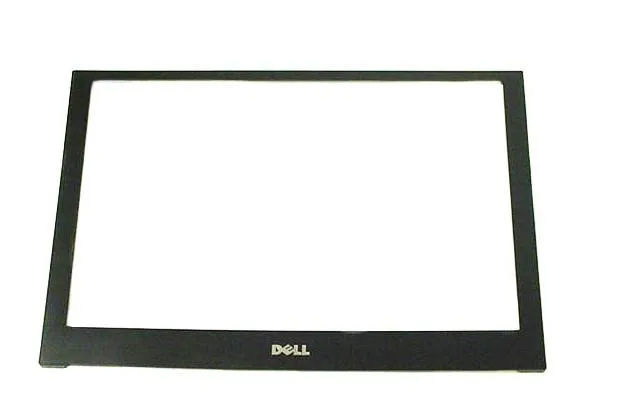
DELL Latitude E4200 12.1" LCD Screen Bezel X854D accessory
Genuine Dell 12.1" LCD screen bezel, part X854D, fits Latitude E4200 laptops
- Accessory TypeLCD Screen Bezel
- Genuine Dell replacement ensures exact fit for Latitude E4200
- 1 inch display bezel restores original screen trim appearance
- Part number X854D matches factory specification for correct compatibility
- New condition provides unused factory component without wear
- Front WLAN trim cover protects internal antenna area
Genuine Dell Latitude E4200 12.1" LCD Screen Bezel
This genuine Dell replacement part restores the front trim around the 12.1" display on a Latitude E4200 laptop. It matches the original factory specification and ships in new condition. The part number X854D identifies the exact moulding for this model.
Replaces cracked or missing original bezel
Install this bezel when the existing trim is damaged, loose or lost during a screen repair. The jump is worth it if the current bezel no longer secures the panel or exposes internal components. Several different bezels exist for the E4200, so only order when the part number matches.
Verify the part number on your existing bezel
Dell uses multiple bezel variants for the Latitude E4200, so visual similarity is not enough. Confirm that the original carries the X854D or 0X854D marking. This bezel is not compatible with other Latitude models or screen sizes.
Highlights
- Genuine Dell replacement ensures exact fit for Latitude E4200
- 1 inch display bezel restores original screen trim appearance
- Part number X854D matches factory specification for correct compatibility
- New condition provides unused factory component without wear
- Front WLAN trim cover protects internal antenna area
Specifications
| Brand | DELL |
|---|---|
| Part Number | X854D |
| Accessory Type | LCD Screen Bezel |
Questions about this item
Will the 12.1" bezel with part number X854D fit my Dell Latitude E4200 without any modifications?
Yes, the X854D bezel is designed specifically for the 12.1" Dell Latitude E4200 and fits the existing mounting points directly.
What is the correct way to snap the bezel onto the display assembly, and which step do people often miss?
Start at the top edge near the webcam, press firmly along the sides, then finish at the bottom; the bottom clips are often missed and left loose.
How often should the plastic bezel be replaced, and what indicates it needs changing?
Replace it only if the clips break or the frame cracks; under normal handling the original bezel lasts the life of the laptop.
Also in this aisle
People compared these
Same shelf, same checkout — eight coins and a 30-minute rate lock.


Kensington
Kensington Desk Mount Cable Anchor K64613WW accessory
- Black
- Provides a secure a…
$19.99
0.00023173BTC
In stock
Panasonic
Panasonic CF-VDR291U laptop cooling pad
- Optical Drive
- Buffer Size: 2 MB B…
$213.99
0.00248064BTC
In stock
eReplacements
eReplacements PB992A-ER laptop battery 14.4V
- Battery
- Lithium-Ion
$65.99
0.00076498BTC
In stock