


DELL
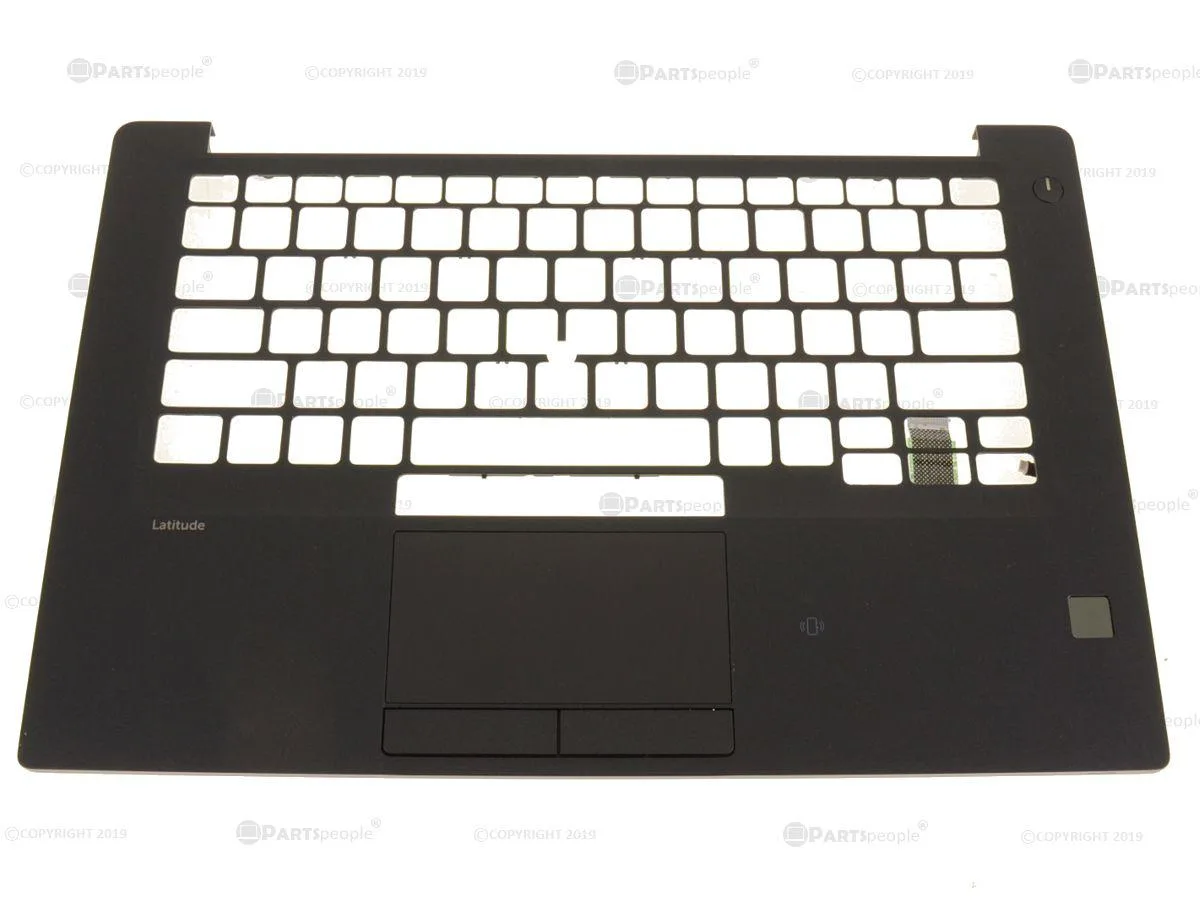
DELL Latitude 7480 palmrest assembly with fingerprint and smart card reader RJ5Y3
Palmrest assembly for Dell Latitude 7480 with fingerprint reader, smart card reader, touchpad and dual pointing stick buttons included
- Authentic Dell replacement part
- Dual-pointing design with TrackPoint and touchpad
- Integrated fingerprint reader for secure login
- Built-in smart card reader for authentication
- Complete assembly includes touchpad module and cables
Compatible Palmrest Assembly
The Dell Latitude 7480 palmrest assembly replaces the original RJ5Y3 part on compatible systems. It integrates the touchpad, fingerprint reader and smart card reader into a single unit. This component is designed specifically for 7480 models equipped with dual pointing hardware.
Dual Point Build Quality
The assembly includes the USH junction board, LED indicator light and all necessary ribbon cables pre-installed. Separate mouse button modules and a centre stick pointer are part of the dual-point layout. Each sub-component carries its own Dell part number for traceability.
Service-Focused Design
Normal use relies on the fingerprint and smart card modules for secure authentication. The integrated touchpad and pointing stick share the same palmrest surface without additional power draw. No thermal or noise characteristics apply to this passive replacement part.
Highlights
- Authentic Dell replacement part
- Dual-pointing design with TrackPoint and touchpad
- Integrated fingerprint reader for secure login
- Built-in smart card reader for authentication
- Complete assembly includes touchpad module and cables
Specifications
| Brand | Dell |
|---|
Questions about this item
What interface does the smart card reader module T54GY use and what throughput does it cap at?
The T54GY smart card reader connects through the USH junction board VXG88 and its cable YK41H; the assembly does not expose a separate throughput specification.
What physical space and mounting points does this palmrest assembly require?
It is built for the Latitude 7480 dual-point chassis and fits the existing screw bosses and cable routing for the touchpad 8P10G, mouse buttons XKYX9 and LED indicator Y81KR.
How is the assembly installed and which step is most often missed?
Remove the old palmrest, disconnect the fingerprint ribbon 67P8C and USH cable YK41H, seat the new assembly, then reconnect both cables and the touchpad flex 8P10G before securing screws.
Also in this aisle
People compared these
Same shelf, same checkout — eight coins and a 30-minute rate lock.


Kensington
Kensington Desk Mount Cable Anchor K64613WW accessory
- Black
- Provides a secure a…
$19.99
0.00023693BTC
In stock
Panasonic
Panasonic CF-VDR291U laptop cooling pad
- Optical Drive
- Buffer Size: 2 MB B…
$213.99
0.00253633BTC
In stock
eReplacements
eReplacements PB992A-ER laptop battery 14.4V
- Battery
- Lithium-Ion
$65.99
0.00078215BTC
In stock