

DELL
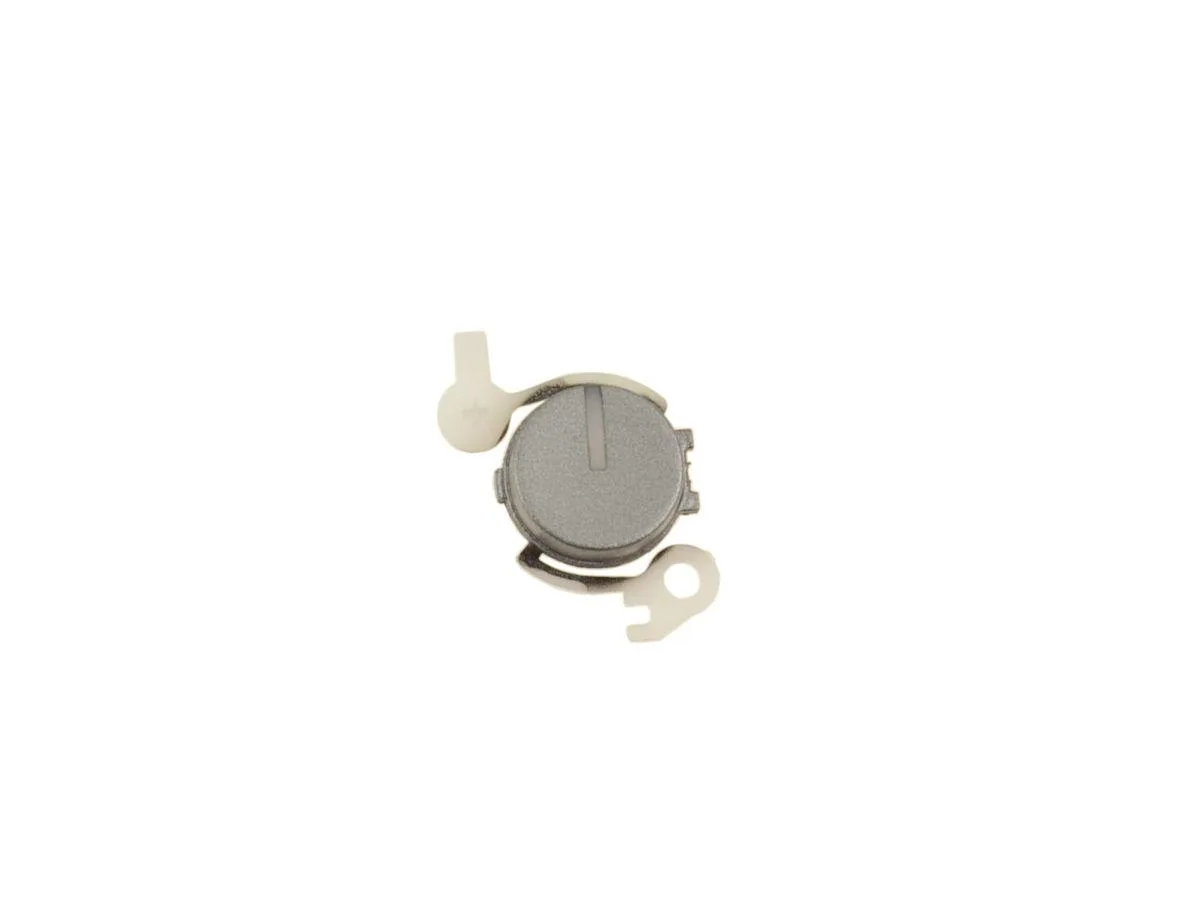
DELL Latitude 5310 5300 2-in-1 Chromebook Power Button Cover CRHGW
Replaces the power button cover on Dell Latitude 5310 and 5300 2-in-1 Chromebook models without a fingerprint reader
- Genuine Dell OEM part ensures exact fit and finish
- Protects the power button on Latitude 5310 and 5300 2-in-1 Chromebook models
- Designed for systems without the optional fingerprint reader
- Outer plastic cover with power button icon restores original appearance
- Direct replacement using Dell part number CRHGW
Compatible Dell Latitude Models
This genuine Dell OEM power button cover fits the Latitude 5310 2-in-1, Latitude 5310 and Latitude 5300 2-in-1 Chromebook. It is the outer plastic piece that carries the power button icon. The part is not compatible with systems equipped with the optional fingerprint reader. Part number CRHGW ensures correct identification.
Replaces a Damaged or Missing Cover
Use this part when the original power button cover is cracked, lost or worn so the button legend is no longer legible. The swap is worthwhile if the underlying switch still functions but the cosmetic surface is compromised. No tools beyond a small pry instrument are typically required to exchange the cover.
Fits Into the Existing Chassis Cut-Out
The cover seats directly into the existing chassis opening on the supported Latitude models. It requires no additional brackets, adhesives or fasteners beyond the original retention features. Installing the cover restores the factory look and protects the power switch from dust ingress.
Highlights
- Genuine Dell OEM part ensures exact fit and finish
- Protects the power button on Latitude 5310 and 5300 2-in-1 Chromebook models
- Designed for systems without the optional fingerprint reader
- Outer plastic cover with power button icon restores original appearance
- Direct replacement using Dell part number CRHGW
Specifications
| Brand | Dell |
|---|
Questions about this item
Does the CRHGW power button cover fit the Latitude 5310 2-in-1 without a fingerprint reader?
Yes, the CRHGW cover is made for the Latitude 5310 2-in-1, Latitude 5310 and Latitude 5300 2-in-1 Chromebook when they do not have the optional fingerprint reader.
How do I install the power button cover on my Latitude 5300 2-in-1 Chromebook?
Remove the old cover, align the new CRHGW cover over the power button recess and press firmly until it clicks into place; the step often missed is ensuring the icon faces the correct orientation before pressing.
When should I replace the power button cover on a Latitude 5310?
Replace the CRHGW cover if the plastic cracks, the power icon wears off or the cover becomes loose and no longer sits flush with the chassis.
Also in this aisle
People compared these
Same shelf, same checkout — eight coins and a 30-minute rate lock.


Case Logic
Case Logic 3203990 briefcase for 15.6 in laptop with 10.1 in tablet pocket
$30.99
0.00036922BTC
In stock