

DELL
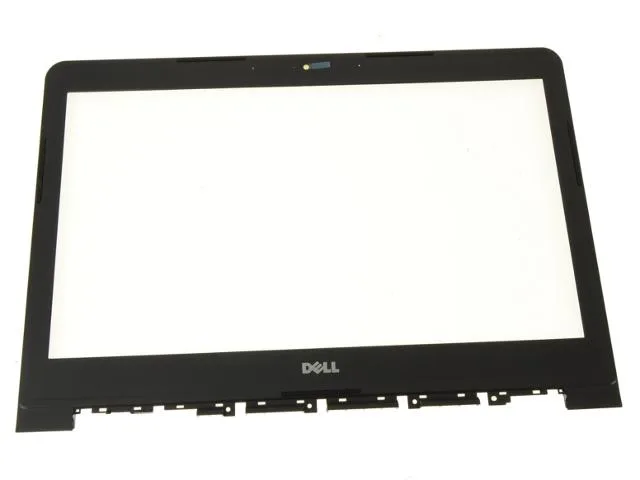
DELL Latitude 3450 14" LCD front trim cover bezel non-touch TGJF4
A 14-inch front trim cover bezel for non-touch Latitude 3450 laptops, genuine Dell original with webcam window
- Genuine Dell OEM replacement part ensures exact fit
- Designed for Latitude 3450 non-touchscreen models only
- Includes integrated webcam window for camera function
- 14 inch LCD front trim cover restores display frame
- TGJF4 part number matches factory specifications
Compatible Dell Latitude 3450 model
This genuine Dell OEM front trim cover bezel fits the 14 inch Latitude 3450 laptop without a touchscreen. It includes the webcam window and matches the original factory finish. Buyers who need a touchscreen-compatible bezel or a different laptop series cannot use this part.
Replaces a cracked or missing original bezel
Swapping this piece restores the LCD frame when the original is broken, loose or lost during a screen repair. The upgrade is worth it only if the existing bezel no longer secures the panel or exposes internal components. Buyers who want a colour change or a thinner border will not find those options here.
Verify non-touchscreen Latitude 3450 before ordering
Confirm the laptop is a Latitude 3450 and that it does not have a touchscreen assembly. The part number TGJF4 must match the service tag documentation. Buyers with a touchscreen model or a different Dell series will receive a bezel that does not fit.
Highlights
- Genuine Dell OEM replacement part ensures exact fit
- Designed for Latitude 3450 non-touchscreen models only
- Includes integrated webcam window for camera function
- 14 inch LCD front trim cover restores display frame
- TGJF4 part number matches factory specifications
Specifications
| Brand | Dell |
|---|
Questions about this item
Will this 14-inch front trim cover bezel fit my Dell Latitude 3450 without a touchscreen?
Yes, this genuine Dell OEM bezel with part number TGJF4 is designed specifically for the Latitude 3450 models that do not have a touchscreen.
How do I install the bezel, and what step is often missed?
Remove the old bezel by releasing the plastic clips around the display edge, then snap the new TGJF4 bezel into place ensuring the webcam window aligns correctly.
When might I need to replace this plastic front trim cover again?
Replace the bezel if the plastic cracks, the mounting clips break, or the webcam window becomes scratched enough to affect image quality.
Also in this aisle
People compared these
Same shelf, same checkout — eight coins and a 30-minute rate lock.


Kensington
Kensington Desk Mount Cable Anchor K64613WW accessory
- Black
- Provides a secure a…
$19.99
0.00024018BTC
In stock
Panasonic
Panasonic CF-VDR291U laptop cooling pad
- Optical Drive
- Buffer Size: 2 MB B…
$213.99
0.0025711BTC
In stock
eReplacements
eReplacements PB992A-ER laptop battery 14.4V
- Battery
- Lithium-Ion
$65.99
0.00079287BTC
In stock