


DELL
DELL Latitude 3189 Power Button Volume Board YMHTX accessory
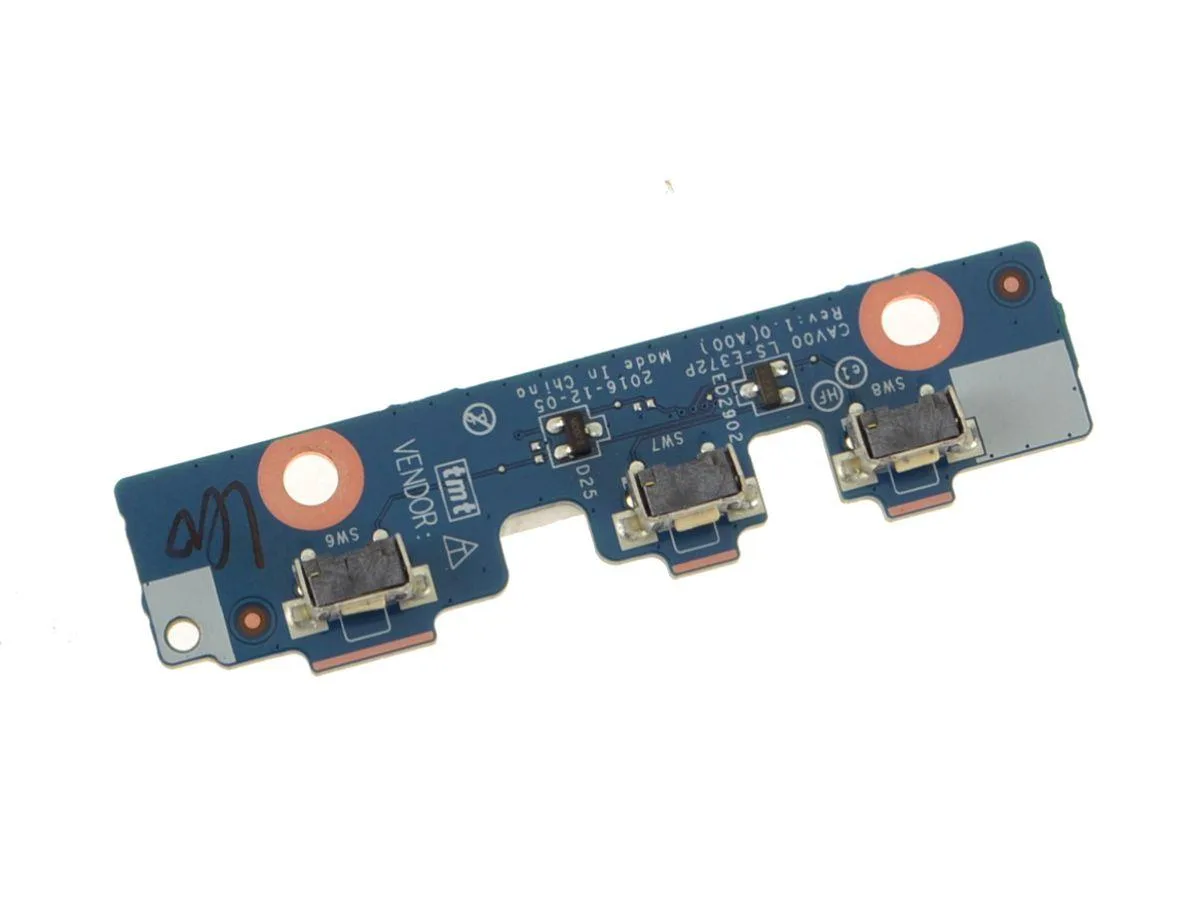
Replacement power-button and volume-control circuit board with cable for the Latitude 3189 laptop
- CPU Typelaptop-computer-replacement-parts
- Genuine Dell replacement restores original power and volume control
- Fits Latitude 3189 precisely for correct alignment
- OEM part number YMHTX confirms exact factory specification
- Includes cable for direct motherboard connection
Dell Latitude 3189 Power Button Volume Board
This replacement circuit board restores the power and volume controls on a Dell Latitude 3189 laptop. It is intended for technicians or owners repairing a unit where the original button assembly has failed. The part carries the Dell part number YMHTX and matches the component referenced as CAV00 LS-E372P. It is supplied new and ready for installation.
Thermals Noise And Power Draw
The board is a passive low-voltage component that draws negligible power and produces no audible noise. It adds no measurable heat to the system during normal operation. No active cooling or additional power budget is required for this part. Installation simply reconnects the existing cable to the motherboard.
Highlights
- Genuine Dell replacement restores original power and volume control
- Fits Latitude 3189 precisely for correct alignment
- OEM part number YMHTX confirms exact factory specification
- Includes cable for direct motherboard connection
Specifications
| Brand | DELL |
|---|---|
| CPU Type | laptop-computer-replacement-parts |
Questions about this item
How do I install the YMHTX power button board on my Latitude 3189 without damaging the fragile ribbon cable?
Disconnect the battery first, remove the bottom case screws, gently unplug the old board cable from the motherboard connector, route the new cable along the same path, and press the connector straight in until it clicks.
Will the tactile switches on this CAV00 LS-E372P board wear out and need replacement later?
The tactile switches are rated for typical laptop lifecycles; if a button becomes unresponsive or sticks, the entire YMHTX board is replaced as a single unit.
Also in this aisle
People compared these
Same shelf, same checkout — eight coins and a 30-minute rate lock.


Kensington
Kensington Desk Mount Cable Anchor K64613WW accessory
- Black
- Provides a secure a…
$19.99
0.00023067BTC
In stock
Panasonic
Panasonic CF-VDR291U laptop cooling pad
- Optical Drive
- Buffer Size: 2 MB B…
$213.99
0.00246931BTC
In stock
eReplacements
eReplacements PB992A-ER laptop battery 14.4V
- Battery
- Lithium-Ion
$65.99
0.00076148BTC
In stock