
DELL
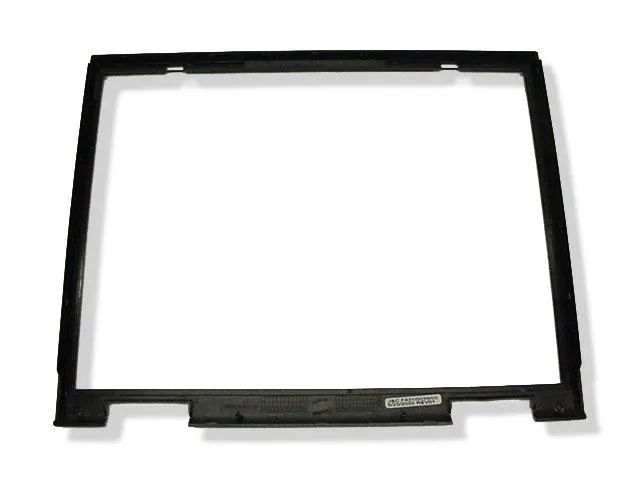
DELL Inspiron 7500 15" LCD Front Trim Bezel 7773T
Replacement front LCD bezel for Dell Inspiron 7500 15-inch laptops, compatible with back plastic part numbers 8738U or 4773T
- Genuine Dell replacement trim bezel restores original laptop appearance
- Fits Inspiron 7500 15-inch models with LCD back plastic part numbers 8738U or 4773T
- New condition bezel eliminates cracked or worn plastic on display frame
- Front bezel only — verify your LCD back part number before ordering
- No screws included for straightforward installation using existing hardware
Compatible Models
This replacement LCD front trim bezel fits Dell Inspiron 7500 laptops with a 15 inch display. It matches units where the LCD back plastic carries part number 8738U or 4773T. Buyers should verify that part number before ordering to ensure correct fit.
Build and Mounting
The bezel is supplied new and matches the original factory appearance for the Inspiron 7500 chassis. No screws are included so existing fasteners must be reused during installation. The part replaces a cracked or worn front bezel without requiring additional hardware.
Thermal Noise Power
As a passive plastic trim piece the bezel adds no heat, noise or power draw to the system. It simply snaps onto the display assembly and does not affect cooling or electrical performance. Normal laptop operation is unchanged after fitting.
Highlights
- Genuine Dell replacement trim bezel restores original laptop appearance
- Fits Inspiron 7500 15-inch models with LCD back plastic part numbers 8738U or 4773T
- New condition bezel eliminates cracked or worn plastic on display frame
- Front bezel only — verify your LCD back part number before ordering
- No screws included for straightforward installation using existing hardware
Specifications
| Brand | Dell |
|---|
Questions about this item
Does the 15-inch LCD front trim bezel 7773T match the LCD back plastic part numbers 8738U or 4773T?
Yes, this bezel works with Inspiron 7500 laptops that have LCD back plastic part number 8738U or 4773T. Verify your back plastic part number before ordering.
What mounting hardware is required to install the 7773T front bezel on an Inspiron 7500?
No screws are included with the bezel. You must reuse the original screws from the laptop or source compatible replacements separately.
How is the 7773T front bezel installed, and what step is commonly missed?
Remove the old bezel, align the new 7773T trim with the LCD panel, and secure it using the original screws. The step often missed is confirming the LCD back plastic part number 8738U or 4773T before fitting.
Also in this aisle
People compared these
Same shelf, same checkout — eight coins and a 30-minute rate lock.


Kensington
Kensington Desk Mount Cable Anchor K64613WW accessory
- Black
- Provides a secure a…
$19.99
0.00023778BTC
In stock
Panasonic
Panasonic CF-VDR291U laptop cooling pad
- Optical Drive
- Buffer Size: 2 MB B…
$213.99
0.00254535BTC
In stock
eReplacements
eReplacements PB992A-ER laptop battery 14.4V
- Battery
- Lithium-Ion
$65.99
0.00078493BTC
In stock