


DELL
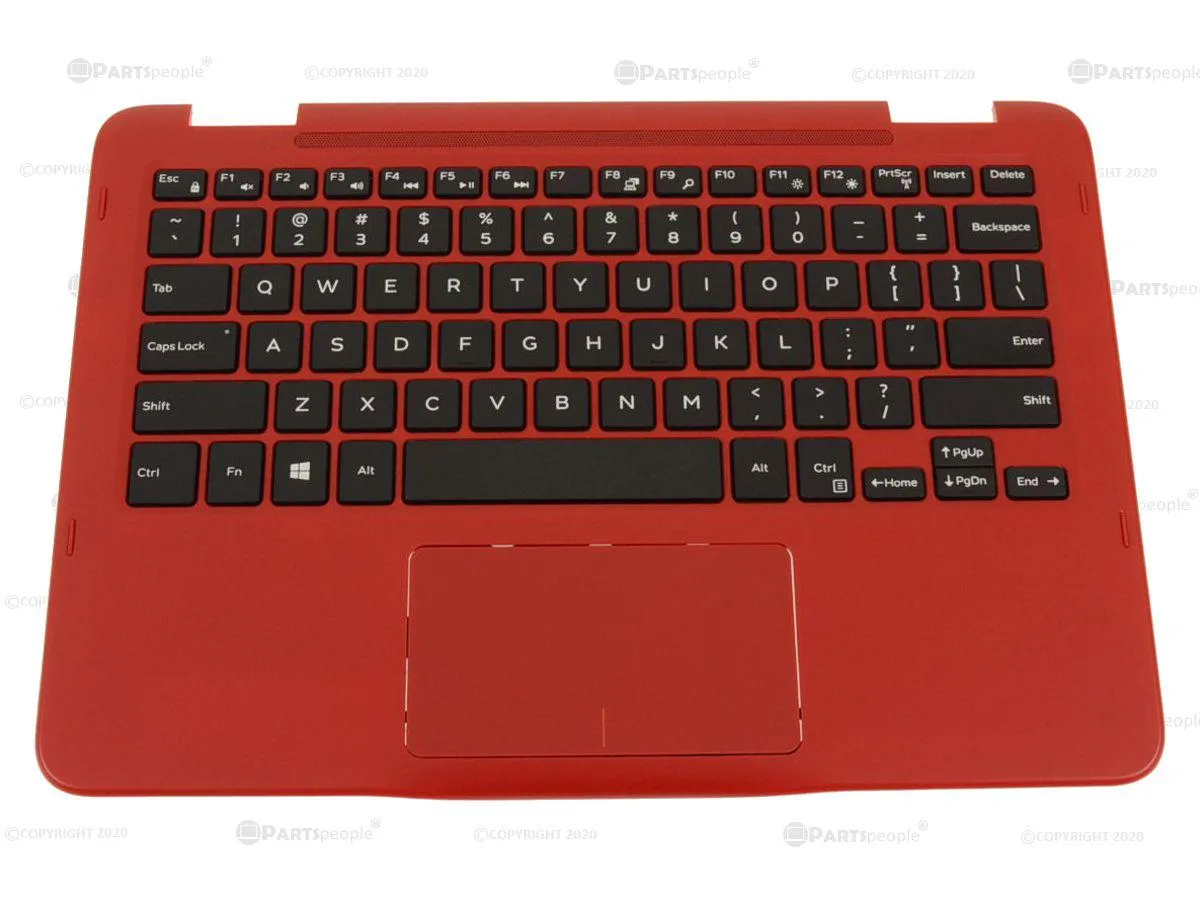
DELL Inspiron 3185 2-in-1 Palmrest Keyboard Assembly 00JK9 RED
Genuine Dell OEM palmrest with keyboard and touchpad for Inspiron 3185 2-in-1 laptops
- Genuine Dell OEM part ensures exact fit for Inspiron 3185 2-in-1
- Red palmrest with integrated touchpad module restores original look and function
- Includes keyboard assembly so all input components are replaced together
- Designed specifically for Inspiron 11 3185 2-in-1 laptop compatibility
- New condition guarantees reliable performance straight from the box
Genuine Dell OEM replacement assembly
This genuine Dell OEM palmrest keyboard assembly carries part number 00JK9 and includes the red palmrest, touchpad module and keyboard in one unit. It is built for the Inspiron 11 3185 2-in-1 laptop and arrives new in the exact configuration shown. Installers receive a direct factory match without extra components.
Passive thermal design with no moving parts
The assembly contains no fan, pump or active cooling so it adds zero acoustic noise and draws no electrical power beyond the keyboard and touchpad circuitry. Heat from the underlying mainboard dissipates through the palmrest surface during normal typing and navigation. Operation remains silent and thermally neutral in everyday use.
Single part number confirms fit for 3185 2-in-1
Compatibility is limited to the Dell Inspiron 11 3185 2-in-1; the part will not align with other Inspiron 11 chassis or any non-3185 model. Buyers who need a different colour, layout or a palmrest for another Dell series cannot use this assembly. Verify the 00JK9 marking on the original part before ordering.
Highlights
- Genuine Dell OEM part ensures exact fit for Inspiron 3185 2-in-1
- Red palmrest with integrated touchpad module restores original look and function
- Includes keyboard assembly so all input components are replaced together
- Designed specifically for Inspiron 11 3185 2-in-1 laptop compatibility
- New condition guarantees reliable performance straight from the box
Specifications
| Brand | Dell |
|---|
Questions about this item
How is the palmrest keyboard assembly installed on the Inspiron 3185 2-in-1, and which step is often missed?
Remove the bottom cover, disconnect the battery, then detach the keyboard and touchpad cables from the motherboard before lifting the old assembly; the step often missed is reconnecting both ribbon cables fully before securing the screws.
What maintenance or replacement will the touchpad module need later?
The touchpad module is integrated into the palmrest; if tracking degrades or buttons fail, the entire palmrest keyboard assembly must be replaced as a single unit.
What limit appears first on the keyboard during sustained typing?
Key travel and tactile feel remain consistent; the first limit is physical wear on the keycaps or debris buildup under the keys, not a thermal or electronic throttle.
Also in this aisle
People compared these
Same shelf, same checkout — eight coins and a 30-minute rate lock.


Kensington
Kensington Desk Mount Cable Anchor K64613WW accessory
- Black
- Provides a secure a…
$19.99
0.00024058BTC
In stock
Panasonic
Panasonic CF-VDR291U laptop cooling pad
- Optical Drive
- Buffer Size: 2 MB B…
$213.99
0.0025754BTC
In stock
eReplacements
eReplacements PB992A-ER laptop battery 14.4V
- Battery
- Lithium-Ion
$65.99
0.0007942BTC
In stock