

Hard Candy Cases
Hard Candy Shock Drop Case for 7 inch Galaxy Tab 3 - Red/Black
$37.99
0.00043867BTC
In stockWe take cryptocurrency — so the coins you hold can buy real hardware.Pay in crypto, spend it on real hardware. Free insured shipping worldwide over $399. Plain, unbranded boxes, sent from Germany.Free insured shipping over $399. Your rate is locked for 30 minutes once checkout opens.Rate locked 30 minutes. Every item sealed, serial-checked and covered by a 24-month warranty.Sealed, 24-month warranty.
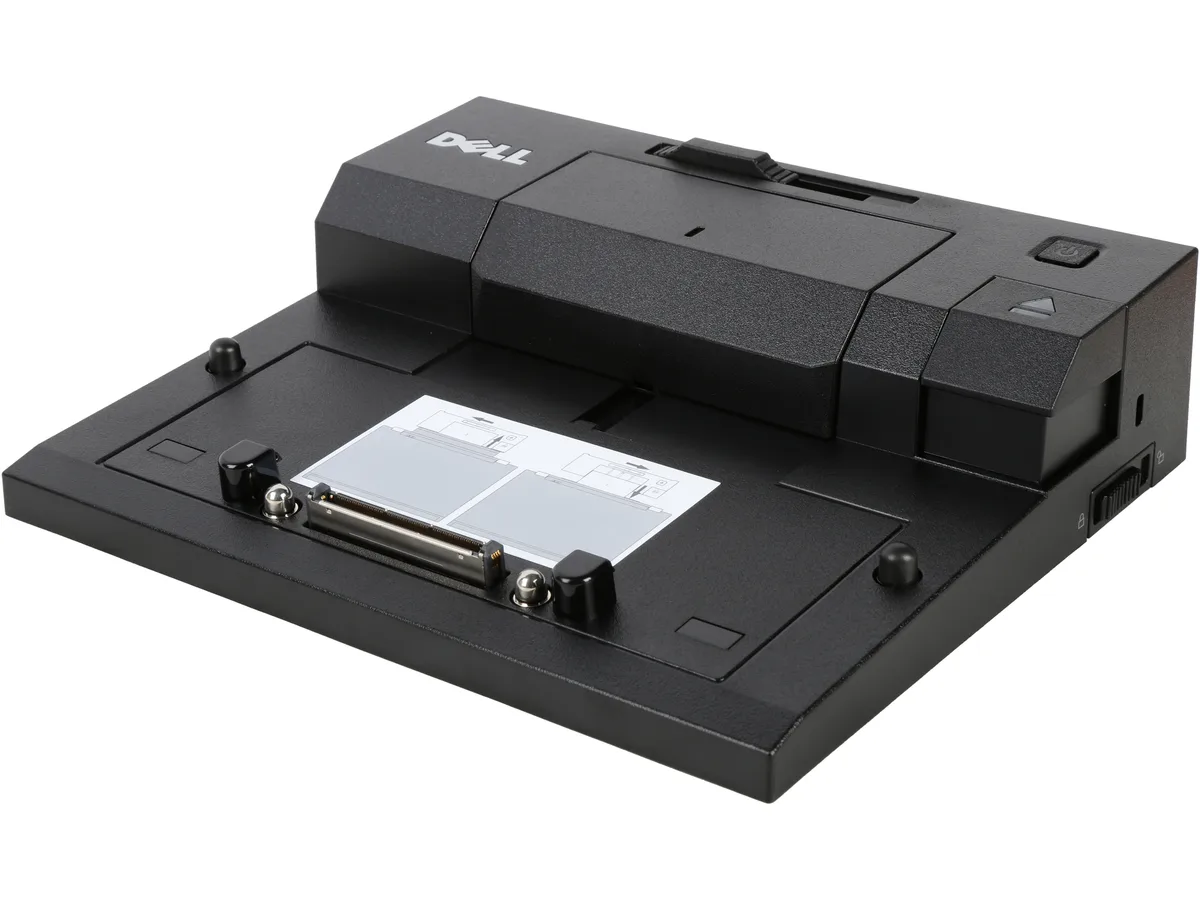


DELL
A docking station adding DisplayPort, DVI, VGA, two USB 3.0 ports, eSATA, three USB 2.0 ports, Ethernet and audio for compatible Latitude laptops
The Dell 331-6307 E-Port Replicator adds desktop connectivity to compatible Latitude laptops including the E4200, E4300, E4310, E5400, E5410, E5420, E5430, E5440, E5500, E5510, E5520, E5530, E5540, E6220, E6230, E6330, E6430 and E6530. It connects through the proprietary E-Port interface on the underside of those systems. Buyers with non-Latitude models or newer USB-C only laptops cannot use this dock.
The unit ships with an AC adapter that powers the dock and charges the attached laptop through the E-Port connection. No separate laptop power brick is required while docked. The enclosure has no active cooling so it adds no fan noise to a quiet workspace. Power draw varies with the number of attached peripherals and display outputs in use.
The replicator measures 7.90 x 2.10 x 6.70 inches and weighs 1.72 lbs. Video outputs include one DisplayPort, one single-link DVI-Digital with 18 pins and one VGA HD-15 with 15 pins. Data ports comprise two USB 3.0 Type A, three USB 2.0 Type A and one combination eSATA / USB 2.0 port with 11 pins. A Gigabit RJ-45 network jack and a 3.5 mm microphone input complete the rear I/O. The low-profile design sits flat behind the laptop.
| Brand | Dell |
|---|---|
| Model | 331-6307 |
| Compatibility | Latitude E4200 Latitude E4300 Latitude E4310 Latitude E5400 Latitude E5410 Latitude E5420 Latitude E5430 Latitude E5440 Latitude E5500 Latitude E5510 Latitude E5520 Latitude E5530 Latitude E5540 Latitude E6220 Latitude E6230 Latitude E6320 Latitude E6330 Latitude E6400 Latitude E6400 ATG Latitude E6400 XFR Latitude E6410 Latitude E6410 ATG Latitude E6420 Latitude E6420 ATG Latitude E6420 XFR Latitude E6430 Latitude E6430 ATG Latitude E6430s Latitude E6440 Latitude E6500 Latitude E6510 Latitude E6520 Latitude E6530 Latitude E6540 Latitude E7240 Latitude E7440 |
| Ports Spec | 1 x display / video - DisplayPort 1 x display / video - DVI-Digital - 18 pin digital DVI (Single-Link) 1 x display / video - VGA - 15 pin HD D-Sub (HD-15) 2 x SuperSpeed USB 3.0 - 9 pin USB Type A 1 x eSATA / USB 2.0 - 11 pin USB/eSATA 3 x USB 2.0 - 4 pin USB Type A 1 x network - RJ-45 1 x microphone - input - mini-phone 3.5 mm 1 x audio - output - mini-phone stereo 3.5 mm |
| Dimension | 7.90" x 2.10" x 6.70" |
| Weight | 1.72 lbs. |
| Features | Gets innovative with quick USB 3.0 technology enabled by Intel in Ivy Bridge Adds the ability to daisy chain displays Offers Adaptor complexity reduction Compatibility Dell Certified Parts undergo rigorous testing by qualified engineers to ensure compatibility and reliability in your Dell system Our sustaining qualification process allows for testing and certifying the newest in technology on your Dell system |
| Shipping weight | 1.79 kg |
| Package size | 394 × 320 × 71 mm |
Slide the laptop onto the docking connector until the guide pins click into the chassis slots; the step often missed is pressing down firmly on the front edge so the 18 pin DVI and DisplayPort contacts seat fully.
The USB Type A ports and the eSATA combo port see the most insert cycles; the AC adapter jack and the RJ-45 latch are the next items that wear out.
The single AC adapter feeding the replicator hits its current ceiling before the dock's internal circuitry does, so sustained multi-display plus full USB load can trigger power throttling.
Also in this aisle
Same shelf, same checkout — eight coins and a 30-minute rate lock.
What you pay in, and what you read prices in.
Sent from your wallet at checkout
Display only — the catalogue is priced in USD
No currency matches that.
Pick the language the site speaks to you in.
No language matches that.
New here?
Already have one?
There is no automatic reset: this shop sends no mail, so there is no one-time link to ask for. Leave the address on the account and it gets picked up by hand.
Request noted
Nothing is on its way to your inbox — this shop sends no mail at all. Someone picks these up by hand.
Remembered it?


