

DELL
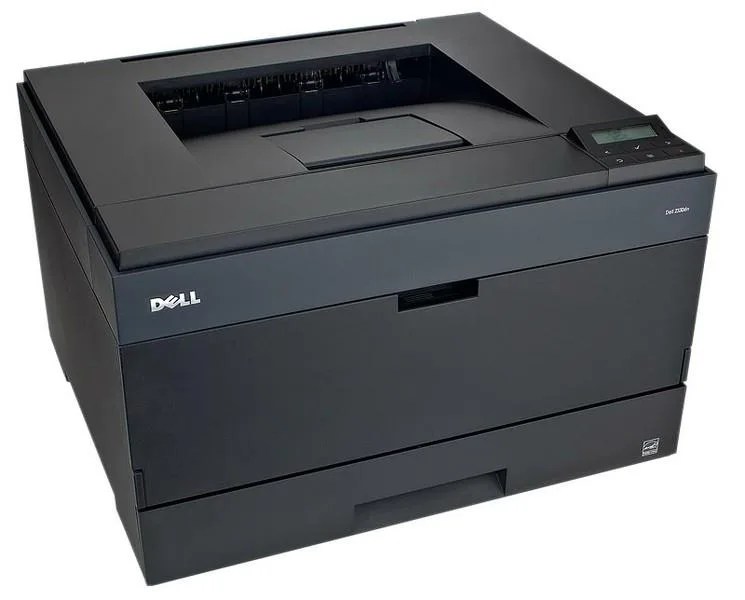
DELL 2330dn Mono Laser Printer 35 ppm 1200 dpi
A monochrome laser printer producing 35 pages per minute at 1200 dpi resolution with automatic duplex printing and parallel, Ethernet, and USB connectivity
- Laser TechnologyLaser
- Package Contents6 Mo. Warranty! NOT INCLUDED: TONER, DRIVERS, OR USER GUIDES
- Fast 35 ppm mono output keeps workgroups moving
- Sharp 1200 x 1200 dpi laser quality for professional documents
- Automatic duplex printing cuts paper use in half
- Wired Ethernet, USB and parallel ports fit existing networks
- Ready for Mac and PC environments without extra setup
Dell 2330dn Mono Laser Printer
The Dell 2330dn is a monochrome laser printer built for workgroups with high-volume printing demands. It produces professional-quality documents at 35 ppm with a 1200 x 1200 dpi resolution. Automatic duplex printing reduces paper consumption for double-sided output. Wired connectivity options include Parallel, Ethernet, and USB interfaces for PC and Mac compatibility.
Upgrade from slower inkjet
Replace an inkjet when running costs and speed become bottlenecks for monochrome workloads. The jump is worth it when automatic duplexing is needed to cut paper use on long reports. Ethernet networking allows the printer to be shared across a workgroup without a dedicated host PC. Buyers who need colour output or wireless connectivity should look elsewhere.
Standard desktop installation with wired setup
Place the unit on a stable surface, connect the power cord, and link it via USB, Parallel, or Ethernet cable. Install the appropriate driver for your operating system since drivers are not included in the package. A common issue is attempting to print immediately without a toner cartridge, which must be sourced separately. Verify network settings if the printer is not discovered on the LAN.
Highlights
- Fast 35 ppm mono output keeps workgroups moving
- Sharp 1200 x 1200 dpi laser quality for professional documents
- Automatic duplex printing cuts paper use in half
- Wired Ethernet, USB and parallel ports fit existing networks
- Ready for Mac and PC environments without extra setup
Specifications
| Brand | Dell |
|---|---|
| Part Number | 2330dn |
| Laser Technology | Laser |
| Package Contents | 6 Mo. Warranty! NOT INCLUDED: TONER, DRIVERS, OR USER GUIDES. Includes: Printer, Power Cord, & Test Pages. Item has been refurbished, cleaned, tested, inspected, & guaranteed fully functional. |
Questions about this item
What interface cables are required to connect the Dell 2330dn to a network and a PC?
Connect the Ethernet cable to the network port for shared printing and use a USB cable for a direct PC link; the parallel port is also available for legacy systems.
What is the correct order for installing the Dell 2330dn driver and connecting the hardware?
Install the driver on the computer before plugging in the USB or Ethernet cable; otherwise the operating system may assign a generic driver that lacks duplex and quality controls.
Which consumable must be purchased before the Dell 2330dn can print, and what yield should I expect?
The printer ships without toner, so a compatible cartridge must be bought first; standard-yield and high-yield options exist, and the drum unit will need replacement after several toner changes.
Also in this aisle
People compared these
Same shelf, same checkout — eight coins and a 30-minute rate lock.



CHIEF MANUFACTURING
CHIEF MANUFACTURING CMS018 18" 457 mm Fixed Extension Column projector accessory
- Extension Column
- Projector
$22.99$22.99
0.00026704BTC
In stock