


DELL
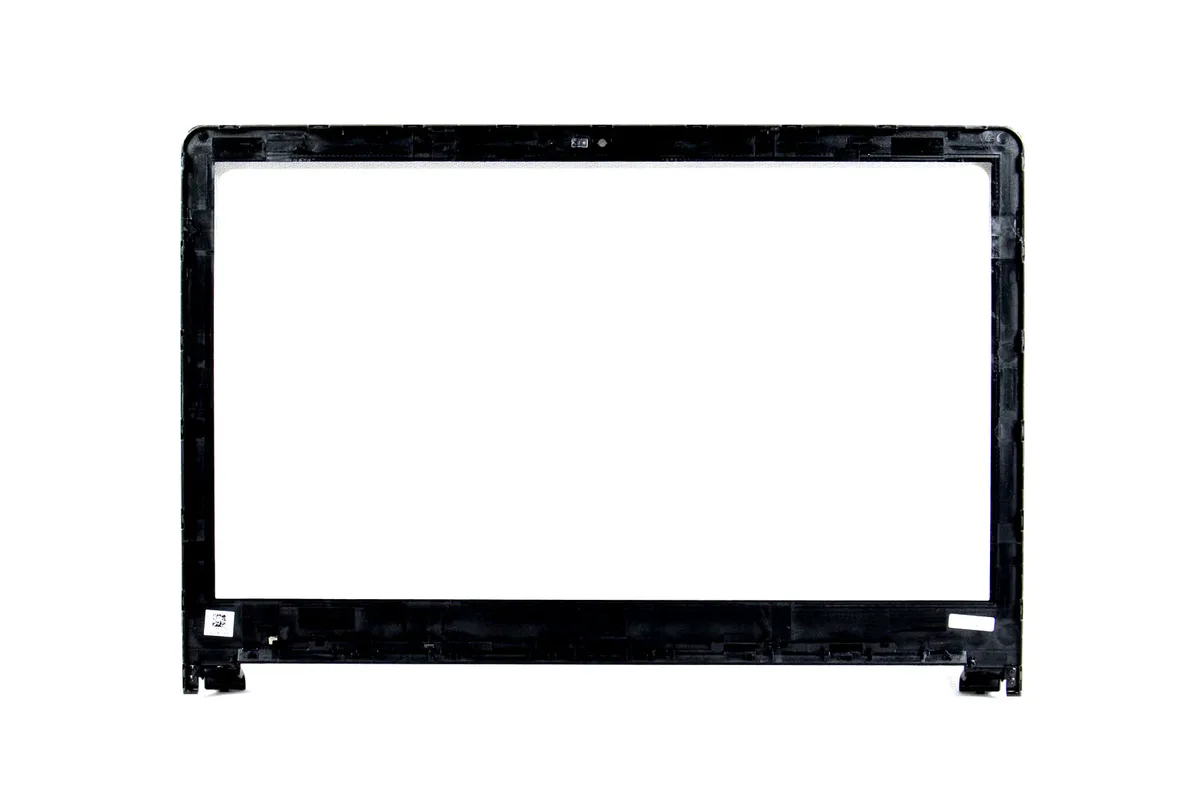
DELL 15.6" LCD Front Bezel Y8DCT non-touch Inspiron 5558 Vostro 3558
Replacement 15.6" LCD front bezel for non-touch Inspiron 5558 and Vostro 3558 laptops
- Accessory TypeLCD Front Bezel
- Package ContentsLCD Front Bezel
- Genuine Dell OEM replacement part number Y8DCT
- Fits 15.6" non-touch LCD on Inspiron 5558 and Vostro 3558
- Restores original front trim appearance and screen protection
- Designed specifically for non-touchscreen assemblies only
- Includes LCD front bezel ready for installation
Product Identity
The Dell Y8DCT is a 15.6-inch LCD front bezel designed for Inspiron 5558 and Vostro 3558 laptops. It replaces the front trim on non-touchscreen display assemblies. The part is supplied new and matches the original equipment specification.
Compatibility Limits
This bezel fits the listed Dell models only when they use a non-touch LCD panel. It will not work on touchscreen variants of the same chassis. Buyers who need a bezel for a touchscreen model should look elsewhere.
Installation Context
The component is a passive plastic trim piece with no moving parts or electronics. Its performance is limited to physical fit and cosmetic finish during normal laptop use. No sustained load or thermal behaviour applies to this accessory.
Highlights
- Genuine Dell OEM replacement part number Y8DCT
- Fits 15.6" non-touch LCD on Inspiron 5558 and Vostro 3558
- Restores original front trim appearance and screen protection
- Designed specifically for non-touchscreen assemblies only
- Includes LCD front bezel ready for installation
Specifications
| Brand | Dell |
|---|---|
| Part Number | Y8DCT |
| Accessory Type | LCD Front Bezel |
| Package Contents | LCD Front Bezel |
Questions about this item
Which laptop model do I need to own for this 15.6" front bezel to fit?
This bezel fits Dell Inspiron 15 5558 and Vostro 15 3558 laptops that use a non-touchscreen LCD assembly.
Can I keep my existing touchscreen panel and use this bezel?
No, this bezel is made for non-touchscreen LCDs only and will not work with a touchscreen assembly.
How can I confirm the bezel is installed correctly?
The bezel should sit flush around the 15.6" display with no gaps, the webcam cutout must align, and the screen should show no pressure marks when the lid is closed.
Also in this aisle
People compared these
Same shelf, same checkout — eight coins and a 30-minute rate lock.


Kensington
Kensington K50421WW laptop stand accessory
- Stand
- SmartFit System Sim…
$23.99
0.00028904BTC
In stock
Kensington
Kensington 52795 24" 16:9 Privacy Screen Accessory
- Screen Protector
- Designed for 16:9 a…
$77.99
0.00093964BTC
In stock
Ergotron
Ergotron 80-107-200 CPU Mount for Thin Client and Flat Panel Display accessory
- Black
$51.99
0.00062639BTC
In stock