


Defendwe
Defendwe T4 Pro game controller 2.4 GHz multi-platform
A wireless gamepad with six-axis gyroscope motion control, programmable buttons and 2.4 GHz connectivity for Switch, Android, iOS and PC
- TypeJoystick
- Six-axis gyroscope enables precise motion control in supported Switch titles
- 4 GHz wireless plus Bluetooth connects to Switch, Android, iOS, macOS and Windows PC
- Works with Apple Arcade and MFi-certified games on iOS 13 and later
- Programmable buttons let you create custom control layouts
- Ergonomic joystick design built for extended gaming sessions
Versatile Multi-Platform Gamepad
The Defendwe T4 Pro is a wireless joystick designed for players who want one controller across Nintendo Switch, Android, iOS, macOS and Windows PC. It targets gamers who value broad compatibility without switching hardware between devices. Buyers needing a dedicated wired tournament pad or specialised fight stick should look elsewhere.
Six-Axis Motion and Programmable Layout
A built-in six-axis gyroscope captures movement for somatosensory control in supported Switch titles such as Zelda: Breath of the Wild. The gamepad also offers programmable buttons so you can create personalised configurations for different genres. It connects via 2.4 GHz wireless and Bluetooth, covering arcade and MFi certified games on iOS 13 and later.
Efficient Wireless Operation
The 2.4 GHz link and Bluetooth connection keep latency low during typical living-room or desktop sessions. Power draw stays modest thanks to the efficient wireless design, so extended play does not demand frequent recharging. No active cooling or fan noise is present, keeping the experience quiet.
Highlights
- Six-axis gyroscope enables precise motion control in supported Switch titles
- 4 GHz wireless plus Bluetooth connects to Switch, Android, iOS, macOS and Windows PC
- Works with Apple Arcade and MFi-certified games on iOS 13 and later
- Programmable buttons let you create custom control layouts
- Ergonomic joystick design built for extended gaming sessions
Specifications
| Type | Joystick |
|---|
Questions about this item
Does the 2.4 GHz wireless link need a separate receiver for each platform?
The controller uses a single 2.4 GHz dongle that pairs with Switch, Android, iOS, macOS and Windows PC without extra receivers.
What physical features let it mount on a phone or tablet?
An integrated telescopic clip stretches to hold most smartphones and small tablets securely above the gamepad.
How do I map the extra programmable buttons without overwriting the defaults?
Hold the dedicated mapping key, press the target button, then press the back paddle you want to assign — repeat for each paddle.
Also in this aisle
People compared these
Same shelf, same checkout — eight coins and a 30-minute rate lock.


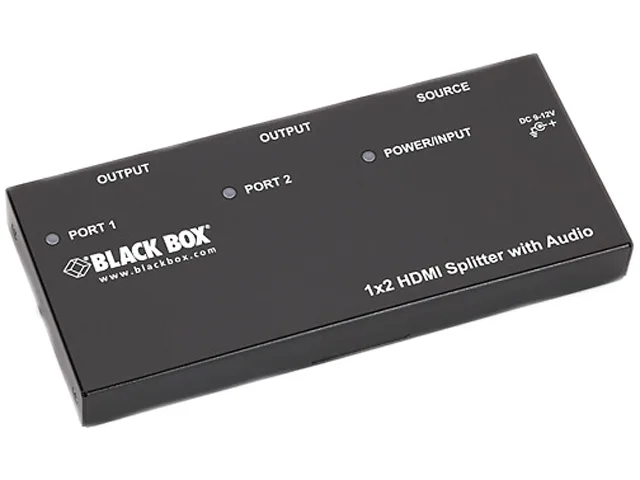
Black Box Corporation
Black Box AVSP-HDMI1X2 HDMI splitter 1×2 with audio
- HDMI
- Approvals: CE, RoHS…
$104.99
0.00121208BTC
In stock