


DBTLAP
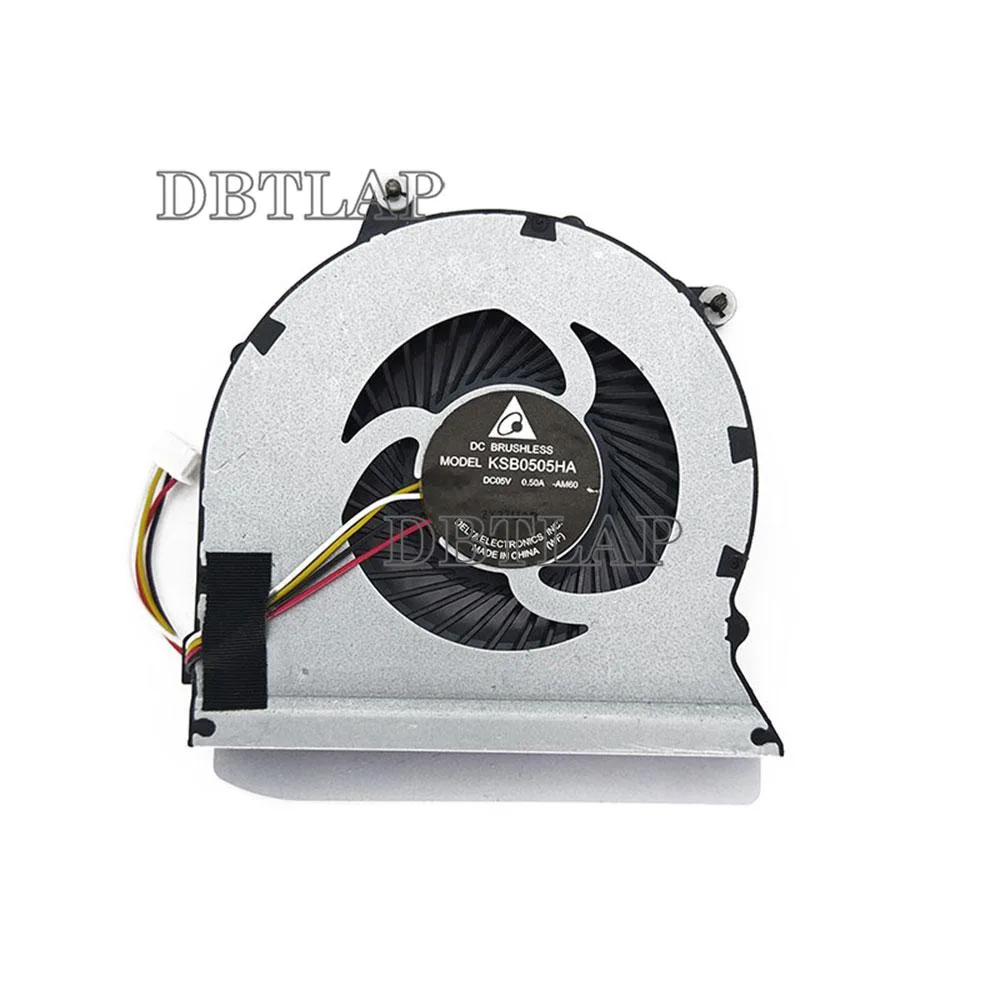
DBTLAP laptop CPU cooling fan for ThinkPad Edge E320 E325 4pin
Replacement CPU cooling fan compatible with ThinkPad Edge E320 and E325 laptops using a 4-pin connector
- Accessory TypeCooler
- Compatible with ThinkPad Edge E320 and E325 models
- 4-pin connector matches original motherboard header
- Each unit tested before dispatch for reliable operation
- Replaces worn or noisy CPU cooling fan
- Supplied as single fan ready for installation
Compatible 4-pin CPU cooling fan
This replacement fan fits Lenovo ThinkPad Edge E320 and E325 laptops using a four-pin connector. It is intended for owners of those models whose original cooler has failed or become noisy. Each unit is tested before dispatch to confirm operation.
Upgrade from a worn or failed original cooler
The part replaces the factory-installed fan when bearings wear out or airflow drops below specification. The jump is worth it when the laptop throttles under load, shuts down unexpectedly or emits audible bearing noise. Installing this unit restores the thermal performance the system was designed to deliver.
Targeted capacity for E320 and E325 thermal loads
The cooler handles the heat output of the supported Edge models during typical workloads and moderate multitasking. It runs out of headroom if the heatsink fins are clogged with dust, thermal paste has degraded or the chassis ventilation is obstructed. Clean the radiator and refresh paste at the same time for full effectiveness.
Highlights
- Compatible with ThinkPad Edge E320 and E325 models
- 4-pin connector matches original motherboard header
- Each unit tested before dispatch for reliable operation
- Replaces worn or noisy CPU cooling fan
- Supplied as single fan ready for installation
Specifications
| Accessory Type | Cooler |
|---|
Questions about this item
Does the fan connector have four pins for the ThinkPad Edge E320 and E325?
Yes, the cooler uses a 4pin connector that matches the motherboard header on both models.
What is the correct orientation when fitting the fan into the chassis?
Align the screw holes with the mounting posts and route the cable toward the motherboard header before securing the screws.
How often should the fan be cleaned to maintain airflow?
Use compressed air to clear dust from the blades and heatsink every six to twelve months depending on environment.
Also in this aisle
People compared these
Same shelf, same checkout — eight coins and a 30-minute rate lock.


Kensington
Kensington Desk Mount Cable Anchor K64613WW accessory
- Black
- Provides a secure a…
$19.99
0.00023264BTC
In stock
Panasonic
Panasonic CF-VDR291U laptop cooling pad
- Optical Drive
- Buffer Size: 2 MB B…
$213.99
0.00249034BTC
In stock
eReplacements
eReplacements PB992A-ER laptop battery 14.4V
- Battery
- Lithium-Ion
$65.99
0.00076797BTC
In stock