


DBTLAP
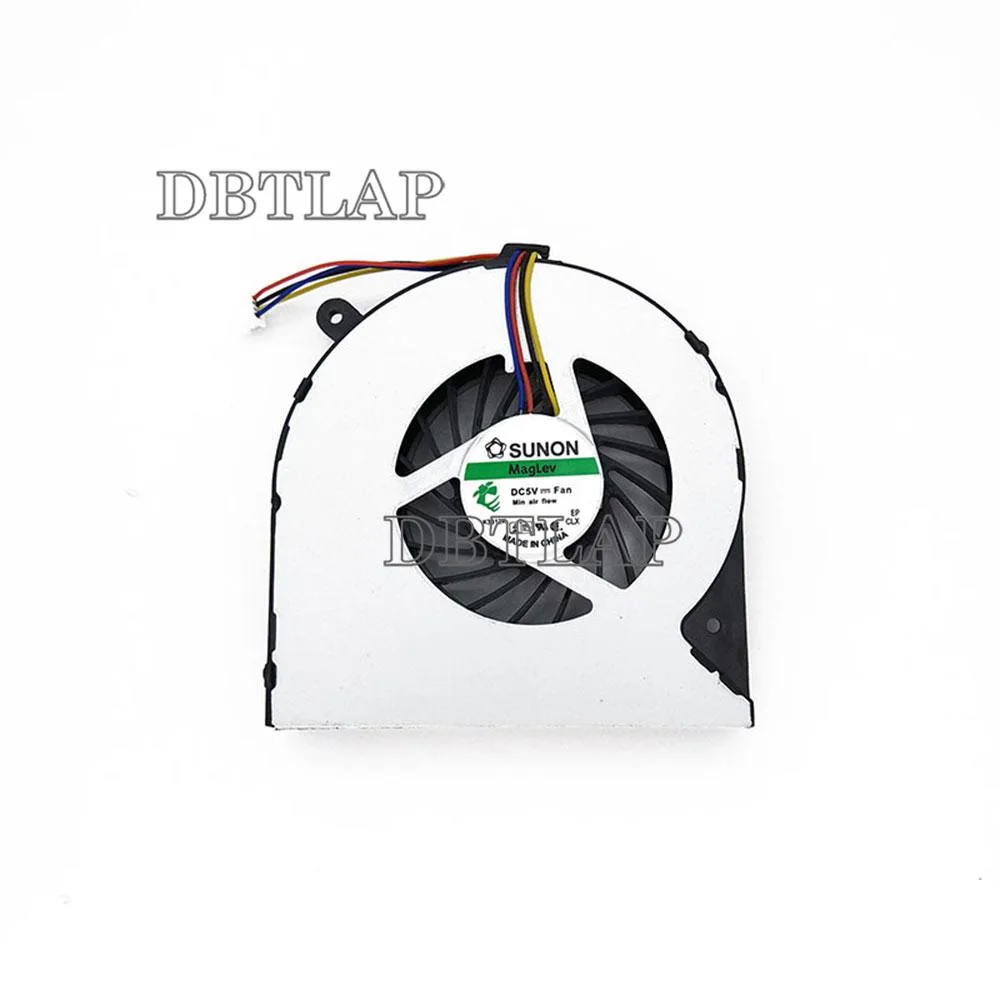
DBTLAP laptop cooling pad for Toshiba Satellite L855-S5372
Replacement CPU cooler tested for 100% function on Satellite L855-S5372
- Accessory TypeCooler
- Compatible replacement fan for Toshiba Satellite L855-S5372
- Tested individually before shipping to ensure 100 % function
- 9-month warranty included for buyer confidence
- Manufactured by Forcecon, ADDA, Sunon or Kipo depending on stock
- Single fan unit supplied ready for installation
Compatible CPU Fan for Toshiba Satellite L855-S5372
This replacement cooler is built for the Toshiba Satellite L855-S5372 laptop. It serves owners who need a direct-fit CPU fan to restore proper thermal management. The unit arrives tested and ready for installation.
Single-Fan Cooling Limits
A single fan assembly can only move the air volume its housing and blade design allow. It cannot overcome blocked vents, degraded thermal paste or heavy sustained loads that exceed the original thermal envelope. Regular vent cleaning remains essential.
Manufacturer May Vary by Stock
The fan you receive comes from Forcecon, ADDA, Sunon, Kipo or another equivalent supplier depending on current inventory. All units are tested before shipping, but the exact brand is not selectable. Verify the connector and mounting holes against your original part before purchase.
Highlights
- Compatible replacement fan for Toshiba Satellite L855-S5372
- Tested individually before shipping to ensure 100 % function
- 9-month warranty included for buyer confidence
- Manufactured by Forcecon, ADDA, Sunon or Kipo depending on stock
- Single fan unit supplied ready for installation
Specifications
| Accessory Type | Cooler |
|---|
Questions about this item
Which version of this cooler fits the Satellite L855-S5372?
The pad is listed as compatible with the Toshiba Satellite L855-S5372, so the single version offered is the one to choose.
What does the 100 percent tested claim mean once the fan is installed?
Each unit is tested before shipping to confirm it spins and moves air, so the cooler should operate immediately when fitted.
How does the interface connect to the laptop and what does it cap?
The fan plugs into the laptop’s internal CPU-fan header, and that header limits the maximum speed and power the cooler can draw.
Also in this aisle
People compared these
Same shelf, same checkout — eight coins and a 30-minute rate lock.


Kensington
Kensington Desk Mount Cable Anchor K64613WW accessory
- Black
- Provides a secure a…
$19.99
0.00024058BTC
In stock
Panasonic
Panasonic CF-VDR291U laptop cooling pad
- Optical Drive
- Buffer Size: 2 MB B…
$213.99
0.0025754BTC
In stock
eReplacements
eReplacements PB992A-ER laptop battery 14.4V
- Battery
- Lithium-Ion
$65.99
0.0007942BTC
In stock