


DBTLAP
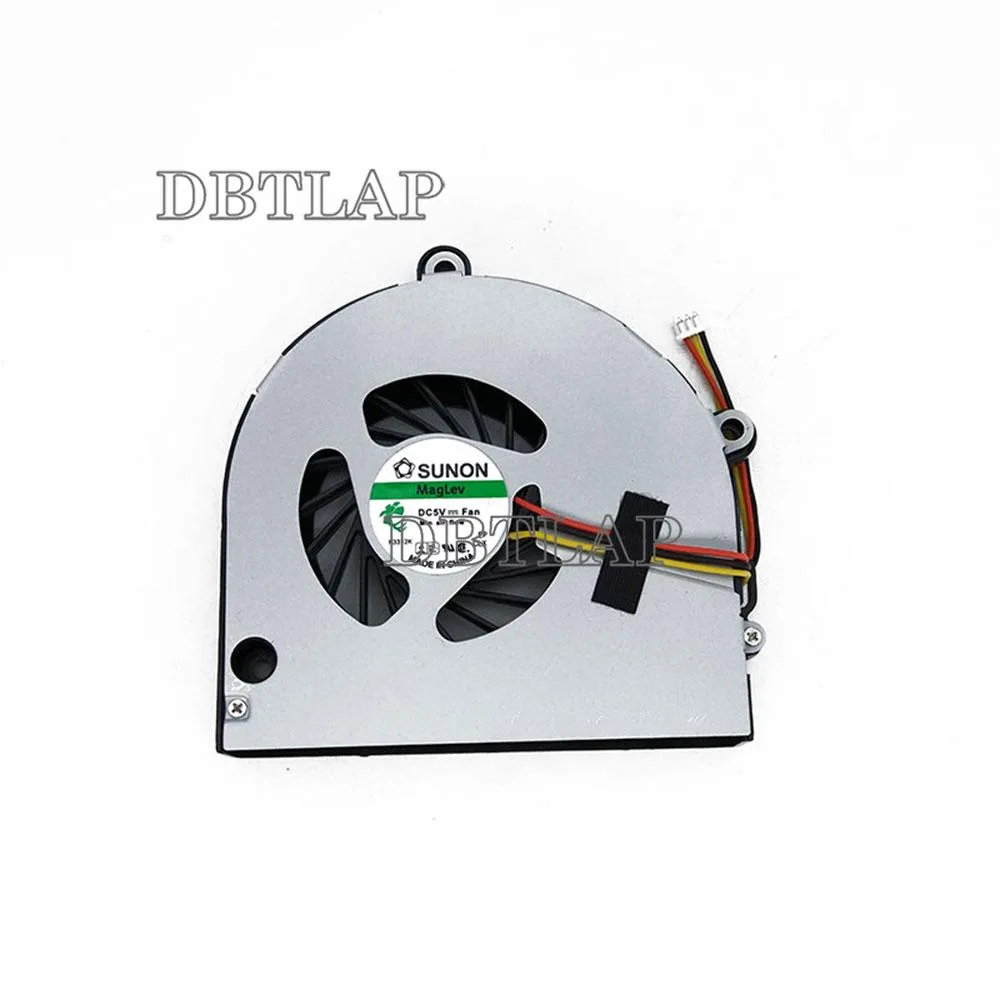
DBTLAP Laptop Cooling Pad for Toshiba Satellite A665-S5170
Replacement CPU fan tested for full compatibility with Toshiba Satellite A665-S5170 laptops
- Accessory TypeCooler
- Compatible replacement fan for Satellite A665-S5170
- Pre-tested unit verified to operate at 100 %
- Direct-fit design matches original CPU cooler
- Produced by established OEM suppliers such as Forcecon or Sunon
- 9-month seller warranty included for peace of mind
Replacement CPU Fan for Satellite A665-S5170
This replacement CPU fan is built for the Toshiba Satellite A665-S5170 laptop. It serves owners who need to restore cooling performance after the original fan fails or becomes noisy. The part is supplied new and tested individually before dispatch.
Build quality and connector fit
Each unit is checked one by one to confirm 100 percent operation before it leaves the supplier. The package contains a single fan sourced from manufacturers such as Forcecon, ADDA, Sunon or Kipo depending on stock. Buyers should compare the connector and mounting holes with the original fan to ensure a proper fit.
Compatibility checks before ordering
Verify the exact model number on your laptop label matches Satellite A665-S5170 before purchasing. The supplier recommends checking photos against your current fan to avoid mismatches. If you are uncertain about compatibility, contact the seller for confirmation prior to placing an order.
Highlights
- Compatible replacement fan for Satellite A665-S5170
- Pre-tested unit verified to operate at 100 %
- Direct-fit design matches original CPU cooler
- Produced by established OEM suppliers such as Forcecon or Sunon
- 9-month seller warranty included for peace of mind
Specifications
| Accessory Type | Cooler |
|---|
Questions about this item
What fan connector does the DBTLAP cooler use for the Toshiba Satellite A665-S5170?
The fan plugs into the laptop's standard CPU fan header; no extra power adapter is needed.
Will the cooler fit inside the A665-S5170 chassis without modification?
It matches the original fan's screw hole spacing and thickness, so it drops into the existing mount.
How do I install the fan and what step is often missed?
Remove the old fan, connect the new cable, secure the screws, then reapply thermal paste to the CPU — skipping the paste causes overheating.
Also in this aisle
People compared these
Same shelf, same checkout — eight coins and a 30-minute rate lock.


Case Logic
Case Logic 3203990 briefcase for 15.6 in laptop with 10.1 in tablet pocket
$30.99
0.0003724BTC
In stock