


DBTLAP
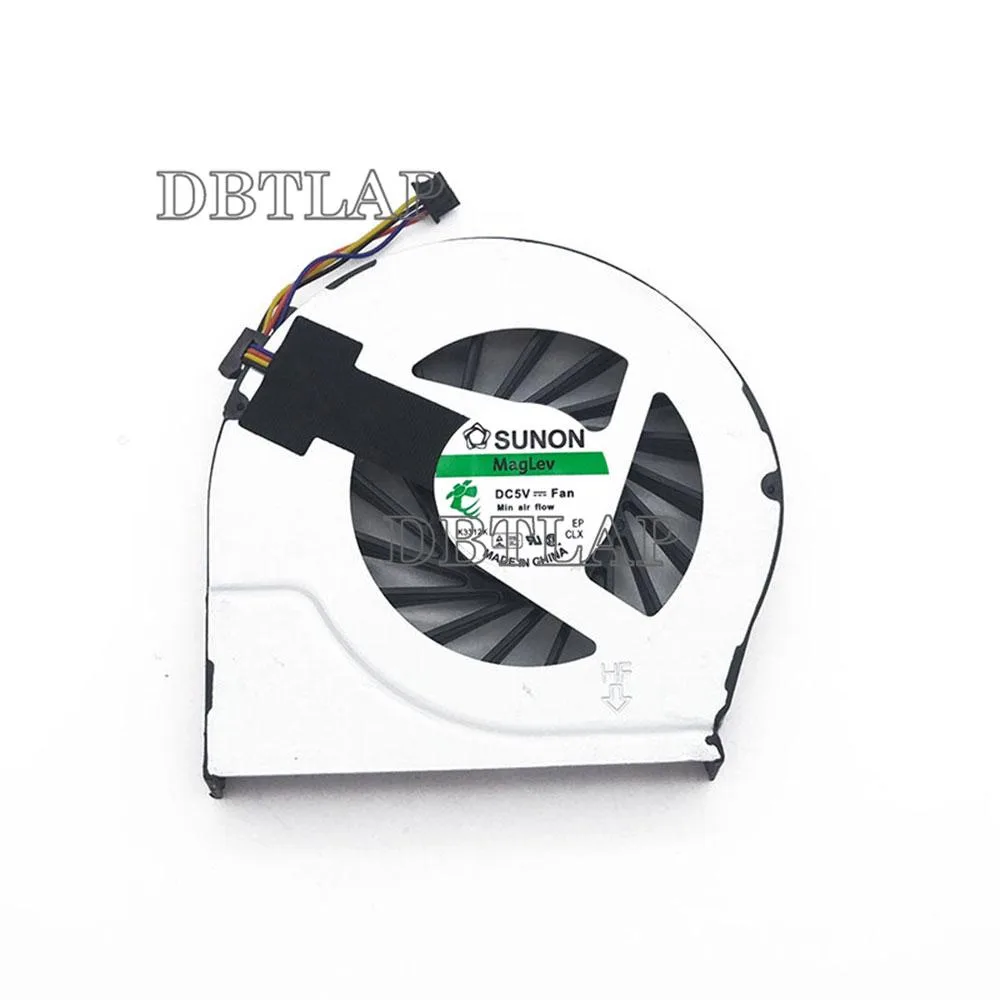
DBTLAP laptop cooling pad compatible HP Pavilion g7-2154sf
Replacement cooling fan tested for 100% operation and compatible with HP Pavilion g7-2154sf
- Accessory TypeCooler
- Tested individually for reliable cooling
- Replaces the original fan in Pavilion g7-2154sf
- Supplied by Forcecon, ADDA, Sunon or Kipo depending on stock
- 100 percent functional check before dispatch
- 9-month warranty included with each unit
Replacement Fan for HP Pavilion g7-2154sf
This replacement cooling fan is designed specifically for the HP Pavilion g7-2154sf laptop model. It serves as a direct swap for a worn or faulty original cooler. The package includes one fan unit that has been individually tested before shipping to confirm operation. It addresses the core need of restoring active airflow to the laptop chassis.
Thermals Noise and Power Draw
The fan draws power from the laptop's internal header to spin its impeller and exhaust heat from the heatsink assembly. Acoustic output will vary with the rotational speed demanded by the system firmware under load. No independent decibel or wattage figures are provided by the supplier for this specific unit. The component is built to meet the thermal requirements of the designated laptop platform.
Upgrading From a Failed Original Cooler
This part replaces the factory-installed cooler when it develops bearing noise, reduced RPM or complete failure. The jump is worth it when the laptop throttles, shuts down unexpectedly or the original fan emits grinding sounds. Buyers who need a different form factor or a universal external cooling pad should look elsewhere as this is an internal component only.
Highlights
- Tested individually for reliable cooling
- Replaces the original fan in Pavilion g7-2154sf
- Supplied by Forcecon, ADDA, Sunon or Kipo depending on stock
- 100 percent functional check before dispatch
- 9-month warranty included with each unit
Specifications
| Accessory Type | Cooler |
|---|
Questions about this item
How do I install the replacement fan in my HP Pavilion g7-2154sf?
Remove the bottom cover, disconnect the old fan cable, unscrew the fan assembly, fit the new unit, reconnect the cable, and reassemble; the step often missed is reapplying thermal paste to the CPU and GPU heatsinks before closing the case.
What maintenance will this fan need later?
Clean the blades and vents with compressed air every few months to prevent dust build-up; if bearing noise returns or airflow drops, replace the fan again.
What limit appears first during sustained use?
The single-fan design can only move a finite volume of air, so under heavy load the laptop's internal temperature will hit its thermal throttle point before the cooler can dissipate more heat.
Also in this aisle
People compared these
Same shelf, same checkout — eight coins and a 30-minute rate lock.


Kensington
Kensington Desk Mount Cable Anchor K64613WW accessory
- Black
- Provides a secure a…
$19.99
0.00023583BTC
In stock
Panasonic
Panasonic CF-VDR291U laptop cooling pad
- Optical Drive
- Buffer Size: 2 MB B…
$213.99
0.00252448BTC
In stock
eReplacements
eReplacements PB992A-ER laptop battery 14.4V
- Battery
- Lithium-Ion
$65.99
0.0007785BTC
In stock