

DBTLAP
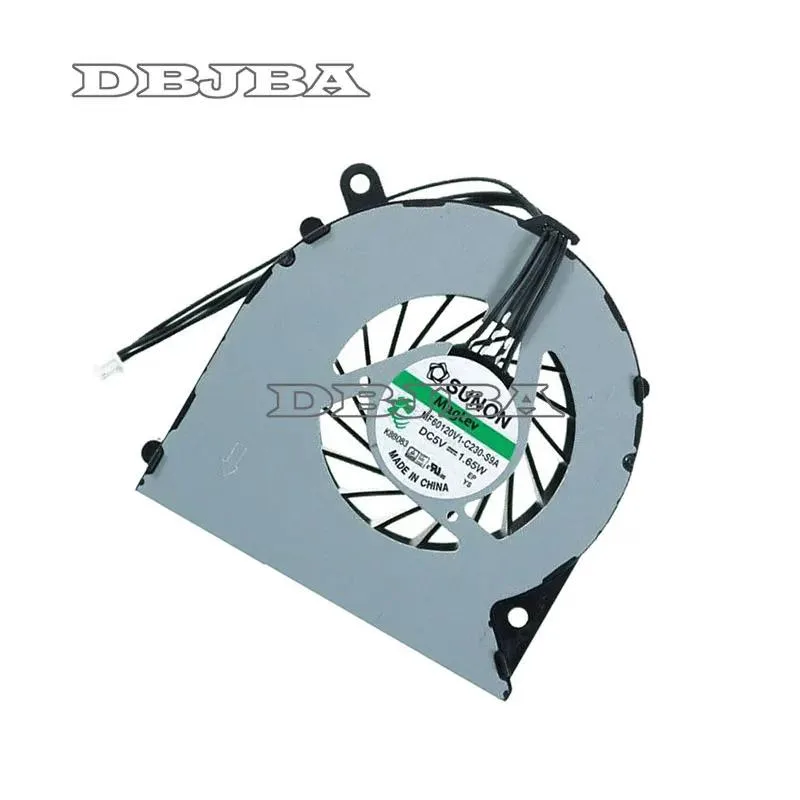
DBTLAP CPU Cooling Fan MF60120V1-C230-S9A DC5V 1.65W 4PIN
Replacement CPU cooling fan for compatible laptops, operating at 5 V DC with a 1.65 W rating and a 4-pin connector
- Accessory TypeCooler
- Direct replacement for MF60120V1-C230-S9A
- Powered by DC5V 1.65W four-pin connector
- Single fan unit tested before dispatch
- Verify photos and part number for exact fit
- Manufacturer DBTLAP supplies cooler accessory type
DBTLAP MF60120V1-C230-S9A Replacement Fan
This DBTLAP cooling fan is a direct replacement for the MF60120V1-C230-S9A model. It operates at 5 V DC and draws 1.65 W through a 4-pin connector. The part is intended for laptop owners who need to swap a worn or noisy original cooler. Buyers who want a universal cooling pad or a different form factor should look elsewhere.
100 Percent Tested Compatibility Headroom
Each unit is tested before shipping to confirm it spins correctly at the rated voltage. The 4-pin interface supports PWM control so the laptop can regulate speed under load. It comfortably handles the thermal design of the specific models listed in the compatibility photos. Systems that require a different pin-out, voltage or mounting pattern will not accept this fan.
Single Fan Unit With Verification Guidance
The package includes only the fan itself with no additional brackets, cables or thermal compound. Supplier photos are taken from the real item to help you confirm visual match before ordering. If you are uncertain, you can provide your laptop model number for a compatibility check. This ensures the correct part number is ordered for a proper fit.
Highlights
- Direct replacement for MF60120V1-C230-S9A
- Powered by DC5V 1.65W four-pin connector
- Single fan unit tested before dispatch
- Verify photos and part number for exact fit
- Manufacturer DBTLAP supplies cooler accessory type
Specifications
| Accessory Type | Cooler |
|---|
Questions about this item
Will the MF60120V1-C230-S9A fan connect to my existing 4-pin motherboard header?
Yes, the fan uses a 4-pin connector that plugs directly into a standard 4-pin CPU fan header on the motherboard.
How can I verify the DC5V 1.65W fan is spinning correctly after installation?
Enter the BIOS or use monitoring software to confirm the fan RPM is reported and that CPU temperatures drop under load.
Does the package include mounting screws or thermal paste, or just the fan unit?
The box contains only the 1 x fan; screws, thermal paste and any brackets must be sourced separately.
Also in this aisle
People compared these
Same shelf, same checkout — eight coins and a 30-minute rate lock.


Kensington
Kensington Desk Mount Cable Anchor K64613WW accessory
- Black
- Provides a secure a…
$19.99
0.00023699BTC
In stock
Panasonic
Panasonic CF-VDR291U laptop cooling pad
- Optical Drive
- Buffer Size: 2 MB B…
$213.99
0.00253699BTC
In stock
eReplacements
eReplacements PB992A-ER laptop battery 14.4V
- Battery
- Lithium-Ion
$65.99
0.00078235BTC
In stock