


DBTLAP
DBTLAP CPU Cooling Fan for DETLA ND55C06-16C13 5V 0.50A Pro 4
A replacement CPU cooling fan for DETLA ND55C06-16C13 5V .50A Pro 4 laptops, supplied as a single tested unit
- Accessory TypeCooler
- Designed for DETLA ND55C06-16C13 Pro 4
- 5V 0.50A power for efficient cooling
- Single fan unit replaces faulty cooler
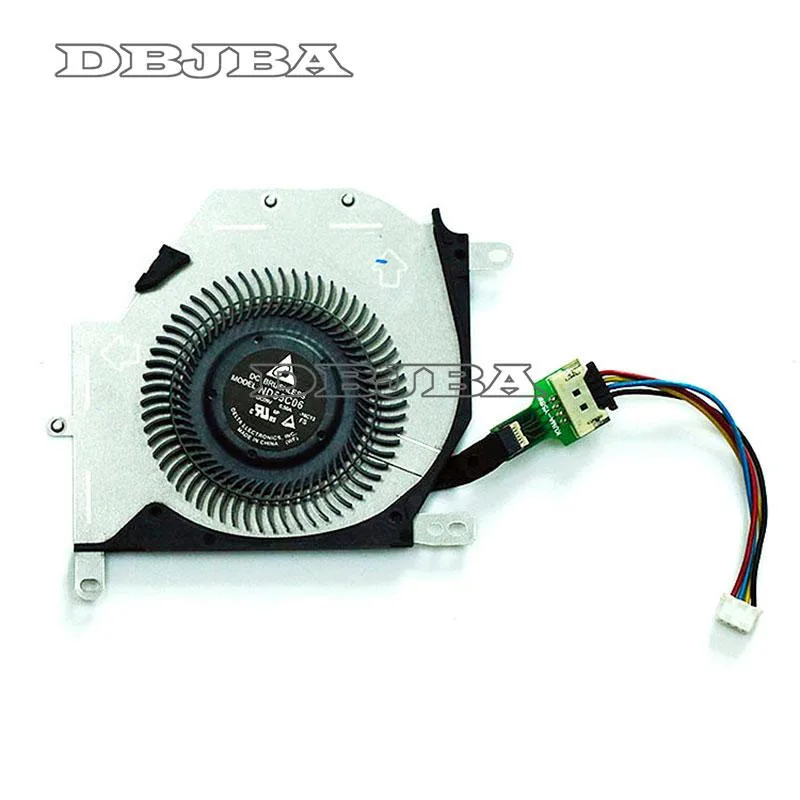
- Real-item photos confirm exact match
- Each unit tested before dispatch
Replacement Fan for DETLA Laptop
This new cooling fan is built specifically for the DETLA ND55C06-16C13 5V 0.50A Pro 4 laptop model. It serves as a direct replacement when the original cooler fails or becomes noisy. Buyers who need a universal cooler or a different voltage should look elsewhere.
Build Quality and Connector Fit
Each unit is tested before shipping to confirm operation. The package includes only the fan itself, so existing mounting screws and cables must be reused. Verifying the connector and housing against the product photos is essential before installation.
Critical Compatibility Specification
The part number ND55C06-16C13 5V 0.50A Pro 4 is the single detail that determines fitment. Ordering by laptop model alone risks a mismatch; only this exact code guarantees 100 percent compatibility.
Highlights
- Designed for DETLA ND55C06-16C13 Pro 4
- 5V 0.50A power for efficient cooling
- Single fan unit replaces faulty cooler
- Real-item photos confirm exact match
- Each unit tested before dispatch
Specifications
| Accessory Type | Cooler |
|---|
Questions about this item
Does the 5 V 0.50 A fan connector match the DETLA ND55C06-16C13 Pro 4 motherboard header?
The fan is built to the 5 V 0.50 A specification used by the DETLA ND55C06-16C13 Pro 4, so the connector and pin-out are a direct match.
Will this fan fit the original mounting points inside the DETLA ND55C06-16C13 Pro 4 chassis?
It is made as a direct replacement for the DETLA ND55C06-16C13 Pro 4, so the screw holes and frame dimensions line up with the factory mounts.
What is the correct way to install the fan and which step do people skip?
Remove the old fan, align the new unit with the existing screw holes, secure it, then plug the 5 V 0.50 A connector into the motherboard header — the step often missed is re-connecting the power cable before reassembling the laptop.
Also in this aisle
People compared these
Same shelf, same checkout — eight coins and a 30-minute rate lock.


Kensington
Kensington Desk Mount Cable Anchor K64613WW accessory
- Black
- Provides a secure a…
$19.99
0.00023671BTC
In stock
Panasonic
Panasonic CF-VDR291U laptop cooling pad
- Optical Drive
- Buffer Size: 2 MB B…
$213.99
0.0025339BTC
In stock
eReplacements
eReplacements PB992A-ER laptop battery 14.4V
- Battery
- Lithium-Ion
$65.99
0.0007814BTC
In stock