


DBTLAP
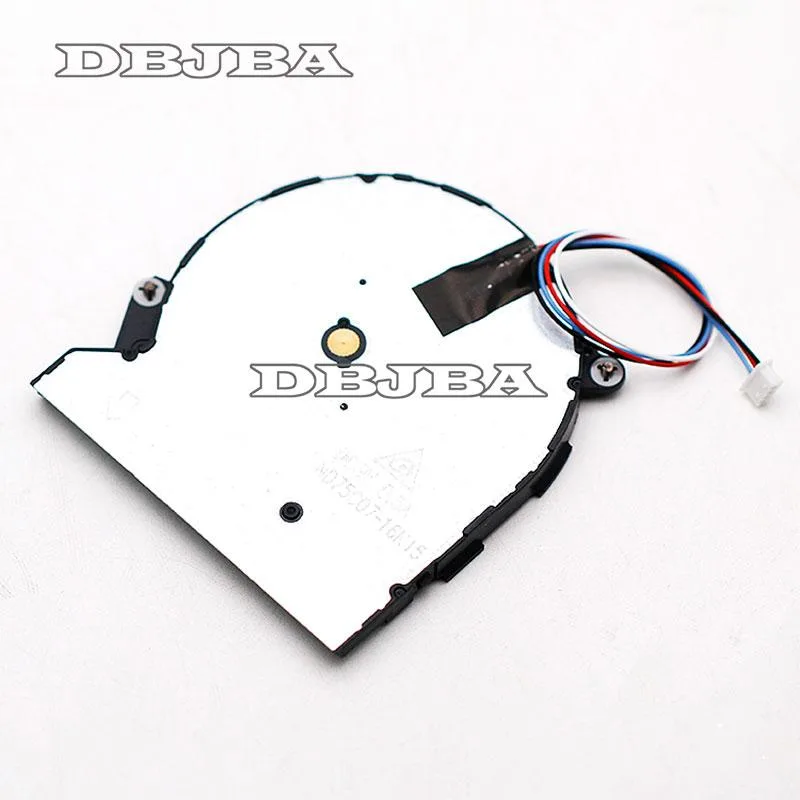
DBTLAP CPU Cooling Fan for DELTA ND75C07-16K15 5V 0.5A
Replacement CPU cooling fan for DELTA ND75C07-16K15 laptops, 5V 0.5A, tested before shipping
- Accessory TypeCooler
- Keeps your laptop cool with a 5V 0.5A fan
- Matches DELTA ND75C07-16K15 part for easy replacement
- Tested before shipping for reliable operation
- Includes one fan ready to install
- Real photos let you verify fit before buying
Replacement Fan for DELTA ND75C07-16K15
This DBTLAP cooling fan is a direct replacement for the DELTA ND75C07-16K15 model operating at 5V and 0.5A. It is intended for laptop owners whose original CPU cooler has failed or become noisy. The unit ships as a single tested fan ready for installation. Compatibility depends on matching the exact part number.
Upgrading from a Failed Original Cooler
The fan replaces a worn or broken DELTA ND75C07-16K15 cooler to restore proper thermal management. The jump is worth it when the original fan spins loudly, stops spinning, or causes system throttling. Each unit is tested before shipping to ensure reliable operation. Verifying the part number against photos prevents ordering an incompatible variant.
Fits Laptops Requiring This Exact Part
Installation requires a laptop designed for the DELTA ND75C07-16K15 form factor and 5V 0.5A power specification. The replacement frees the system from overheating-related slowdowns once fitted correctly. Buyers who need a different voltage, connector layout, or mounting pattern cannot use this fan. Confirm the model number with the supplier if uncertain.
Highlights
- Keeps your laptop cool with a 5V 0.5A fan
- Matches DELTA ND75C07-16K15 part for easy replacement
- Tested before shipping for reliable operation
- Includes one fan ready to install
- Real photos let you verify fit before buying
Specifications
| Accessory Type | Cooler |
|---|
Questions about this item
What laptop models does the DELTA ND75C07-16K15 5V 0.5A fan fit?
It is built for the DELTA ND75C07-16K15 5V 0.5A part number. Compare the photos with your original fan and verify the model number before ordering.
How do I install the replacement fan and what step is often missed?
Disconnect power, remove the old cooler, fit the new fan in the same orientation, reconnect the 5V 0.5A header, then test before reassembling the chassis.
When will this cooler need maintenance or replacement?
Each unit is tested before shipping. Replace it if airflow drops, noise rises, or the 5V 0.5A motor stops spinning.
Also in this aisle
People compared these
Same shelf, same checkout — eight coins and a 30-minute rate lock.


Kensington
Kensington Desk Mount Cable Anchor K64613WW accessory
- Black
- Provides a secure a…
$19.99
0.00023667BTC
In stock
Panasonic
Panasonic CF-VDR291U laptop cooling pad
- Optical Drive
- Buffer Size: 2 MB B…
$213.99
0.00253357BTC
In stock
eReplacements
eReplacements PB992A-ER laptop battery 14.4V
- Battery
- Lithium-Ion
$65.99
0.0007813BTC
In stock