
DBTLAP
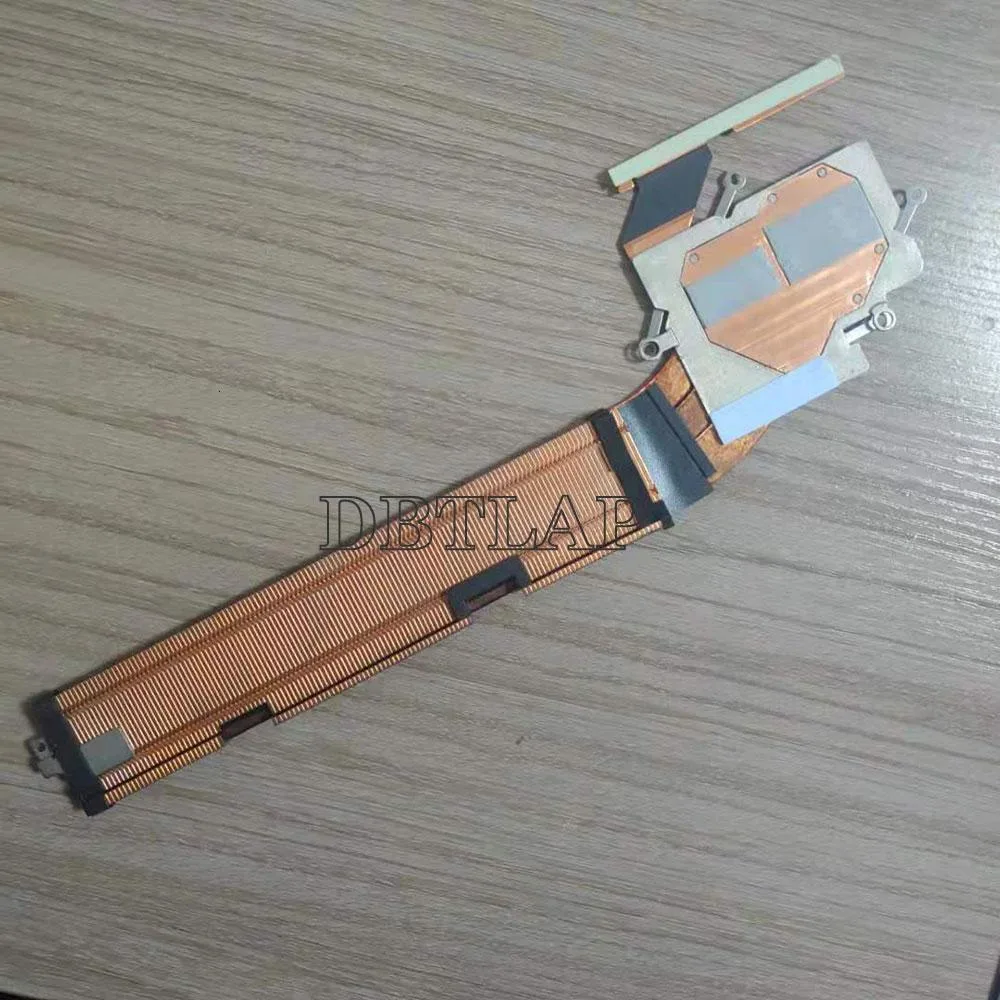
DBTLAP Cooling Heatsink Assembly Dell XPS 15 9575 182JJ
Replacement cooling heatsink assembly with fan for Dell XPS 15 9575 laptops
- Accessory TypeCooler
- Direct replacement for Dell XPS 15 9575
- Includes one fan for active cooling
- Tested before shipping to ensure function
- Verify part number 182JJ for exact fit
- Check photos against your original heatsink assembly
Genuine Dell XPS 15 9575 Heatsink
This cooling heatsink assembly is built for the Dell XPS 15 9575 and carries part numbers 182JJ, 0182JJ and AT2470010C0. It replaces the original thermal module when the fan fails or the heatsink fins are damaged. The package includes one fan that has been tested before shipping.
Upgrade From Failed Or Noisy Fan
The jump is worth it when the existing fan spins loudly, stops spinning or the laptop throttles under load. It restores the factory cooling path without modifying the chassis. Buyers who need a complete motherboard swap or a different thermal design will not be served by this part.
Direct Replacement Install
Installation follows the service manual: remove the bottom cover, disconnect the old fan cable, unscrew the heatsink, clean the CPU and GPU dies, apply fresh paste and fit the new assembly. Common issues are forgetting to reconnect the fan header, leaving old thermal compound on the dies or ordering the wrong part number for a similar-looking model.
Highlights
- Direct replacement for Dell XPS 15 9575
- Includes one fan for active cooling
- Tested before shipping to ensure function
- Verify part number 182JJ for exact fit
- Check photos against your original heatsink assembly
Specifications
| Accessory Type | Cooler |
|---|
Questions about this item
Will this heatsink assembly fit my Dell XPS 15 9575 chassis?
The assembly is built for the Dell XPS 15 9575 and matches part numbers 182JJ, 0182JJ and AT2470010C0, so it aligns with the original mounting points.
What is the tricky step when installing this cooler?
The critical step is confirming the replacement matches your old unit visually before fitting; the supplier advises checking the photos and your exact part number to avoid a mismatch.
How long does the included fan typically last before it needs replacing?
Each unit is tested before shipping, but fan lifespan varies with workload and dust buildup; plan to clean the vents regularly and replace the fan if noise or temperatures rise.
Also in this aisle
People compared these
Same shelf, same checkout — eight coins and a 30-minute rate lock.


Kensington
Kensington Desk Mount Cable Anchor K64613WW accessory
- Black
- Provides a secure a…
$19.99
0.00023693BTC
In stock
Panasonic
Panasonic CF-VDR291U laptop cooling pad
- Optical Drive
- Buffer Size: 2 MB B…
$213.99
0.00253633BTC
In stock
eReplacements
eReplacements PB992A-ER laptop battery 14.4V
- Battery
- Lithium-Ion
$65.99
0.00078215BTC
In stock