

DBTLAP
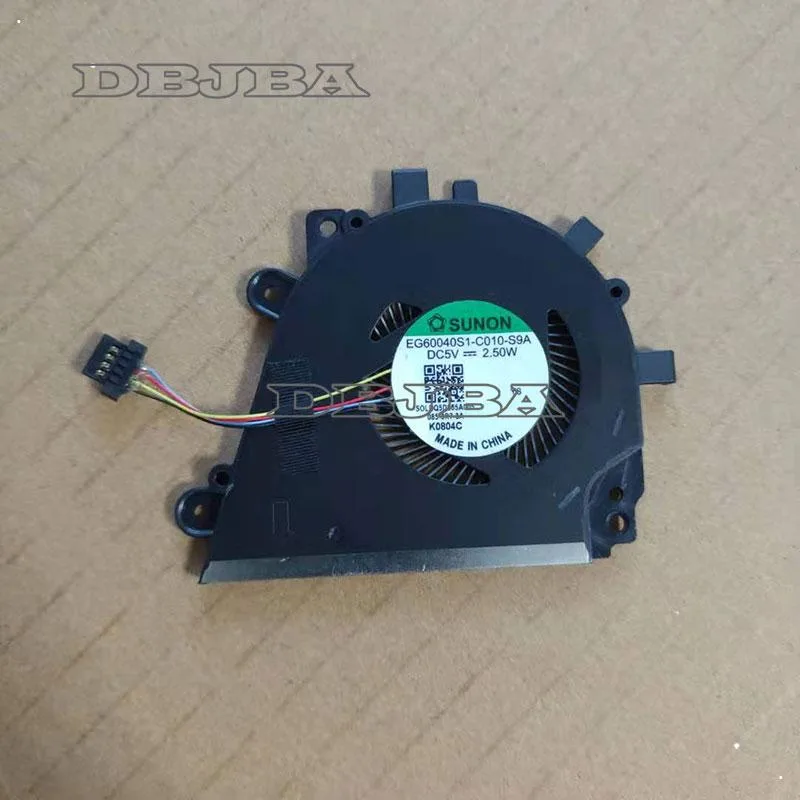
DBTLAP cooling fan for SUNON EG60040S1-C010-S9A DC5V 2.50W
Replacement cooling fan for compatible laptops, rated at 5 V and 2.50 W
- Accessory TypeCooler
- Replaces SUNON EG60040S1-C010-S9A fan directly
- Runs on DC 5 V for low power draw
- Rated at 2.50 W for efficient cooling
- Supplied as single tested unit ready to fit
- Verify part number DQ5O565A005 for exact match
Replacement fan for SUNON EG60040S1-C010-S9A
This DBTLAP cooling fan is a direct replacement for the SUNON EG60040S1-C010-S9A model. It operates at 5 V DC and draws 2.50 W of power. The package includes one fan unit. It is intended for laptop owners who need to swap out a worn or failed original cooler.
Matching the original part number
The fan replaces the specific SUNON EG60040S1-C010-S9A cooler identified by the DQ5O565A005 part number. Buyers should verify the photos and part number against the original component before ordering. The jump is worth it when the existing fan is noisy, spinning slowly or has stopped completely. Each unit is tested before shipping to confirm operation.
Fits laptop cooling assemblies
The fan mounts inside the laptop's existing cooling assembly using the original screw points and connector. No extra adapters or wiring changes are required. It frees up the thermal headroom lost to a failing cooler. Buyers who need a different voltage, connector layout or physical size should not use this part.
Highlights
- Replaces SUNON EG60040S1-C010-S9A fan directly
- Runs on DC 5 V for low power draw
- Rated at 2.50 W for efficient cooling
- Supplied as single tested unit ready to fit
- Verify part number DQ5O565A005 for exact match
Specifications
| Accessory Type | Cooler |
|---|
Questions about this item
What laptop model does the SUNON EG60040S1-C010-S9A fan fit?
This fan replaces the SUNON EG60040S1-C010-S9A DC5V 2.50W unit. Match the part number DQ5O565A005 and compare the photos to your original fan before ordering.
How do I install the replacement cooling fan correctly?
Disconnect power, remove the old fan, and connect the new unit using the original mounting points. The step people miss is verifying the connector orientation and screw alignment before securing it.
When should I replace this cooling fan again?
Replace the fan if bearing noise increases, airflow drops, or the laptop overheats during normal use. Each unit is tested before shipping to confirm it spins at the rated 5V.
Also in this aisle
People compared these
Same shelf, same checkout — eight coins and a 30-minute rate lock.


Case Logic
Case Logic 3203990 briefcase for 15.6 in laptop with 10.1 in tablet pocket
$30.99
0.00037165BTC
In stock