


Damaite
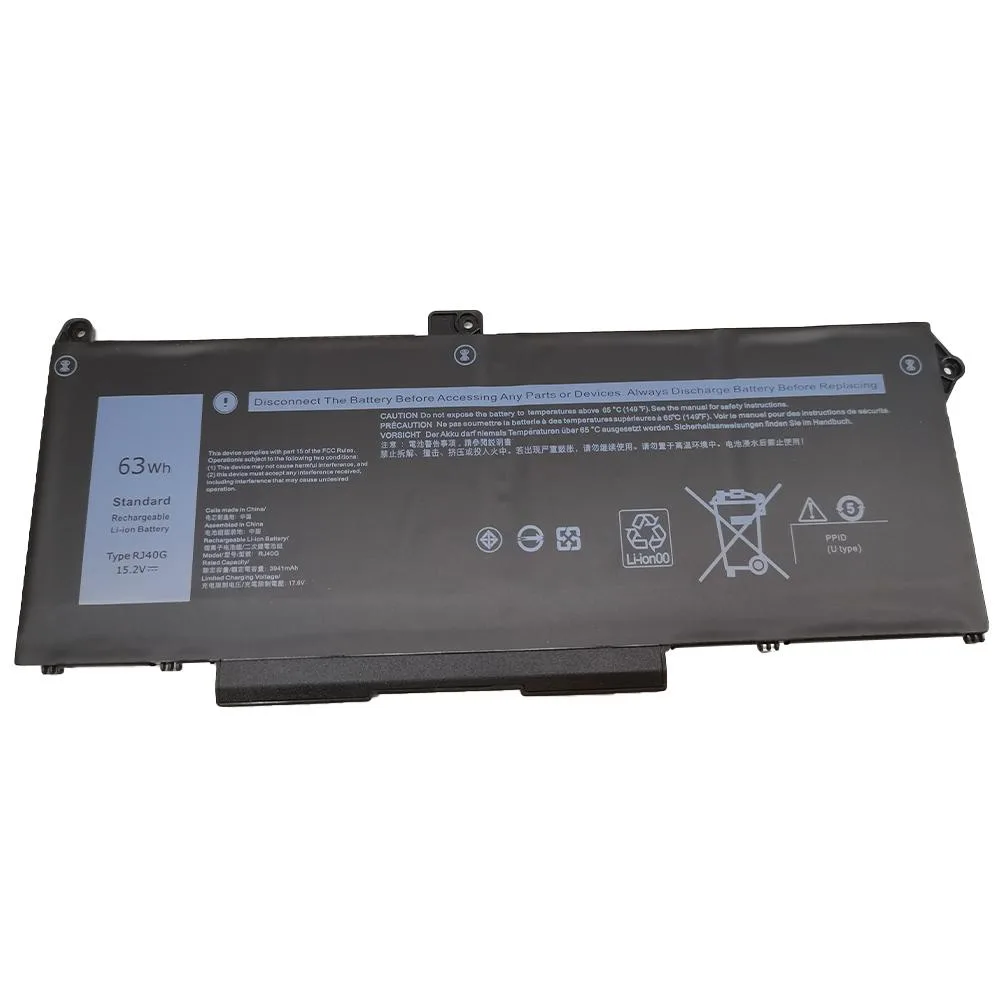
Damaite RJ40G M033W 63Wh 4-cell laptop battery
Replaces Dell RJ40G 63 Wh battery for Latitude 5420, 5520 and Precision 3560
- ColorBlack
- TypeBattery
- Battery Type4 Cell Lithium-Ion
- Battery Voltage15.2 V
- Battery Capacity63 Wh
- 63 Wh capacity powers the laptop through a full workday
- 2 V lithium-ion chemistry matches the original Dell specification
- Four-cell layout keeps weight low while delivering rated energy
- Direct replacement for RJ40G, 01K2CF, 075X16 and WY9DX part numbers
- Fits Latitude 14 5420, Latitude 15 5520 and Precision 15 3560 series
Damaite RJ40G M033W 63Wh Battery
This 63 Wh lithium-ion battery replaces the RJ40G module in compatible Dell laptops. It delivers 15.2 V from a four-cell pack and matches the original black finish. The unit is supplied new and fits Latitude 14 5420, Latitude 15 5520 and Precision 15 3560 series.
Who this suits and who should look elsewhere
Buyers whose service tag shows part number RJ40G, 01K2CF, 075X16, 0WK3F1, 0M3KCN or 005R42 will find a direct fit. Owners of the same chassis that shipped with the 42 Wh WY9DX battery cannot use this pack because the physical shape differs.
The specification that decides fit
Capacity is the deciding figure: this pack provides 63 Wh while the alternative WY9DX provides 42 Wh and uses a different case profile. Open the chassis and confirm the original battery carries the RJ40G label before ordering.
Highlights
- 63 Wh capacity powers the laptop through a full workday
- 2 V lithium-ion chemistry matches the original Dell specification
- Four-cell layout keeps weight low while delivering rated energy
- Direct replacement for RJ40G, 01K2CF, 075X16 and WY9DX part numbers
- Fits Latitude 14 5420, Latitude 15 5520 and Precision 15 3560 series
Specifications
| Color | Black |
|---|---|
| Type | Battery |
| Battery Type | 4 Cell Lithium-Ion |
| Battery Voltage | 15.2 V |
| Battery Capacity | 63 Wh |
Questions about this item
How do I install the RJ40G battery in a Latitude 15 5520, and what step is often missed?
Power off the laptop, disconnect the AC adapter, remove the base cover screws, detach the old battery connector from the motherboard, fit the new 4-cell 15.2 V pack, reconnect the cable firmly, then refit the cover.
What maintenance or replacement will the 63 Wh lithium-ion pack need later?
The pack is sealed and requires no user maintenance; when run-time drops far below the original 63 Wh capacity, replace the entire battery with another RJ40G-compatible unit.
What limit appears first during sustained use of the 15.2 V 4-cell battery?
The 63 Wh energy capacity sets the maximum run-time per charge; under continuous load the pack will deplete to the low-voltage cut-off before any thermal or cycle limit is reached.
Also in this aisle
People compared these
Same shelf, same checkout — eight coins and a 30-minute rate lock.


Kensington
Kensington Desk Mount Cable Anchor K64613WW accessory
- Black
- Provides a secure a…
$19.99
0.00023606BTC
In stock
Panasonic
Panasonic CF-VDR291U laptop cooling pad
- Optical Drive
- Buffer Size: 2 MB B…
$213.99
0.00252701BTC
In stock
eReplacements
eReplacements PB992A-ER laptop battery 14.4V
- Battery
- Lithium-Ion
$65.99
0.00077928BTC
In stock