


Corn Electronics
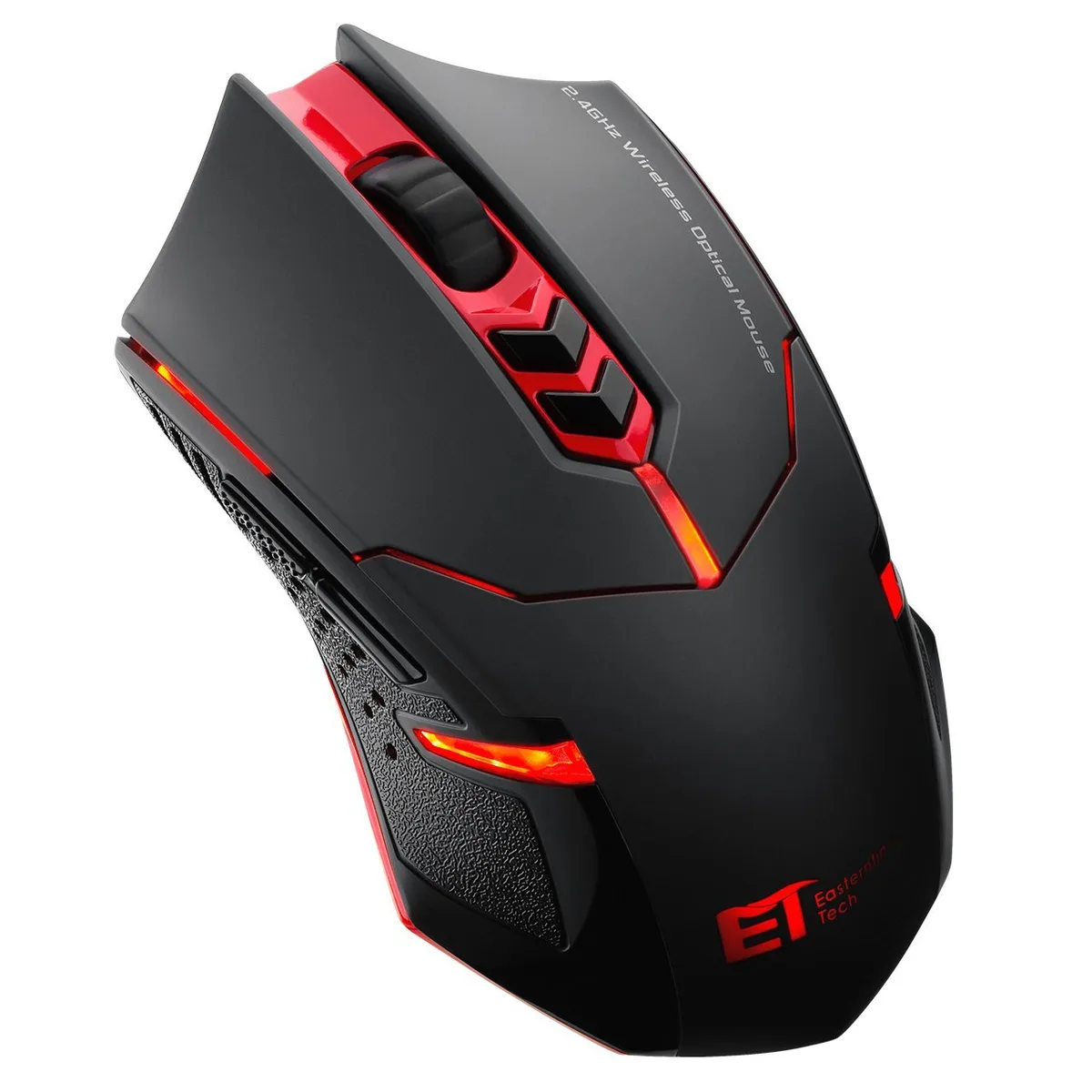
Corn Electronics Wireless Gaming Mouse 2.4G 2400DPI Red
A 2.4 GHz wireless gaming mouse with adjustable 800, 1200 or 1600 DPI, seven buttons, quiet clicks and a low-power indicator
- ColorRed
- Wireless 2.4 GHz link removes cable clutter
- Adjustable 800, 1200, 1600 or 2400 DPI for precise control
- Seven programmable buttons expand in-game commands
- Quiet-click switches reduce noise during late sessions
- Auto sleep after 8 minutes extends battery life
Wireless gaming mouse 2.4 GHz
The Corn Electronics wireless gaming mouse connects through a 2.4 GHz nano receiver for cable-free play. It offers four adjustable DPI steps of 800, 1200, 1600 and 2400 selected by a dedicated button. The compact receiver stores inside the mouse body when not in use. A sturdy plastic case protects the unit during transport.
Battery management under load
A low-power indicator flashes red when the battery needs replacement during extended sessions. After eight minutes of inactivity the mouse enters a power-saving mode and wakes with any button press. Removing the receiver or shutting down the PC triggers the same sleep state automatically. These features preserve charge without interrupting gameplay.
Limits of the 2.4 GHz link
The 2.4 GHz wireless band is shared with many household devices so heavy local congestion can introduce occasional latency. The nano receiver occupies one USB-A port and must remain within clear line of sight for reliable signal. No wired fallback or Bluetooth alternative is provided. Buyers who need guaranteed zero-latency input or a second simultaneous connection should consider other options.
Highlights
- Wireless 2.4 GHz link removes cable clutter
- Adjustable 800, 1200, 1600 or 2400 DPI for precise control
- Seven programmable buttons expand in-game commands
- Quiet-click switches reduce noise during late sessions
- Auto sleep after 8 minutes extends battery life
Specifications
| Color | Red |
|---|
Questions about this item
How long does the 2.4 GHz wireless mouse run before the low-power indicator flashes red?
The mouse flashes a red low-power indicator when the battery needs replacing; an auto turn-off activates after 8 minutes of inactivity and any button press wakes it.
What must I provide for the 7-button 2400 DPI mouse to operate?
One AA battery (not included) and a free USB-A port for the nano receiver.
Will the 800, 1200 and 1600 DPI steps work with my older USB 2.0 laptop?
Yes, the nano receiver uses a standard USB interface compatible with legacy USB ports and the DPI button cycles through 800, 1200 and 1600 settings.
Also in this aisle
People compared these
Same shelf, same checkout — eight coins and a 30-minute rate lock.


Lenovo
Lenovo 42T3273 Black Replacement Keyboard for ThinkPad T60 T61
- Thinkpad T60 T61 Ke…
- Black
$29.99
0.0003463BTC
In stock