


Corn Electronics
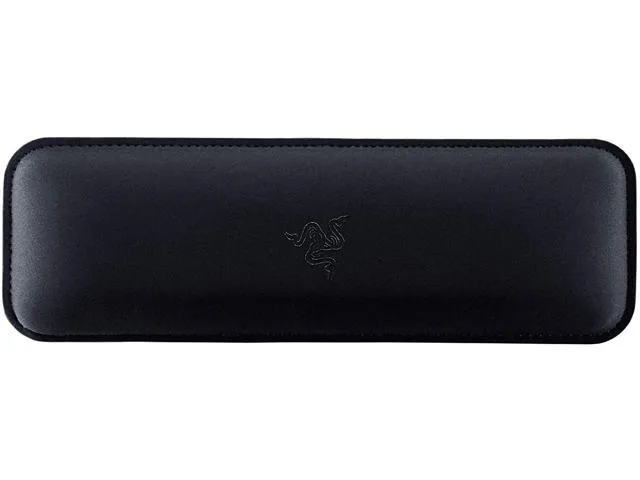
Corn Electronics Ergonomic Wrist Rest for Gaming Mice Classic Black
Memory-foam wrist rest with leatherette cover and anti-slip rubber base reduces strain during long gaming sessions
- Memory-foam leatherette cushion cuts wrist strain during long sessions
- Poly hi-gauge interlock fabric with anti-fray stitching resists water and wear
- Anti-slip rubber feet keep the rest fixed during intense play
- Angled incline design supports a natural wrist angle for gaming
- Classic black finish suits any desktop setup
Ergonomic Wrist Rest for Gaming Mice
This wrist rest is designed for PC gamers who spend long hours at the mouse and want to reduce fatigue. The angled incline supports a natural hand posture during extended sessions. It suits anyone seeking a stable, comfortable surface for competitive or casual play.
Plush Leatherette Cushion and Anti-Slip Base
A memory foam core is wrapped in leatherette and framed with anti-fray stitched poly fabric that resists water contact. Non-slip rubber feet keep the pad firmly anchored on the desk through rapid movements. The construction is built to withstand daily wear without fraying or shifting.
Angled Incline for Wrist Support
The fixed angled profile sets the wrist at a raised position to promote ergonomic alignment while mousing. Buyers who prefer a flat or adjustable-height rest will not find that flexibility here. The single incline angle defines the support experience.
Highlights
- Memory-foam leatherette cushion cuts wrist strain during long sessions
- Poly hi-gauge interlock fabric with anti-fray stitching resists water and wear
- Anti-slip rubber feet keep the rest fixed during intense play
- Angled incline design supports a natural wrist angle for gaming
- Classic black finish suits any desktop setup
Specifications
No published specifications for this item yet.
Questions about this item
Does the angled incline change how much desk space the wrist rest occupies?
The angled incline raises the wrist area above the desk while the anti-slip rubber feet keep the base footprint stable; plan for the full rectangular outline plus a few extra centimetres for mouse movement.
What surface preparation helps the anti-slip rubber feet grip best?
Clean the desk area with isopropyl alcohol to remove oils and dust, then press the wrist rest down firmly so the rubber feet make full contact before use.
Is any adhesive or hardware needed to install the wrist rest, or does it stay in place on its own?
No adhesive or hardware is required; the anti-slip rubber feet hold the wrist rest in position on a clean, flat surface during normal gaming use.
Also in this aisle
People compared these
Same shelf, same checkout — eight coins and a 30-minute rate lock.


Lenovo
Lenovo 42T3273 Black Replacement Keyboard for ThinkPad T60 T61
- Thinkpad T60 T61 Ke…
- Black
$29.99
0.00034564BTC
In stock