


Corn Electronics
Corn Electronics 14-in-1 USB-C Docking Station 100W PD
Connects up to three external displays via two HDMI and one VGA port while delivering up to 100W pass-through charging and providing thirteen USB and card-reader ports
- Triple external displays via two HDMI and one VGA port
- 100 W Power Delivery keeps the laptop charged while the hub runs
- Three USB 3.0 and two USB 2.0 ports for fast peripheral access
- Built-in SD and TF card readers speed up media transfer
- Works with Windows extend mode and macOS mirror or extend configurations
Docking Station for USB-C Laptops
The Corn Electronics 14-in-1 hub adds thirteen ports to a single USB-C connection. It targets mobile professionals who need multiple monitors, wired networking, card readers and legacy peripherals without carrying separate adapters.
Build integration and port layout
Two HDMI outputs and one VGA port drive external displays while the host laptop charges through 100W Power Delivery. Three USB 3.0 ports and two USB 2.0 ports handle fast storage and accessories, and SD plus TF slots accept camera cards directly.
Display capacity and limits
Windows systems can extend across three monitors at up to 1920x1080 at 60Hz or clone at 3840x2160 at 30Hz, depending on whether the host provides DP 1.4 or DP 1.2. macOS extends only two displays; the third mirrors, and 4K at 60Hz is limited to a single HDMI port.
Highlights
- Triple external displays via two HDMI and one VGA port
- 100 W Power Delivery keeps the laptop charged while the hub runs
- Three USB 3.0 and two USB 2.0 ports for fast peripheral access
- Built-in SD and TF card readers speed up media transfer
- Works with Windows extend mode and macOS mirror or extend configurations
Specifications
No published specifications for this item yet.
Questions about this item
How many monitors can I extend on Windows before hitting the display limit?
You can extend three external monitors using the two HDMI ports and the VGA port on Windows.
Does the hub get hot or loud when driving three 1080p60 displays all day?
The unit has no fan and relies on its aluminium casing to dissipate heat during extended multi-monitor use.
What host port must my laptop provide for the dock to deliver 100W charging and video?
Your laptop needs a USB-C port that supports DisplayPort 1.2 or 1.4 Alt Mode and Power Delivery 3.0.
Also in this aisle
People compared these
Same shelf, same checkout — eight coins and a 30-minute rate lock.


Targus
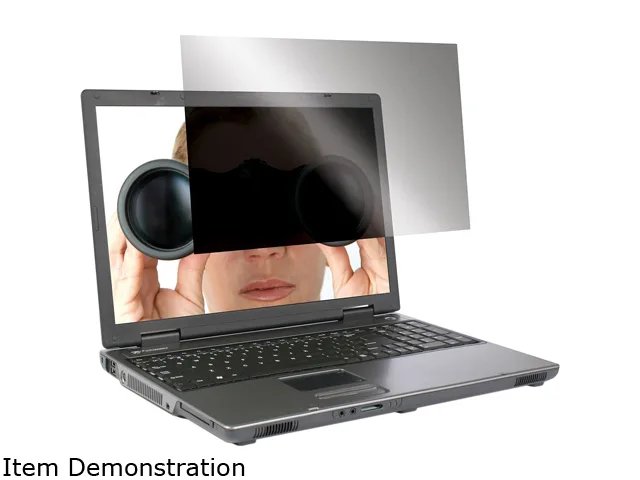
Targus ASF15USZ 15.0" 4:3 privacy filter accessory
- Privacy Filter
- Notebook
$39.99
0.00046682BTC
In stock