


Contour Design
Contour Design CDRMPRO20110 wired RollerMouse Pro keyboard accessory
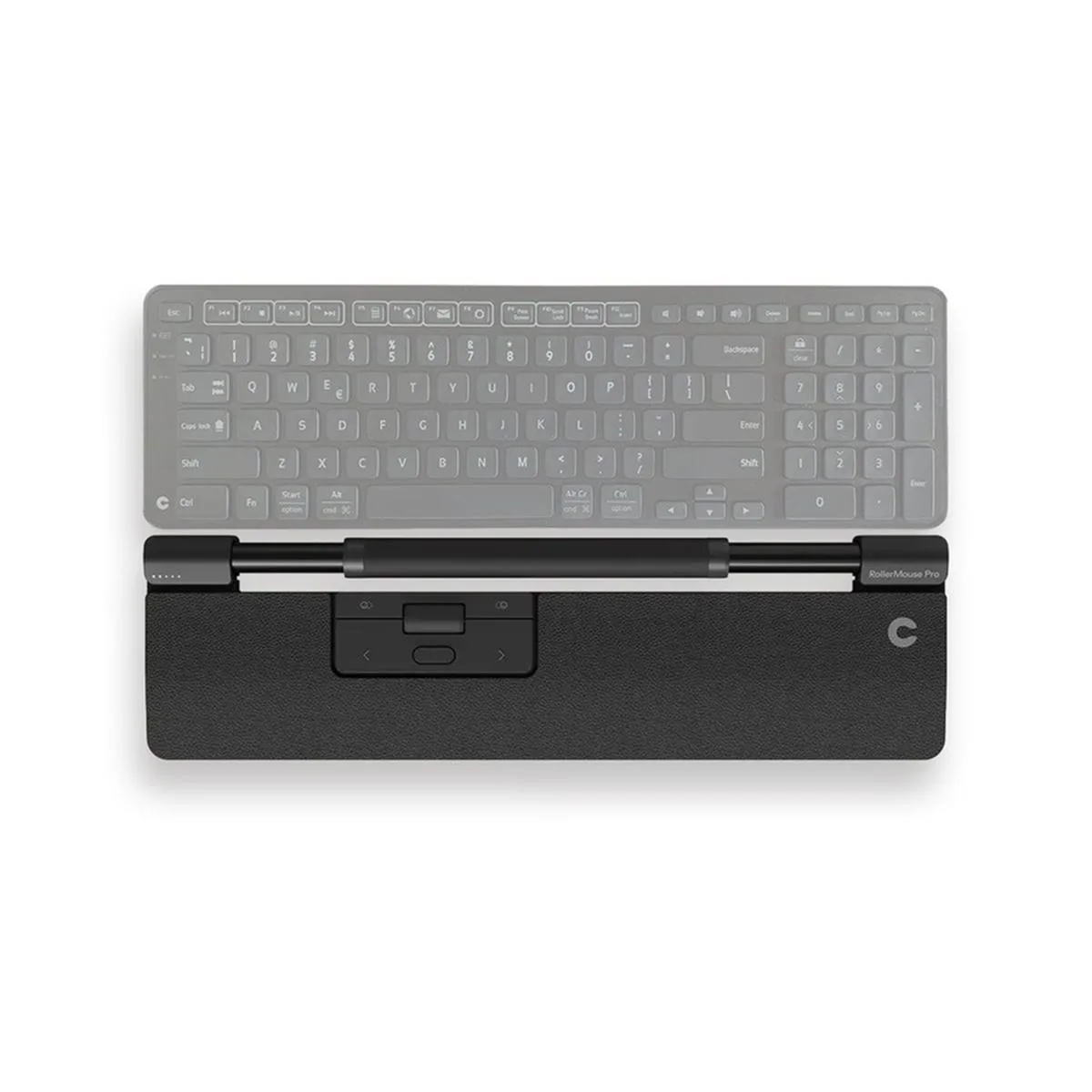
A centered rollerbar mouse with programmable buttons, large scroll wheel, copy/paste controls, and interchangeable magnetic wrist rests for ergonomic cursor navigation
- Ergonomic centred design reduces reach and strain
- Rollerbar enables precise cursor control with minimal hand movement
- Programmable buttons and large scroll wheel keep commands at fingertips
- Built-in copy/paste and navigation buttons speed up common tasks
- Interchangeable magnetic wrist rests adapt to individual comfort preferences
Centered ergonomic mouse accessory
The Contour Design Wired RollerMouse Pro sits in front of the keyboard to keep cursor control, scrolling and shortcut buttons centred between the hands. It is aimed at professionals who want to reduce shoulder reach and wrist deviation during long desktop sessions.
Rollerbar cursor control
The rollerbar replaces a traditional sensor by letting fingertips roll and slide the bar to move the pointer, so the hands never leave the home row. This single mechanism decides whether the device fits a user who prefers stationary, fingertip navigation over a conventional mouse.
Plug-and-play USB installation
The unit connects with a single wired USB cable and works without extra drivers on standard operating systems. The magnetic wrist rests snap on and off for cleaning or swapping, and the main adjustment is setting personal click-force and cursor-speed preferences in the onboard menu.
Highlights
- Ergonomic centred design reduces reach and strain
- Rollerbar enables precise cursor control with minimal hand movement
- Programmable buttons and large scroll wheel keep commands at fingertips
- Built-in copy/paste and navigation buttons speed up common tasks
- Interchangeable magnetic wrist rests adapt to individual comfort preferences
Specifications
No published specifications for this item yet.
Questions about this item
How does the centered rollerbar change daily use compared to a traditional mouse?
The rollerbar sits directly in front of the keyboard, letting you move the cursor with fingertip rolls instead of reaching sideways, which keeps shoulders relaxed during long sessions.
What connection does the RollerMouse Pro use and what does that limit?
It connects via a wired USB cable, so you need an available port and the cable length determines how far the unit can sit from the computer.
How do the magnetic wrist rests attach and what adjustment do they allow?
The vegan-leather rests snap on magnetically and can be swapped or repositioned to match your keyboard height and preferred wrist angle.
Also in this aisle
People compared these
Same shelf, same checkout — eight coins and a 30-minute rate lock.


Lenovo
Lenovo 42T3273 Black Replacement Keyboard for ThinkPad T60 T61
- Thinkpad T60 T61 Ke…
- Black
$29.99
0.00035127BTC
In stock