
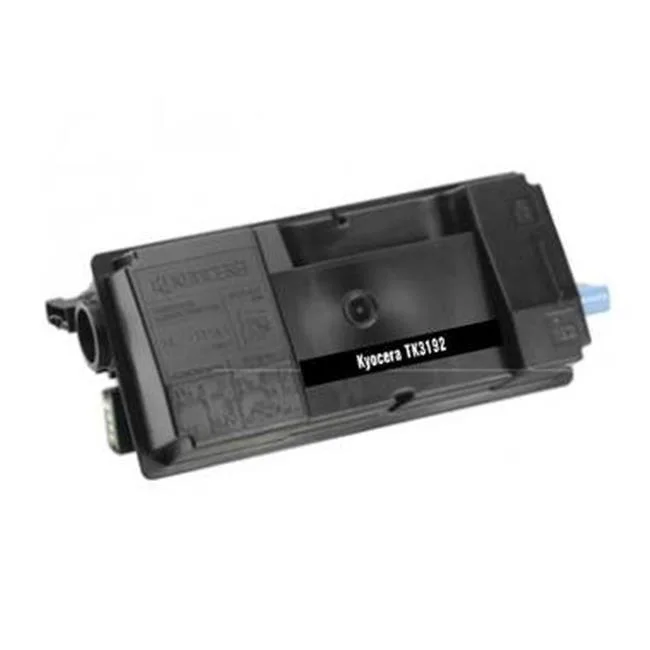
Compatible
Compatible COMTK3192 Kyocera 1T02T60US0 Black Toner Cartridge
Black toner cartridge replaces Kyocera 1T02T60US0 for compatible printers
- Cartridge QuantitySingle Pack
- Cartridge ColorBlack
- Replacement BrandKyocera
- Replacement ModelKyocera 1T02T60US0
- Black toner produces sharp text and graphics
- Direct replacement for Kyocera 1T02T60US0 printers
- New cartridge installs straight into the machine
- Single pack keeps spare supply simple
- Model COMTK3192 matches original specifications
Compatible Black Toner Cartridge
This aftermarket toner cartridge replaces the Kyocera 1T02T60US0 model. It is designed for monochrome printing in home offices and small businesses. The single-pack format suits users who need a straightforward replacement without multi-cartridge bundles. Buyers requiring colour output or high-capacity multi-packs should look elsewhere.
Thermal and Power Performance
As a toner cartridge, this product generates no operational heat, draws no electrical power and produces no audible noise during printing. The printer itself manages all thermal and acoustic characteristics. There are no fan speeds, power-draw figures or temperature thresholds associated with the cartridge.
Ready-to-Install Single Pack
The box contains one black toner cartridge sealed for immediate installation. No additional drums, waste containers, chips or software utilities are bundled. The cartridge is mechanically keyed to match the Kyocera 1T02T60US0 slot, so no adapters or firmware updates are required.
Highlights
- Black toner produces sharp text and graphics
- Direct replacement for Kyocera 1T02T60US0 printers
- New cartridge installs straight into the machine
- Single pack keeps spare supply simple
- Model COMTK3192 matches original specifications
Specifications
| Brand | Compatible |
|---|---|
| Model | COMTK3192 |
| Cartridge Quantity | Single Pack |
| Cartridge Color | Black |
| Replacement Brand | Kyocera |
| Replacement Model | Kyocera 1T02T60US0 |
| Shipping weight | 6.37 kg |
| Package size | 356 × 127 × 25 mm |
Questions about this item
How do I install the COMTK3192 toner cartridge in my Kyocera printer, and what step is often missed?
Open the front cover, remove the old cartridge, shake the new COMTK3192 gently side to side, peel off the sealing tape completely, then slide it in until it clicks. The step often missed is removing the full length of sealing tape before insertion.
What maintenance or replacement will the COMTK3192 black toner cartridge need later?
The COMTK3192 is a single black toner cartridge. When print density fades or the printer signals low toner, replace the whole cartridge. No separate drum, waste bottle or developer unit is included with this model.
What limit appears first on the COMTK3192 during sustained high-volume printing?
The cartridge yields up to 60 pages per cartridge under standard coverage. Sustained heavy use will reach this page limit first, requiring a full cartridge swap to continue printing.
Also in this aisle
People compared these
Same shelf, same checkout — eight coins and a 30-minute rate lock.



CHIEF MANUFACTURING
CHIEF MANUFACTURING CMS018 18" 457 mm Fixed Extension Column projector accessory
- Extension Column
- Projector
$22.99$22.99
0.0002722BTC
In stock