J-Tech Digital Inc.
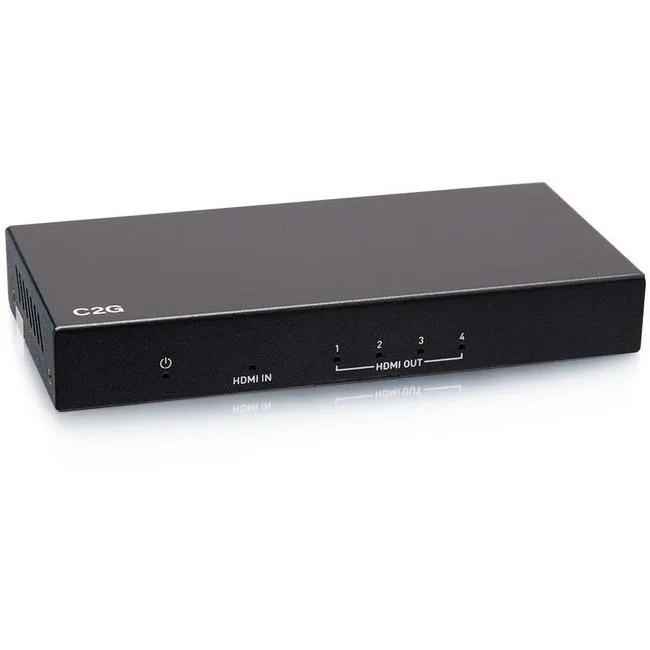
J-Tech Digital ProAV Unlimited HDMI Extender Matrix Transmitter 12x12 8x8 1080p 120m 394ft 400ft
$83.99
0.00097152BTC
In stockWe take cryptocurrency — so the coins you hold can buy real hardware.Pay in crypto, spend it on real hardware. Free insured shipping worldwide over $399. Plain, unbranded boxes, sent from Germany.Free insured shipping over $399. Your rate is locked for 30 minutes once checkout opens.Rate locked 30 minutes. Every item sealed, serial-checked and covered by a 24-month warranty.Sealed, 24-month warranty.


Collective Minds
A controller emulator supporting Xbox, PlayStation, Switch and PC with thousands of community macros
The Cronus Zen CM00053 is a controller emulator that lets you use almost any supported gamepad on Xbox One, Xbox Series S|X, PlayStation 4, PlayStation 5, Nintendo Switch and PC. It connects via USB Type C or Bluetooth and weighs 3.5 ounces. The device measures 13.6 L x 17 W x 4 H centimeters. Zen Studio software runs on a Windows PC for configuration.
The unit has no moving parts and draws power directly from the host console or PC over USB. In normal use it produces no audible noise and generates negligible heat. No external power supply is required and the specifications list no cooling requirements.
The decisive feature is the library of thousands of free community scripts that can be loaded through Zen Studio to create macros, remap buttons or modify input behaviour. If you do not need that level of programmable automation, a simpler adapter may be sufficient.
| Brand | Collective Minds |
|---|---|
| Series | Cronus Zen |
| Model | Cronus Zen |
| Part Number | CM00053-C |
| Part | CM00053 |
| Color | Black |
| Type | button_control |
| Specifications | 13.6 L x 17 W x 4 H centimeters, 3.5 ounces, USB Type C, Bluetooth, 5, Gaming Console, Black, CM00053, Cronus, false |
| System Requirement | Gaming Console, Bluetooth, USB Type C |
| Features | USB Type C, Bluetooth, Gaming Console, false, 5, no_plug |
| Dimension | 14.33in W x 12.83in H x 9.06in D |
| Weight | 3.5 ounces |
Connect the device via USB Type C to a Windows PC, install Zen Studio, then pair your controller and console; the step users miss is updating the device firmware before loading any scripts.
The unit has no user-serviceable parts; keep the USB Type C port and Bluetooth antenna area free of dust, and reinstall Zen Studio updates on your PC when they are released.
Continuous Bluetooth use or heavy script processing can warm the 3.5-ounce enclosure, so the thermal ceiling of the compact 13.6 L x 17 W x 4 H cm chassis is the first practical limit.
Also in this aisle
Same shelf, same checkout — eight coins and a 30-minute rate lock.
What you pay in, and what you read prices in.
Sent from your wallet at checkout
Display only — the catalogue is priced in USD
No currency matches that.
Pick the language the site speaks to you in.
No language matches that.
New here?
Already have one?
There is no automatic reset: this shop sends no mail, so there is no one-time link to ask for. Leave the address on the account and it gets picked up by hand.
Request noted
Nothing is on its way to your inbox — this shop sends no mail at all. Someone picks these up by hand.
Remembered it?