


Chopmate
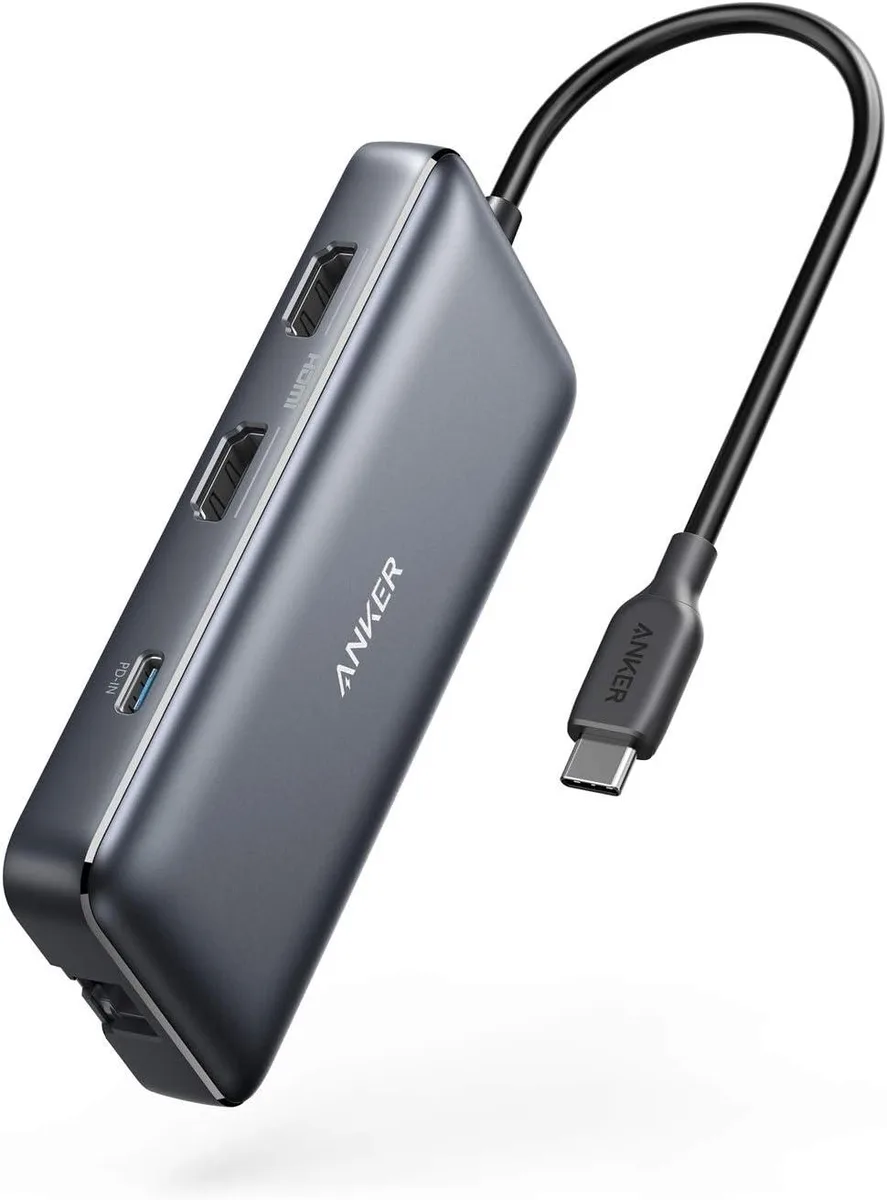
Chopmate 8-in-1 USB-C Hub Dual HDMI 85W PD
Connects two 4K displays, Gigabit Ethernet, SD cards and USB-A peripherals through one USB-C port with 85 W pass-through charging
- TypeCharger
- Dual 4K monitors at 30 Hz from two HDMI ports
- Single 4K monitor at 60 Hz via one HDMI port
- 85 W pass-through charging with 100 W PD charger
- Gigabit Ethernet plus SD and microSD card reader
- Works with macOS 12, Windows 10 and 11, ChromeOS and Thunderbolt laptops
Dual 4K HDMI hub for USB-C laptops
This 8-in-1 USB-C hub adds dual HDMI outputs, gigabit Ethernet, two USB-A ports and an SD card reader through a single USB-C connection. It supports 4K at 60 Hz on one display or 4K at 30 Hz on both displays simultaneously. macOS users see identical content on the two external monitors. Compatible with USB-C, USB4 and Thunderbolt laptops running macOS 12 or newer, Windows 10 or 11 and ChromeOS.
Replaces single-port dongles when two external
The hub upgrades from basic adapters that only drive one monitor by providing two HDMI ports with independent 4K output. The jump is worth it when a workflow demands extended desktop space across two displays rather than mirroring. It also adds wired networking and legacy USB-A connectivity that many slim laptops omit. Buyers whose laptop lacks DP Alt Mode or Power Delivery cannot use the video or charging functions.
85 W pass-through charging
The hub passes up to 85 W of power delivery to the host laptop when a 100 W USB-C wall charger and USB-C to C cable are connected. This headroom covers most ultraportables and mainstream notebooks under load. It runs out for high-performance laptops that draw more than 85 W, and the hub cannot operate without an external PD charger because none is included.
Highlights
- Dual 4K monitors at 30 Hz from two HDMI ports
- Single 4K monitor at 60 Hz via one HDMI port
- 85 W pass-through charging with 100 W PD charger
- Gigabit Ethernet plus SD and microSD card reader
- Works with macOS 12, Windows 10 and 11, ChromeOS and Thunderbolt laptops
Specifications
| Type | Charger |
|---|
Questions about this item
Does the hub need an external 100W PD wall charger and USB-C to C cable to deliver 85W pass-through charging?
Yes, the hub supports up to 85W Power Delivery pass-through but requires a separate 100W PD wall charger and USB-C to C cable, which are not included.
How do I enable dual 4K external monitors on Windows 10 or 11, and what common step is missed?
Connect both HDMI cables, ensure the laptop USB-C port supports DP Alt Mode and Power Delivery, then configure display settings to extend; the step often missed is selecting Extend instead of Duplicate in Windows display options.
When should I replace the 100W PD wall charger or USB-C to C cable used with this hub?
Replace the charger or cable if they show physical damage, fail to negotiate 85W pass-through, or no longer power the laptop reliably during heavy workloads.
Also in this aisle
People compared these
Same shelf, same checkout — eight coins and a 30-minute rate lock.


Kensington
Kensington Desk Mount Cable Anchor K64613WW accessory
- Black
- Provides a secure a…
$19.99
0.0002368BTC
In stock
Panasonic
Panasonic CF-VDR291U laptop cooling pad
- Optical Drive
- Buffer Size: 2 MB B…
$213.99
0.00253492BTC
In stock
eReplacements
eReplacements PB992A-ER laptop battery 14.4V
- Battery
- Lithium-Ion
$65.99
0.00078171BTC
In stock