microMICR Corporation
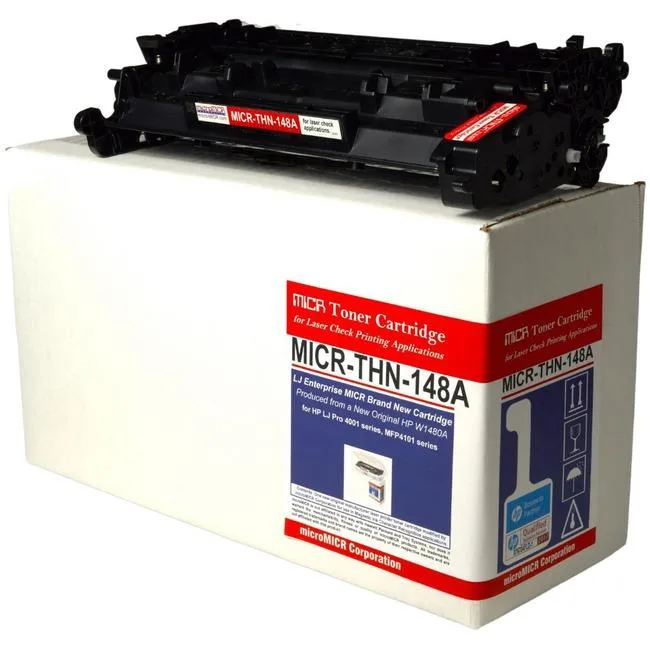
microMICR High Yield MICR Toner Cartridge 9500 Pages Black W1480A
$258.99
0.00302438BTC
In stockWe take cryptocurrency — so the coins you hold can buy real hardware.Pay in crypto, spend it on real hardware. Free insured shipping worldwide over $399. Plain, unbranded boxes, sent from Germany.Free insured shipping over $399. Your rate is locked for 30 minutes once checkout opens.Rate locked 30 minutes. Every item sealed, serial-checked and covered by a 24-month warranty.Sealed, 24-month warranty.


A compact Bluetooth label printer that produces 14×40 mm thermal labels from a phone app with hundreds of templates
The Casio P21 is a pocket-sized thermal label printer that connects to iOS and Android phones via Bluetooth and prints black text on 14x40 mm tape. It ships with three label rolls and a carrying case, and the companion Nelko app provides thousands of icons, borders, templates and 29 languages for school, office or home organisation.
Direct thermal printing means no ink or toner, so the only consumable is the tape itself. The built-in rechargeable battery supports extended mobile use and is charged over USB; no charging adapter is included in the box. Operation is quiet enough for classroom or office environments.
The printer only accepts 14 mm wide tape, so every label is limited to that width regardless of the 40 mm or 50 mm length options. Buyers who need wider labels or continuous rolls must choose a different model.
| Brand | CASIO |
|---|---|
| Model | P21 |
| Part Number | P21 |
| Cutter | Rewind |
| Ribbon Characteristics | Thermal |
| Media sizes supported | 4.53 in x 2.36 in x 6.5 in |
| Print Size | 14x40mm millimeters |
| Interface | USB |
| Dimensions | 14.33in W x 12.83in H x 9.06in D |
Open the cover, drop the roll in with the label side facing out, pull the leading edge past the cutter, close the cover, then open the Nelko app, tap the Bluetooth icon and select P21 from the device list — do not pair in the phone system settings.
The printer uses direct thermal technology so there is no ink or toner; you only replace the label rolls, which are supplied in 180-label or 540-label packs for the 14x40mm size.
The built-in rechargeable battery powers extended sessions, but heavy use will drain it and require a recharge via USB; no charging adapter is included.
Also in this aisle
Same shelf, same checkout — eight coins and a 30-minute rate lock.
What you pay in, and what you read prices in.
Sent from your wallet at checkout
Display only — the catalogue is priced in USD
No currency matches that.
Pick the language the site speaks to you in.
No language matches that.
New here?
Already have one?
There is no automatic reset: this shop sends no mail, so there is no one-time link to ask for. Leave the address on the account and it gets picked up by hand.
Request noted
Nothing is on its way to your inbox — this shop sends no mail at all. Someone picks these up by hand.
Remembered it?