


Canon
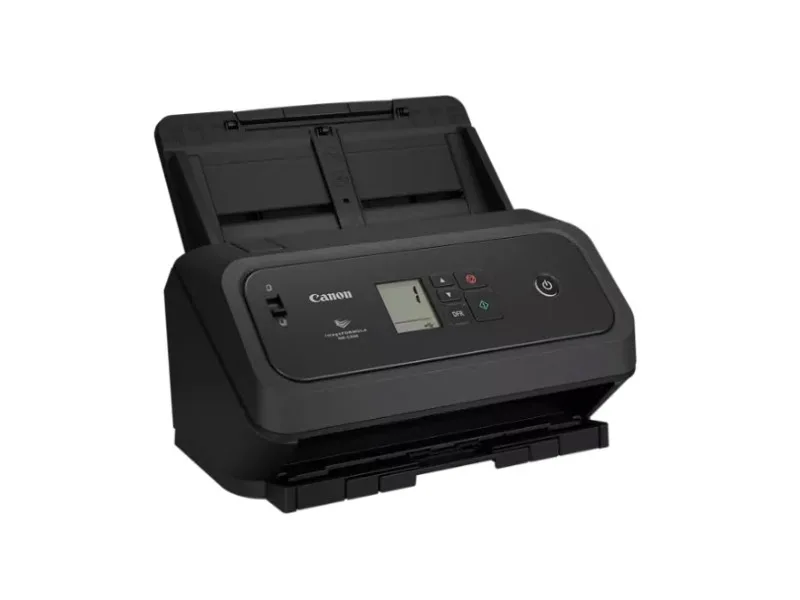
Canon imageFORMULA DR-C350 document scanner 7290C002
Compact office scanner captures colour, greyscale and monochrome documents at up to 50 ppm simplex or 100 ipm duplex via USB 2.0
- TypeDocument Scanner
- Scans up to 50 pages per minute simplex
- Captures 100 images per minute duplex
- Compact body fits tight office spaces
- Scans passports without carrier sheet
- Connects via USB 2.0 interface
Office Document Scanner
The Canon imageFORMULA DR-C350 is a compact office document scanner built for teams that need to digitise paper quickly. It suits administrators, records staff and small workgroups who handle mixed batches of documents every day.
Build and Connectivity
A space-saving chassis fits on crowded desks and accepts passports without a carrier sheet. The USB 2.0 link provides a simple plug-and-play connection to a host PC for immediate scanning.
Speed and Interface Limits
Rated at up to 50 pages per minute in simplex and 100 images per minute in duplex, throughput depends on the USB 2.0 bus and host processing. Very high-volume or multi-station environments may find the single-port interface a bottleneck.
Highlights
- Scans up to 50 pages per minute simplex
- Captures 100 images per minute duplex
- Compact body fits tight office spaces
- Scans passports without carrier sheet
- Connects via USB 2.0 interface
Specifications
| Brand | Canon |
|---|---|
| Model | imageFORMULA DR-C350 |
| Part Number | 7290C002 |
| Type | Document Scanner |
| Shipping weight | 4.54 kg |
| Package size | 406 × 330 × 254 mm |
Questions about this item
Does the USB 2.0 connection limit how fast the scanner can send its 100 images per minute duplex output?
The USB 2.0 interface caps real-world transfer speed, so sustained duplex throughput will be bound by that bus rather than the scanner's 100 ipm rating.
What desk space and clearance does the compact DR-C350 body need to sit and feed paper?
Its compact footprint fits most desks; allow a few centimetres at the front for the output tray and at the rear for the power cable bend radius.
Which driver package must be installed first, and what common step do users skip when setting up the 7290C002 on Windows?
Install the Canon capture software suite before plugging in the scanner; skipping the pre-install causes the device to enumerate as a generic imaging device without full duplex control.
Also in this aisle
People compared these
Same shelf, same checkout — eight coins and a 30-minute rate lock.


MADE IN USA TONER
MADE IN USA TONER toner cartridge for KIP 7170 103 2 x 400 gm black
- Black
- Compatible
$86.99
0.00100449BTC
In stock
