


Cables To Go
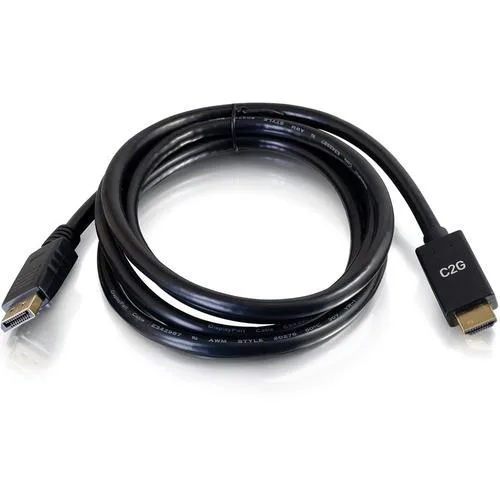
Cables To Go 54434 DisplayPort to HDMI cable 4K 30Hz
Connects a DisplayPort source to an HDMI display at 4K 30Hz resolution
- TypeOthers
- Connector Number1
- 4K 30 Hz video from DisplayPort 1.2 to HDMI 1.4
- Single cable replaces separate adapter plus cable for fewer failure points
- Passive design draws power from the DisplayPort source device
- Works with DP++ sources including Thunderbolt 2 ports
- Supports 3840 x 2160 resolution with audio passthrough
Ideal for laptop-to-display streaming
The Cables To Go 54434 DisplayPort to HDMI cable connects a DisplayPort 1.2 a source to an HDMI 1.4 b display. It supports resolutions up to 3840 x 2160 at 30Hz. The integrated cable design removes the need for a separate adapter and cable. It draws power from the DisplayPort source device.
Suits office and conference-room setups
This passive adapter cable works for users whose source device supports dual-mode DisplayPort (DP++) or Thunderbolt 2. It is not suitable for buyers who need 4K at 60Hz or higher refresh rates. It is also not for builders who require an active converter because their source lacks DP++ support.
Check your source port before ordering
Verify that your laptop or graphics card outputs a dual-mode DisplayPort signal. If the port does not support DP++, this passive cable will not function and an active converter is required. Confirm the display accepts an HDMI 1.4 b input for the stated resolution.
Highlights
- 4K 30 Hz video from DisplayPort 1.2 to HDMI 1.4
- Single cable replaces separate adapter plus cable for fewer failure points
- Passive design draws power from the DisplayPort source device
- Works with DP++ sources including Thunderbolt 2 ports
- Supports 3840 x 2160 resolution with audio passthrough
Specifications
| Brand | C2G |
|---|---|
| Type | Others |
| Connector Number | 1 |
| Shipping weight | 7.46 kg |
| Package size | 483 × 305 × 254 mm |
Questions about this item
Does my laptop need a DisplayPort 1.2 a output for this cable to work?
Yes, the cable requires a DisplayPort 1.2 a source that supports dual-mode DP++ so the passive adapter can convert the signal to HDMI 1.4 b.
Will this cable work if I connect it to a Thunderbolt 2 port on an older MacBook?
Thunderbolt 2 ports support DP++ natively, so the passive cable will function correctly when plugged into a Thunderbolt 2 source.
How can I confirm the cable is delivering 3840 x 2160 at 30Hz after I plug it in?
Open your display settings and verify the external monitor is running at 3840 x 2160 resolution with a 30Hz refresh rate.
New to this? Which coin should you pay with — what to check, what it costs to pay, and what is never asked for.
Also in this aisle
People compared these
Same shelf, same checkout — eight coins and a 30-minute rate lock.



Black Box Corporation
Black Box Corporation CAT6 EZ-RJ45 Modular Plugs 100-Pack
$95.99
0.00114903BTC
In stock
