
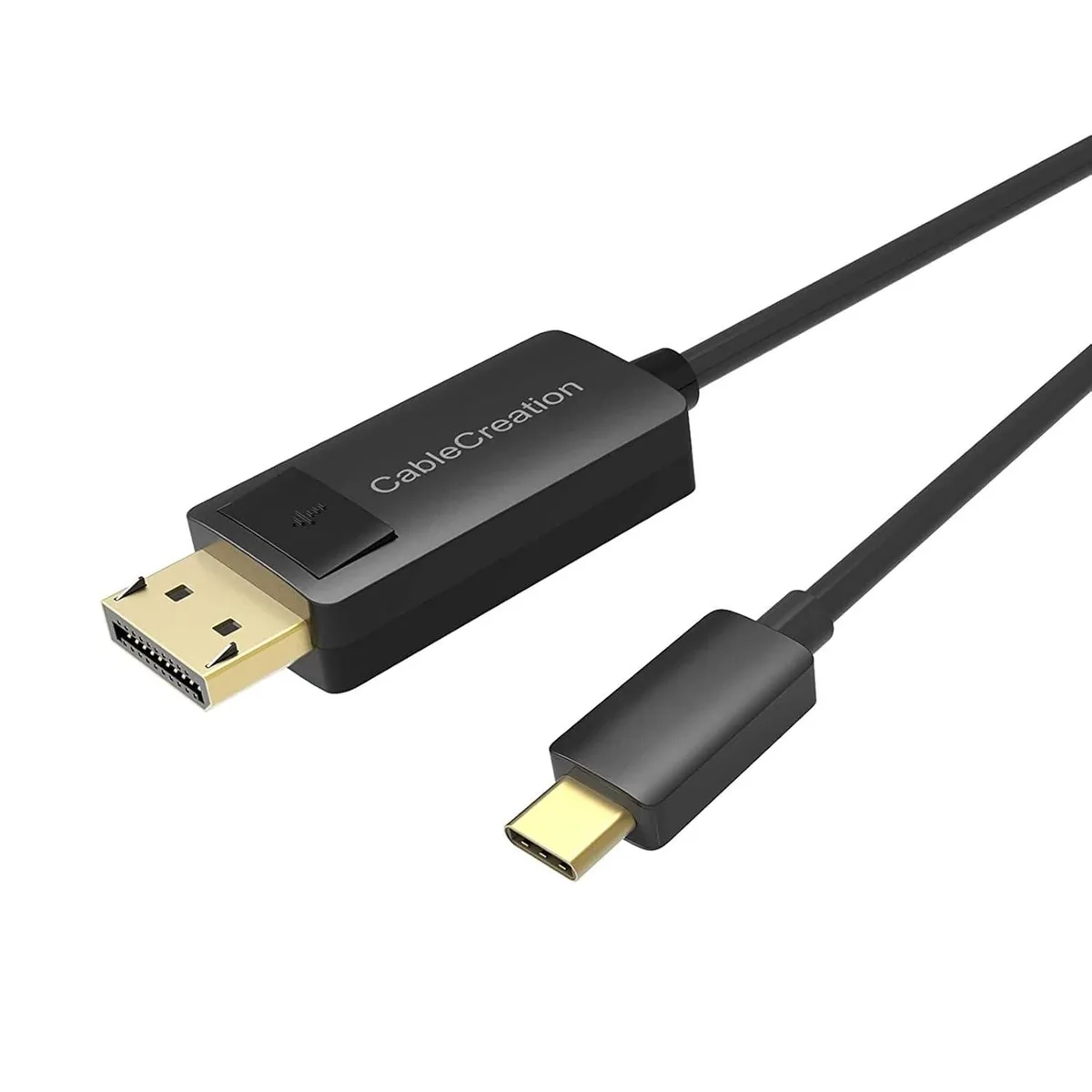


CableCreation
CableCreation USB-C to DisplayPort 1.2 Cable 6FT 4K@60Hz 2K@165Hz
Connects USB-C devices to DisplayPort monitors at 4K 60 Hz or 2K up to 165 Hz with Thunderbolt 3/4 support
- 4K 60 Hz video on large screens via DisplayPort 1.2
- 2K 165 Hz refresh rate for smooth gaming visuals
- Thunderbolt 3 and 4 compatible for broad device support
- Plug-and-play operation with no drivers or adapters needed
- 6 ft length gives flexible placement for home or office
CableCreation USB-C to DisplayPort 1.2 Cable
This CableCreation USB-C to DisplayPort 1.2 cable connects a USB-C phone, laptop or tablet to a DisplayPort monitor, TV or projector for video and audio. It works with Thunderbolt 3 and 4 ports and supports DeX mode for Samsung, Clamshell mode for Mac and MST for Windows. The six-foot length suits desk and travel setups. It is not bidirectional.
Thermals noise and power draw
The passive cable draws power only from the host port and adds no active cooling or fan noise. Signal integrity is maintained at the rated bandwidth without extra heat. Typical use adds negligible load to the source device.
Build quality and daily connectors
Gold-plated connectors and braided shielding resist wear from frequent plugging. The USB-C and DisplayPort ends lock securely for stable links during moves. Users needing bidirectional DisplayPort-to-USB-C or dual-link DVI must choose a different adapter.
Highlights
- 4K 60 Hz video on large screens via DisplayPort 1.2
- 2K 165 Hz refresh rate for smooth gaming visuals
- Thunderbolt 3 and 4 compatible for broad device support
- Plug-and-play operation with no drivers or adapters needed
- 6 ft length gives flexible placement for home or office
Specifications
No published specifications for this item yet.
Questions about this item
How do I connect this cable between my laptop and monitor, and what step is often missed?
Plug the USB-C end into a port that supports video output and the DisplayPort 1.2 end into the display. The step often missed is confirming the USB-C port carries a video signal, because not all USB-C ports do.
What part of this cable is most likely to need replacement after heavy daily use?
The connectors and the cable jacket near the strain reliefs take the most stress. If the cable is bent sharply or pulled frequently, those areas can wear and cause signal dropouts at 4K@60Hz or 2K@165Hz.
What limit appears first when I run this cable at high refresh rates for long sessions?
The DisplayPort 1.2 bandwidth caps the signal at 4K@60Hz or 2K@165Hz. Sustained use at those rates does not create a thermal throttle, but the cable cannot exceed its rated resolution and refresh ceiling.
Also in this aisle
People compared these
Same shelf, same checkout — eight coins and a 30-minute rate lock.



CHIEF MANUFACTURING
CHIEF MANUFACTURING CMS018 18" 457 mm Fixed Extension Column projector accessory
- Extension Column
- Projector
$22.99$22.99
0.00027149BTC
In stock