


Cablecc
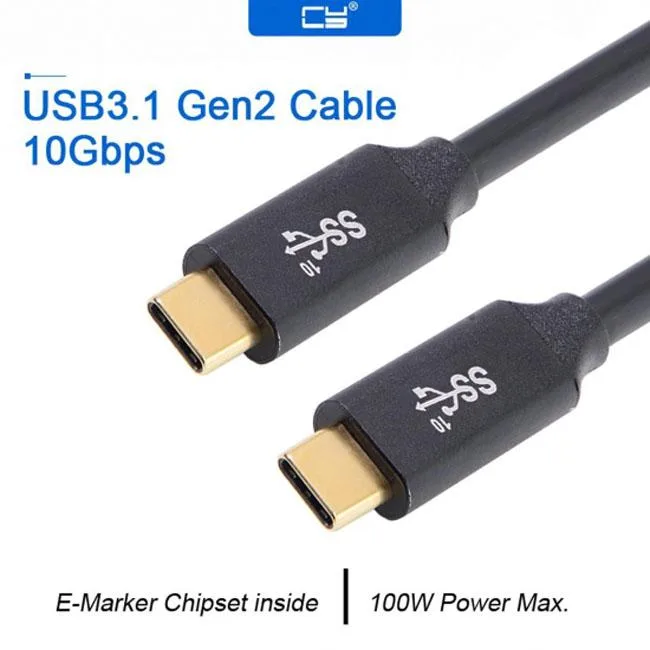
Cablecc USB-C 3.1 Gen2 10Gbps 100W E-marker 50-300cm
USB-C 3.1 cable carries 10 Gbps data, video and audio plus 100 W charging with an E-marker chip, lengths 50-300 cm
- Connector TypeUSB C to USB C
- ColorBlack
Length 1.0M
- 0.5M
- 1.0M
- 5.0M
Struck-through versions exist but are not stocked here.
- 10 Gbps data transfer for fast file moves
- 100 W power delivery charges laptops quickly
- E-marker chip enables safe high-power negotiation
- USB 3.1 Gen 2 supports video and audio signals
- Length options from 50 cm to 300 cm
USB-C 3.1 Gen2 10Gbps Cable
This USB-C to USB-C cable supports 10 Gbps data transfer and 100 W power delivery. It includes an E-marker chip for safe high-current charging. The male-to-male design connects laptops, tablets and phones directly.
Replaces slower USB 2.0 or 5 Gbps cables
The jump is worth it when you need 10 Gbps bandwidth for video output or large file transfers. It also upgrades charging capability to 100 W for power-hungry laptops. Standard 5 Gbps cables cannot deliver this throughput or power level.
Simple plug-and-play installation
No drivers are required for data, video or audio functions. The E-marker negotiates power automatically with compliant hosts. Issues arise only if the connected port lacks USB 3.1 Gen2 or 100 W support. Cable length ranges from 50 cm to 300 cm.
Highlights
- 10 Gbps data transfer for fast file moves
- 100 W power delivery charges laptops quickly
- E-marker chip enables safe high-power negotiation
- USB 3.1 Gen 2 supports video and audio signals
- Length options from 50 cm to 300 cm
Specifications
| Connector Type | USB C to USB C |
|---|---|
| Color | Black |
Questions about this item
What USB-C ports does the male-to-male cable connect to?
The cable plugs into any USB-C port on a tablet, phone or laptop that accepts a USB-C male connector.
How do I enable the 10 Gbps data rate and 100 W charging?
Use a host and device that both support USB 3.1 Gen2 and USB Power Delivery; the built-in E-marker chip then negotiates the highest speed and power automatically.
When should I replace the cable?
Replace it if the connectors become loose, the jacket shows cuts or the cable no longer negotiates 10 Gbps or 100 W with known-good hardware.
Also in this aisle
People compared these
Same shelf, same checkout — eight coins and a 30-minute rate lock.



CHIEF MANUFACTURING
CHIEF MANUFACTURING CMS018 18" 457 mm Fixed Extension Column projector accessory
- Extension Column
- Projector
$22.99$22.99
0.0002658BTC
In stock