
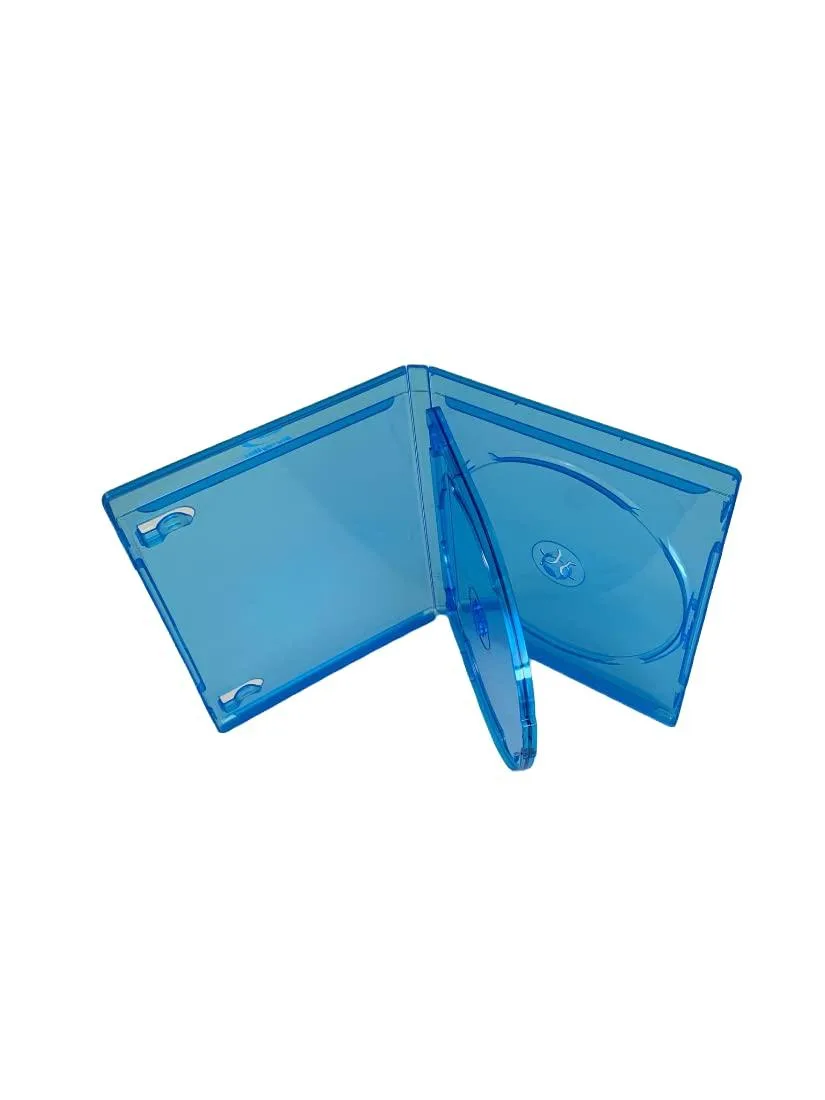
MediaPack4All 12.5mm Blu-Ray Case Multi-Three Storing Capacity
- 2.4892 L x 18.2118…
- 1 Year Warranty
$13.99
0.00016632BTC
In stockWe take cryptocurrency — so the coins you hold can buy real hardware.Pay in crypto, spend it on real hardware. Free insured shipping worldwide over $399. Plain, unbranded boxes, sent from Germany.Free insured shipping over $399. Your rate is locked for 30 minutes once checkout opens.Rate locked 30 minutes. Every item sealed, serial-checked and covered by a 24-month warranty.Sealed, 24-month warranty.

Buffalo Technology
A 5 TB portable drive with USB 3.2 Gen 1 and a USB-C adapter, shock-resistant to 2 feet and dust- and water-resistant for travel
The Buffalo MiniStation HD-PGF provides 5 TB of storage in a compact enclosure. It connects through a USB 3.2 Gen 1 Micro B port and includes a USB-C adapter for newer computers. The drive is formatted for immediate use with Windows 10, Windows 8.1 and Mac OS 10.12 or later.
Users who need a rugged drive for travel will value the shock resistance rated for drops up to 2 feet and the dust- and water-resistant casing. The hardware password protection secures confidential data without extra software. Buyers who want faster transfer speeds than USB 3.2 Gen 1 provides should consider a different interface.
No driver installation is required on the supported operating systems; the drive appears as soon as it is connected. The Micro B cable can be misplaced, so keeping the USB-C adapter handy avoids connection issues. The Lock and Go utility must be run once to activate password protection before the drive is used for sensitive files.
| Brand | BUFFALO |
|---|---|
| Series | MiniStation HD-PGF |
| Model | HD-PGF5.0U3GB |
| Interface | USB 3.2 Gen 1, Micro B |
| Capacity | 5TB |
| Features | DURABLE DESIGN - Shock-resistant from drops up to 2 feet (average desk height); dust- and water-resistant for on-the-go use in all terrains EASY TO USE - Secure and easy storage/backup of your photos, media, files, etc. SECURE DATA PROTECTION - Lock and Go feature password-protects the drive to protect your data PORTABILITY - Safely carry and store important data with you anywhere FAST CONNECTION - USB 3.2 (Gen 1) connections that are over 4 times faster than USB 2.0 (backwards compatible with USB 2.0); USB-C adapter included COMPATABLE WITH ANY OS - Plug-and-play with both Windows a |
| System Requirements | Windows 10 Windows 8.1 Mac OS 10.12 or later |
| Dimensions | 0.80" x 3.10" x 4.70" |
| Weight | 0.55 lb. |
| Shipping weight | 0.36 kg |
| Package size | 170 × 127 × 38 mm |
The drive uses a Micro B connector and the box includes a USB-C adapter, so you can plug it into either a USB-A or USB-C port.
It is backward compatible with USB 2.0, but transfer rates will be limited to USB 2.0 speeds instead of the faster USB 3.2 Gen 1 rate.
After enabling Lock and Go, the drive will prompt for the password each time it is connected to a Windows 10, 8.1 or Mac OS 10.12+ system.
New to this? Paying with USDT: TRC-20 or ERC-20 — what to check, what it costs to pay, and what is never asked for.
Also in this aisle
Same shelf, same checkout — eight coins and a 30-minute rate lock.
What you pay in, and what you read prices in.
Sent from your wallet at checkout
Display only — the catalogue is priced in USD
No currency matches that.
Pick the language the site speaks to you in.
No language matches that.
New here?
Already have one?
There is no automatic reset: this shop sends no mail, so there is no one-time link to ask for. Leave the address on the account and it gets picked up by hand.
Request noted
Nothing is on its way to your inbox — this shop sends no mail at all. Someone picks these up by hand.
Remembered it?


