


BUCIER
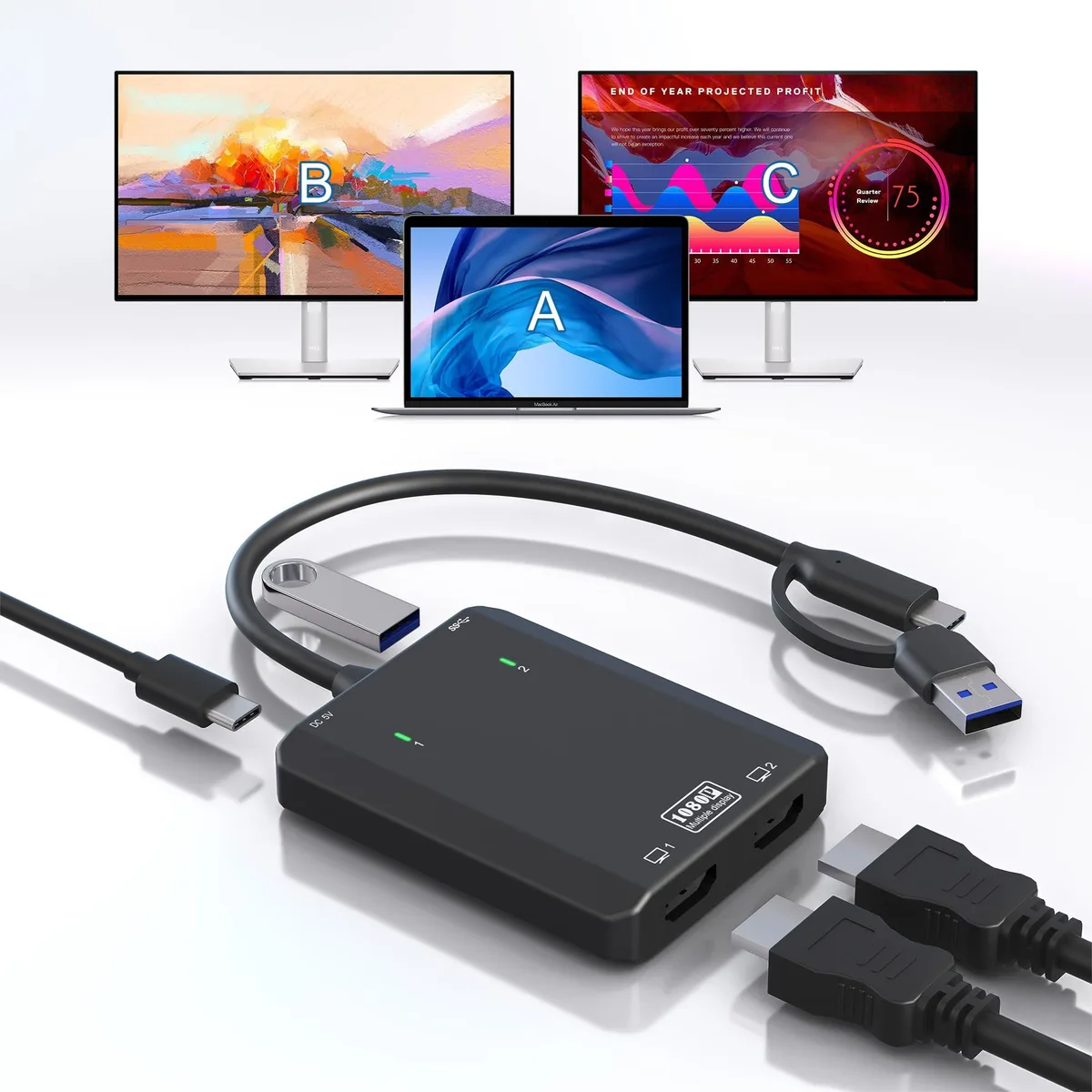
BUCIER USB 3.0 to Dual HDMI Adapter USB C USB 3.0 2x HDMI 1080p@60Hz
Turns one USB-C or USB 3.0 port into two 1080p@60Hz HDMI outputs plus a USB 3.0 port, with driver-based extended or mirrored desktop support for Windows, macOS and Android
- Add two 1080p monitors from one USB port
- Driver installs automatically via USBDISPLAY prompt
- Works with Windows 7 through 11 and macOS 10.10 to 14
- Extra USB 3.0 port keeps a peripheral connected
- Stable video with HDMI 2.0 cables up to 16.4 feet
Dual 1080p@60Hz USB Display Adapter
The BUCIER USB 3.0 to Dual HDMI Adapter turns a single USB-C or USB 3.0 port into two independent HDMI outputs, each supporting 1920x1080 at 60 Hz. It also provides a USB 3.0 data port and a DC 5 V power input. Driver installation is required via the "USBDISPLAY" prompt that appears on first connection.
Suits multi-monitor setups on Windows.
This adapter suits users who need to extend or mirror a laptop screen across two external monitors on Windows 7 through 11, macOS 10.10 through 14, Android 5.1 or Huawei HarmonyOS. It is not suitable for buyers who need iOS, Chrome OS, Linux or Unix compatibility, or who require resolutions higher than 1080p.
Check host port and cable limits before ordering
Verify that your host device offers a USB-C or USB 3.0 Type-A port with video-alt-mode or DisplayLink support. Use HDMI 2.0 cables no longer than 16.4 feet or HDMI 1.4 cables no longer than 9.8 feet for stable 1080p@60Hz signals. Ensure you can run the driver installer on the target operating system.
Highlights
- Add two 1080p monitors from one USB port
- Driver installs automatically via USBDISPLAY prompt
- Works with Windows 7 through 11 and macOS 10.10 to 14
- Extra USB 3.0 port keeps a peripheral connected
- Stable video with HDMI 2.0 cables up to 16.4 feet
Specifications
| Brand | Tioleje |
|---|
Questions about this item
Does this adapter need a separate power supply to run two 1080p@60Hz monitors?
It includes a DC 5V port for optional power; the adapter draws power from the host USB 3.0 or USB-C port and the extra DC input is only required if the host port cannot supply enough current for both displays.
Will both HDMI outputs work independently on a MacBook with an M1 chip running macOS 13 Ventura?
Yes, the adapter supports MST on macOS 13 Ventura and Apple Silicon M1/M2, so each HDMI port can show a different extended desktop at up to 1080p@60Hz.
After installing the USBDISPLAY driver, how can I confirm both monitors are running at 1080p@60Hz?
Open the display settings on Windows or macOS; each connected monitor should be listed at 1920x1080 resolution with a 60 Hz refresh rate, confirming the adapter is operating as intended.
New to this? Which coin should you pay with — what to check, what it costs to pay, and what is never asked for.
Also in this aisle
People compared these
Same shelf, same checkout — eight coins and a 30-minute rate lock.



Black Box Corporation
Black Box Corporation CAT6 EZ-RJ45 Modular Plugs 100-Pack
$95.99
0.00114926BTC
In stock
