


BUCIER
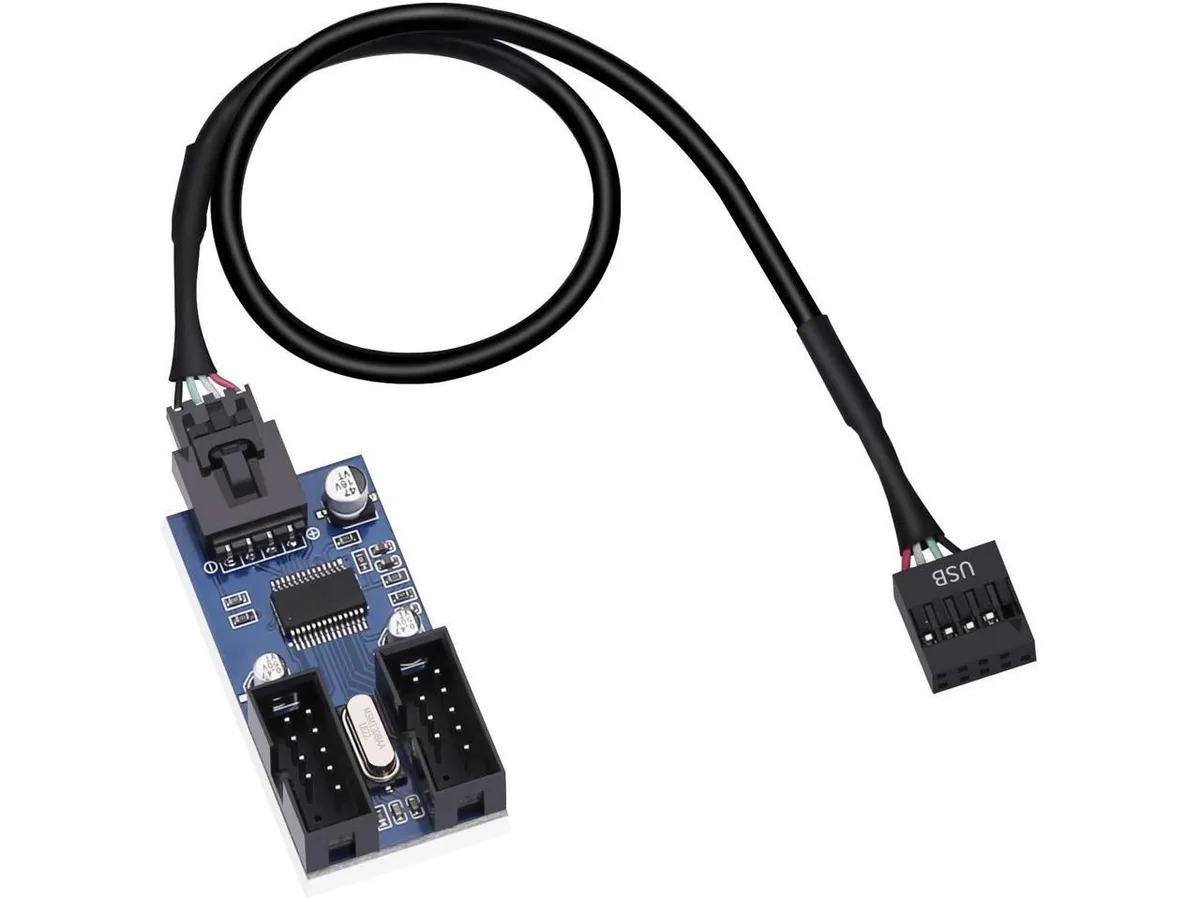
BUCIER 9 Pin USB 2.0 Header Male to 2 Female Splitter Cable 30cm
Splits one internal 9-pin USB 2.0 header into two female ports using a 30 cm shielded cable with adhesive backing
- Connector TypeLighting Connector to USB A
- Splits one internal USB 2.0 header into two usable ports
- 30 cm length fits tight motherboard layouts without cable clutter
- 3M adhesive backing secures the splitter directly to chassis or board
- Shielded wiring and short-circuit prevention design protect connected devices
- Supports DIY light bars, fans and other 9-pin USB 2.0 peripherals
Internal USB 2.0 header splitter
This 9-pin male-to-dual-female adapter turns one motherboard USB 2.0 header into two ports. It suits builders adding extra front-panel ports, lighting controllers or fan hubs. The 30 cm length reaches most internal routing paths. The cable ships new and ready to install.
Thermals noise and power
The splitter draws negligible power from the USB 2.0 header and adds no active components. It produces no audible noise and generates no measurable heat during normal operation. Shielded wiring helps maintain signal integrity for connected devices. Power delivery remains within the header's standard rating.
Build quality and daily use
Wire shielding and a short-circuit-prevention pin layout protect the motherboard from accidental shorts. A 3M adhesive backing lets you secure the cable to the chassis or board for tidy routing. The 30 cm / 11.8 in length supports flexible placement without excess slack. Connectors fit standard 9-pin USB 2.0 headers.
Highlights
- Splits one internal USB 2.0 header into two usable ports
- 30 cm length fits tight motherboard layouts without cable clutter
- 3M adhesive backing secures the splitter directly to chassis or board
- Shielded wiring and short-circuit prevention design protect connected devices
- Supports DIY light bars, fans and other 9-pin USB 2.0 peripherals
Specifications
| Connector Type | Lighting Connector to USB A |
|---|
Questions about this item
How do I install the 30cm 9-pin USB 2.0 splitter on my motherboard header?
Align the male connector with the motherboard USB 2.0 header, press firmly until seated, then use the 3M adhesive backing to secure the cable to the board or chassis.
What maintenance will the 9-pin USB 2.0 splitter cable need over time?
No scheduled maintenance is required; periodically check that the male header remains fully seated and that the adhesive mount has not loosened inside the case.
What limit appears first when the 9-pin USB 2.0 splitter runs under sustained load?
The shared USB 2.0 bandwidth of the single header is the first bottleneck when both female ports transfer data simultaneously.
Also in this aisle
People compared these
Same shelf, same checkout — eight coins and a 30-minute rate lock.



CHIEF MANUFACTURING
CHIEF MANUFACTURING CMS018 18" 457 mm Fixed Extension Column projector accessory
- Extension Column
- Projector
$22.99$22.99
0.00027392BTC
In stock