


BUCIER
BUCIER 20Gbps USB 3.2 Gen 2 Extension Cable 0.5m
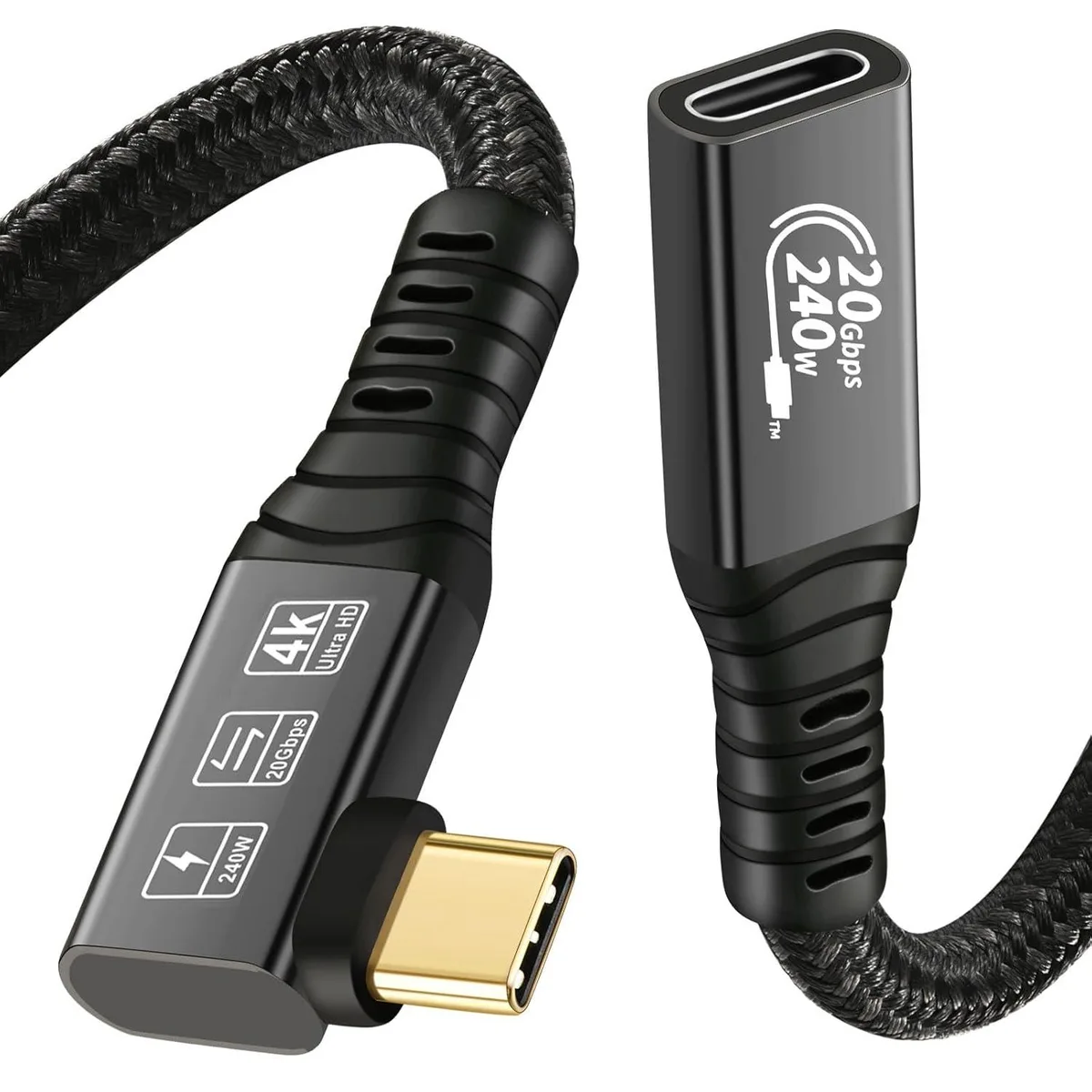
A 0.5 m USB 3.2 Gen 2 male-to-female extension cable delivering 20 Gbps data, 4K@60 Hz video and up to 240 W PD 3.1 charging
- 20 Gbps data transfer for rapid file moves
- 240 W power delivery charges laptops fast
- 4K at 60 Hz video over DisplayPort Alt Mode
- Works with Thunderbolt 3 and 4 ports
- Half-metre length keeps desk tidy
Extension cable for USB-C devices
This 0.5 metre male-to-female cable extends a USB-C connection while preserving 20 Gbps data throughput and 240 W Power Delivery. It suits users who need extra reach between a laptop or host and an external SSD, eGPU or monitor without losing bandwidth or charging speed. The cable requires a separate male-to-male USB 3.2 cable to complete the link.
Upgrades from slower or shorter cables
Replaces older USB 3.1, 3.0 or 2.0 extension leads that cap data at lower rates or limit charging power. The jump is worthwhile when transferring large media libraries to external storage, driving a 4K 60 Hz display over DP Alternate Mode, or fast-charging a laptop at up to 50 V and 5 A with a compatible PD 3.1 adapter.
Capacity and headroom
Handles 20 Gbps transfers for external SSDs and eGPU enclosures, carries 240 W for high-power laptops, and passes 4K 60 Hz video signals through DP Alternate Mode. Backward compatible with USB 3.1, 3.0 and 2.0 hosts and devices. Runs out of reach beyond its half-metre length, so longer runs need an active or optical solution not covered here.
Highlights
- 20 Gbps data transfer for rapid file moves
- 240 W power delivery charges laptops fast
- 4K at 60 Hz video over DisplayPort Alt Mode
- Works with Thunderbolt 3 and 4 ports
- Half-metre length keeps desk tidy
Specifications
No published specifications for this item yet.
Other versions of this model
5 more in the same range
Same family, different memory, cooler or clock — compare before you commit.



Questions about this item
What USB-C port spacing does the 0.5m male-to-female extender need?
The cable adds 0.5 m of reach; ensure the combined length with your existing male-to-male cable stays within the 20 Gbps signal budget for USB 3.2 Gen 2.
Which connection order avoids a no-video error when linking a laptop to a monitor?
Plug the extender's male end into the laptop's USB-C port with DP Alternate Mode, then attach your separate male-to-male USB 3.2 cable between the extender's female port and the monitor.
When should the cable be replaced to keep 240 W charging safe?
Replace it if the connectors become loose, show discolouration, or if charging drops below the negotiated 50 V / 5 A PD 3.1 profile.
Also in this aisle
People compared these
Same shelf, same checkout — eight coins and a 30-minute rate lock.



CHIEF MANUFACTURING
CHIEF MANUFACTURING CMS018 18" 457 mm Fixed Extension Column projector accessory
- Extension Column
- Projector
$22.99$22.99
0.00026638BTC
In stock