
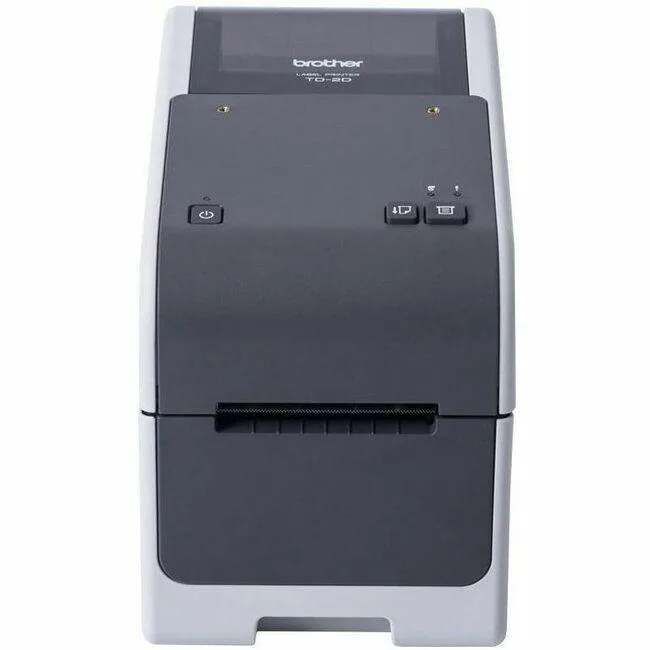


Brother
Brother TD2320D203 203 dpi 2.48" label printer
Direct thermal desktop label printer at 203 dpi with 2.48" width, 5.98 in/s speed and Ethernet, USB, USB host plus serial connectivity
- Sharp 203 dpi output for clear labels
- 98 in/s mono speed keeps queues moving
- 48" width fits standard label rolls
- Ethernet, USB, USB Host and Serial ports simplify integration
- 11" max print length handles long continuous jobs
Direct thermal label printer
This desktop printer uses direct thermal technology at 203 dpi to produce monochrome labels up to 2.48 inches wide. It prints at 5.98 inches per second and supports a maximum print length of 118.11 inches. Connectivity includes Ethernet, USB, USB Host and Serial ports.
Suited for fixed workstations needing wired networks
The Ethernet, USB and Serial interfaces make it a good fit for stationary desk or counter setups that rely on cabled infrastructure. Buyers who need Wi-Fi or Bluetooth for mobile or cable-free deployment should look at something else.
203 dpi resolution
The fixed 203 dpi output determines the sharpness of barcodes, text and graphics on every label. If an application requires finer detail such as small 2D codes or high-density graphics, this resolution may not be sufficient.
Highlights
- Sharp 203 dpi output for clear labels
- 98 in/s mono speed keeps queues moving
- 48" width fits standard label rolls
- Ethernet, USB, USB Host and Serial ports simplify integration
- 11" max print length handles long continuous jobs
Specifications
| Brand | Brother |
|---|---|
| Model | TD2320D203 |
| Part Number | TD2320D203 |
| Shipping weight | 6.80 kg |
| Package size | 559 × 356 × 305 mm |
Questions about this item
What interfaces does the TD2320D203 support and which one caps the practical throughput?
The TD2320D203 includes Ethernet, USB, USB Host and Serial ports; the 5.98 in/s mono print speed is the practical throughput limit regardless of interface.
What physical space and mounting does this desktop label printer need?
The unit is a desktop device built for 2.48" wide label rolls and supports a maximum print length of 118.11".
How do you install the TD2320D203 and what step is commonly missed?
Connect power and your chosen data cable (Ethernet, USB or Serial), load 2.48" labels, then install the driver and select the correct emulation (Raster, P-touch Template, ESC/P, ZPL2 or CPCL) — skipping the emulation match is the frequent error.
Also in this aisle
People compared these
Same shelf, same checkout — eight coins and a 30-minute rate lock.



CHIEF MANUFACTURING
CHIEF MANUFACTURING CMS018 18" 457 mm Fixed Extension Column projector accessory
- Extension Column
- Projector
$22.99$22.99
0.00026555BTC
In stock