
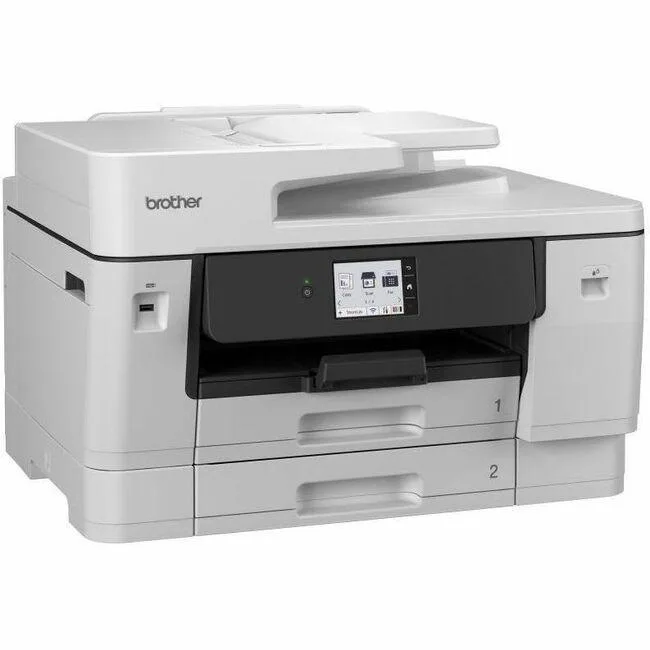


Brother
Brother MFCJ6960DW Inkjet Multifunction Printer 31/30 ppm 1200x4800 dpi
Inkjet multifunction prints 31 ppm mono and 30 ppm colour at 1200 x 4800 dpi with automatic duplex and 19200 dpi colour CIS scanning
- Prints up to 31 ppm mono and 30 ppm colour for fast output
- 1200 x 4800 dpi resolution delivers sharp text and detailed graphics
- Automatic duplex printing cuts paper use by printing both sides
- 19200 dpi optical scan captures fine detail from photos and documents
- Gigabit Ethernet plus wireless LAN gives flexible wired or wireless networking
Multifunction printer for busy offices
The Brother MFC-J6960DW is a colour inkjet that prints, copies, scans and faxes. It delivers 31 ppm mono and 30 ppm colour output with a 1200 x 4800 dpi maximum resolution. Automatic duplex printing cuts paper use for double-sided documents. Gigabit Ethernet and wireless LAN give flexible network placement.
Upgrade from single-function or slower inkjets
If your current device only prints or tops out well below 30 ppm, this unit adds copying, faxing and high-resolution scanning in one footprint. The 19200 dpi optical scan captures fine detail for archives or graphics. The jump is worth it when you need faster throughput and walk-up copying without a separate machine.
Check connectivity and media needs first
Verify your router or switch has a free Gigabit Ethernet port for wired speed, or that your Wi-Fi network reaches the chosen spot. Confirm you mainly print on plain paper, as the spec highlights plain-paper performance. Ensure your devices support AirPrint, Wi-Fi Direct or the Brother mobile apps for driverless printing from phones and Chromebooks.
Highlights
- Prints up to 31 ppm mono and 30 ppm colour for fast output
- 1200 x 4800 dpi resolution delivers sharp text and detailed graphics
- Automatic duplex printing cuts paper use by printing both sides
- 19200 dpi optical scan captures fine detail from photos and documents
- Gigabit Ethernet plus wireless LAN gives flexible wired or wireless networking
Specifications
| Brand | Brother |
|---|---|
| Shipping weight | 28.30 kg |
| Package size | 686 × 572 × 495 mm |
Questions about this item
What desk space is needed for the MFC-J6960DW to open its paper trays and scanner lid?
The unit requires enough clearance for its automatic duplex printing mechanism and flatbed scanner lid to open fully, so allow extra depth and height beyond the footprint.
Which step is often missed when connecting the MFC-J6960DW to a network for the first time?
Users frequently skip selecting the correct SSID on the printer control panel before running the Brother iPrint&Scan or Mobile Connect app to complete the wireless setup.
How often should the printhead be cleaned to maintain the 1200 x 4800 dpi output quality?
Run the built-in cleaning cycle whenever nozzle-check patterns show gaps; heavy colour use at 30 ppm may need monthly cleaning to keep text sharp.
Also in this aisle
People compared these
Same shelf, same checkout — eight coins and a 30-minute rate lock.



CHIEF MANUFACTURING
CHIEF MANUFACTURING CMS018 18" 457 mm Fixed Extension Column projector accessory
- Extension Column
- Projector
$22.99$22.99
0.00027315BTC
In stock