


BONAEVER
BONAEVER Protection Case KVM Switch 2 Port DisplayPort 4K 60Hz 2 DP 2 USB Cable
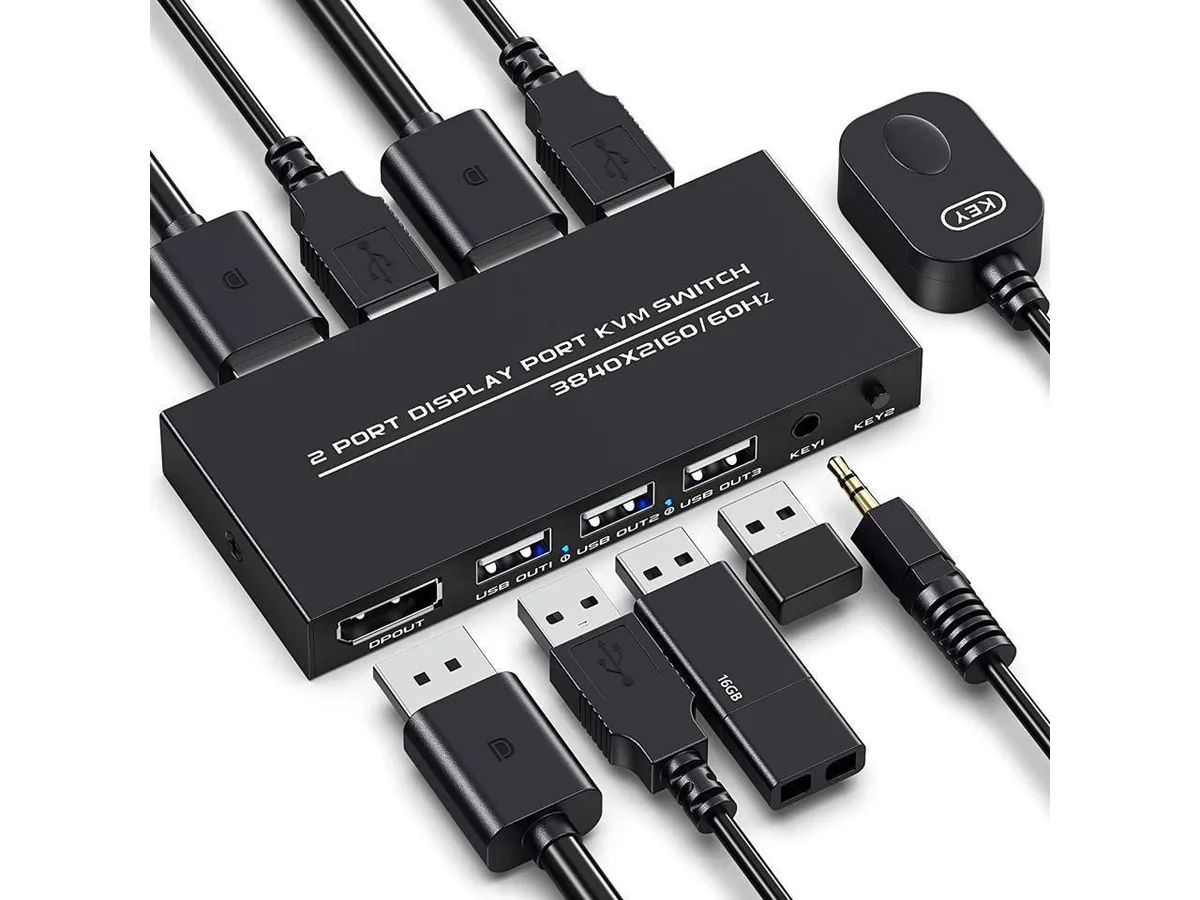
A protection case that holds a 2-port DisplayPort KVM switch with two DP and two USB 2.0 cables, letting two computers share one 3840×2160 60 Hz monitor and three USB peripherals
- Case TypeProtection Case
- Share one 4K 60 Hz monitor between two computers
- Switch instantly via front button or wired remote
- Includes two DisplayPort and two USB 2.0 cables
- Supports 3840 × 2160 at 60 Hz with backward compatibility
- Plug-and-play operation with DOS, Windows and Linux systems
Two-Port DisplayPort KVM Switch
This BONAEVER KVM switch lets two computers share one DisplayPort monitor and three USB 2.0 peripherals such as a keyboard, mouse, or scanner. It supports video up to 3840×2160 at 60 Hz and includes two DisplayPort cables and two USB cables. The unit is designed for users who need to control both systems from a single desktop setup without unplugging devices.
Plug-and-Play Installation
The package provides all necessary cables so you only need to connect each computer to the switch and attach the shared monitor and peripherals. Switching between systems is done with the front-panel button or the included remote controller; keyboard hot-key switching is not supported. Ensure both computers have native DisplayPort outputs, as the switch does not convert other video interfaces.
Sustained 4K 60 Hz Operation
The switch maintains the full 3840×2160 at 60 Hz signal continuously while you work across both machines, with backward compatibility for lower resolutions. USB 2.0 peripheral sharing remains active during extended sessions, so keyboards, mice, and printers stay responsive without re-enumeration delays. The metal enclosure aids heat dissipation during prolonged use.
Highlights
- Share one 4K 60 Hz monitor between two computers
- Switch instantly via front button or wired remote
- Includes two DisplayPort and two USB 2.0 cables
- Supports 3840 × 2160 at 60 Hz with backward compatibility
- Plug-and-play operation with DOS, Windows and Linux systems
Specifications
| Case Type | Protection Case |
|---|
Questions about this item
How can I confirm the KVM switch is passing a 4K 60 Hz signal after I connect everything?
The switch supports up to 3840×2160 at 60 Hz; once both computers are connected, check each system's display settings to verify the monitor reports that resolution and refresh rate.
Which cables are included in the box and what else do I need to buy?
Two DisplayPort cables and two USB 2.0 cables are supplied; you only need to add your own monitor, keyboard, mouse and any other USB 2.0 peripherals.
Should I choose the version with the remote button or rely on the front panel button?
This model includes both a panel button and an external remote controller for switching; use whichever method suits your desk layout.
Also in this aisle
People compared these
Same shelf, same checkout — eight coins and a 30-minute rate lock.


Kensington
Kensington Desk Mount Cable Anchor K64613WW accessory
- Black
- Provides a secure a…
$19.99
0.00023561BTC
In stock
Panasonic
Panasonic CF-VDR291U laptop cooling pad
- Optical Drive
- Buffer Size: 2 MB B…
$213.99
0.00252222BTC
In stock
eReplacements
eReplacements PB992A-ER laptop battery 14.4V
- Battery
- Lithium-Ion
$65.99
0.0007778BTC
In stock