


BONAEVER
BONAEVER Protection Case 1.5h charge
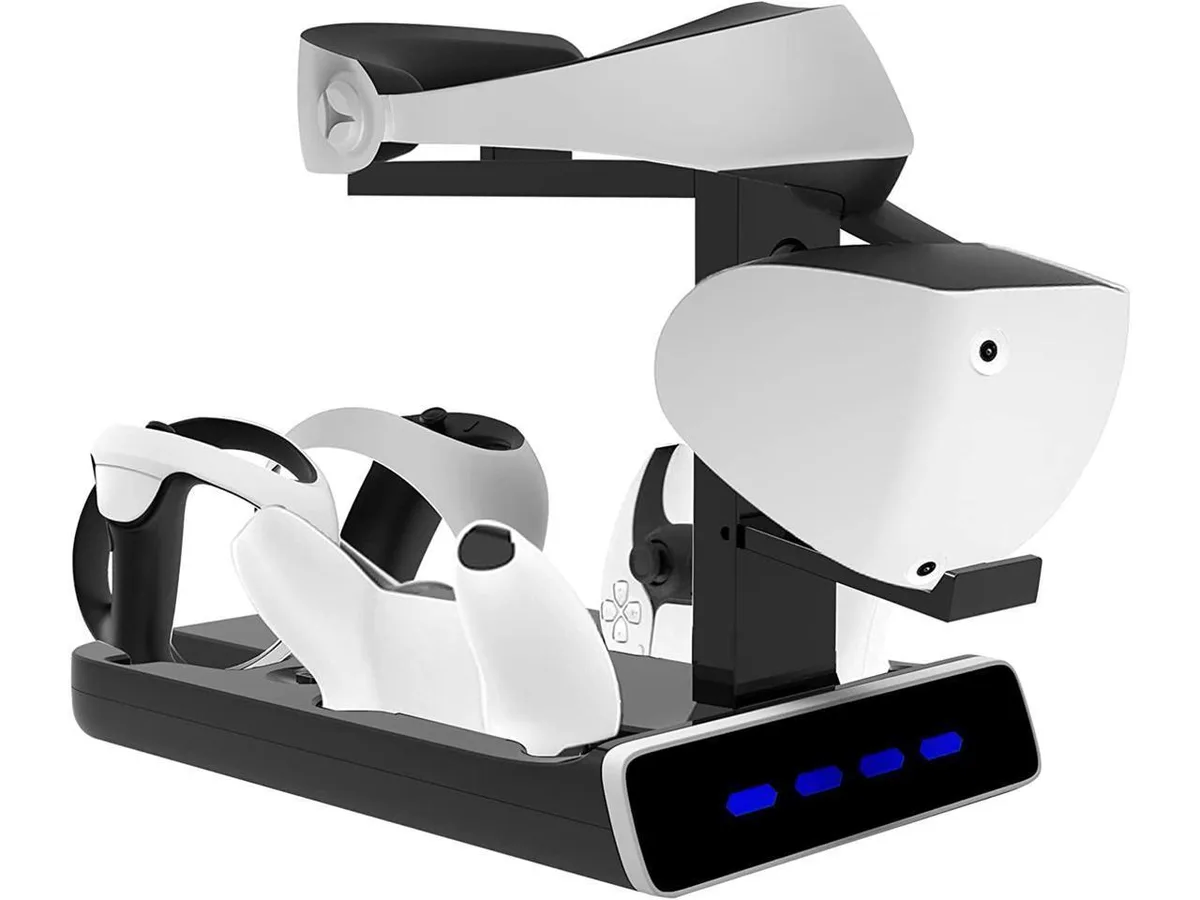
A 5-in-1 charging station powers PSVR2 and PS5 controllers in 1.5 hours while displaying the headset
- Case TypeProtection Case
- Charges PSVR2 controllers fully in 1.5 hours
- Charges up to four controllers simultaneously
- Built-in over-charge, over-current and short-circuit protection
- LED shows red while charging, blue when full
- Includes VR headset display stand for tidy storage
All-in-one VR charging station
This docking station combines a PSVR2 headset stand with four controller charging sockets in a single unit. It is designed for PlayStation VR2 owners who want to store the headset and charge both Sense and DualSense controllers without multiple cables or separate docks.
Compact build with LED status lights
The base holds the headset upright and provides dedicated slots for up to four controllers at once. Red LEDs show charging in progress and blue LEDs confirm a full charge, so you can see the state of every device at a glance.
Fixed charge times and proprietary connectors
PSVR2 Sense controllers reach full capacity in 1.5 hours while DualSense pads need about three hours, and the included Type-C adapters are required for the PS5 controllers. The station only supports these specific Sony peripherals, so owners of other headsets or third‑party pads cannot use it.
Highlights
- Charges PSVR2 controllers fully in 1.5 hours
- Charges up to four controllers simultaneously
- Built-in over-charge, over-current and short-circuit protection
- LED shows red while charging, blue when full
- Includes VR headset display stand for tidy storage
Specifications
| Case Type | Protection Case |
|---|
Questions about this item
What connector does the charging station use to reach a full charge in 1.5 hours?
The station uses Type‑C adapters that plug into each PSVR2 controller; the dock itself connects to power via its own input cable.
How much desk space does the stand need for the headset and four controllers?
The unit is a single vertical tower that holds the PSVR2 headset on top and four controllers below, keeping the footprint to one compact base.
How do you set up the PS5 controller adapters that ship in the box?
Two round Type‑C adapters sit in the base slots — pull them out and insert one into each PS5 controller before docking.
Also in this aisle
People compared these
Same shelf, same checkout — eight coins and a 30-minute rate lock.


Kensington
Kensington Desk Mount Cable Anchor K64613WW accessory
- Black
- Provides a secure a…
$19.99
0.00023193BTC
In stock
Panasonic
Panasonic CF-VDR291U laptop cooling pad
- Optical Drive
- Buffer Size: 2 MB B…
$213.99
0.00248283BTC
In stock
eReplacements
eReplacements PB992A-ER laptop battery 14.4V
- Battery
- Lithium-Ion
$65.99
0.00076565BTC
In stock