


Blueskysea
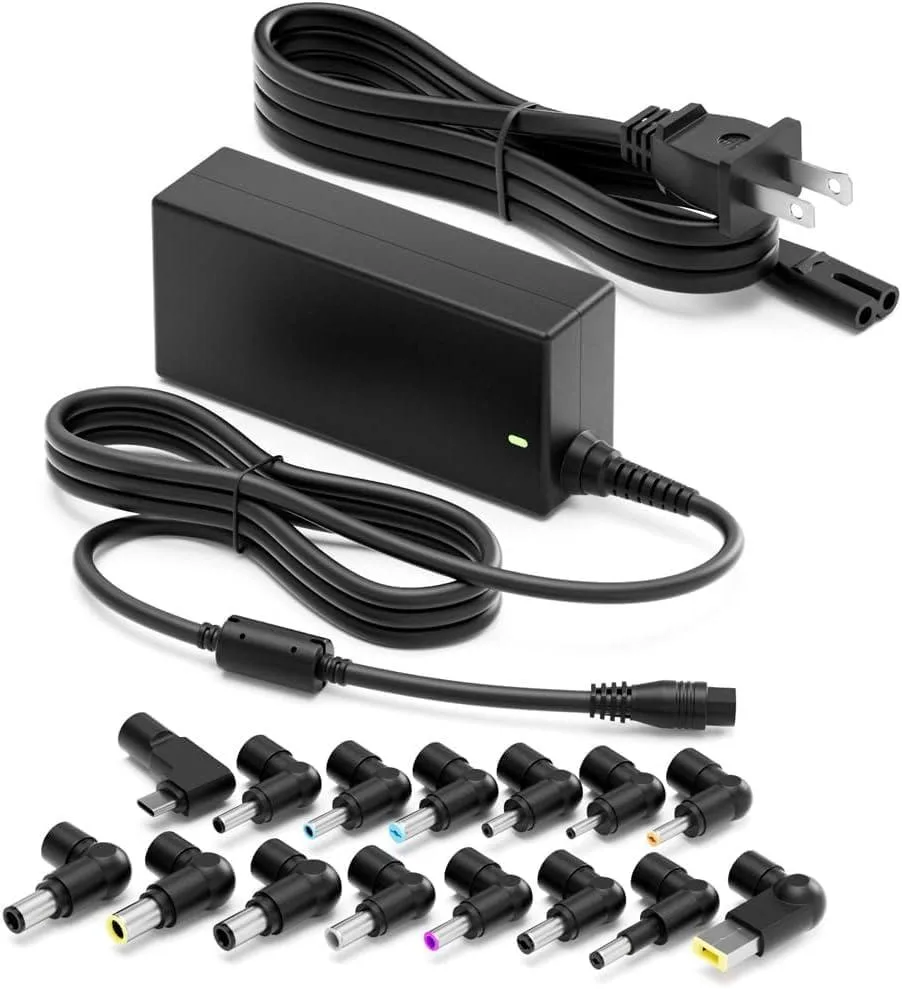
Blueskysea 90W Universal AC Adapter with USB-C tip
A 90 W universal AC adapter with a USB-C tip supplying 5 V, 9 V, 12 V, 15 V or 20 V at 4.5 A, plus selectable DC outputs of 16 V, 18.5 V, 19 V, 19.5 V or 20 V for compatible laptops
- TypeAC Adapters
- Charges most laptops up to 90W
- Wide 100-240V input for global travel
- USB-C tip delivers 5V to 20V at 4.5A
- Multiple barrel tips cover 16V to 20V outputs
- Compatible with listed HP, Dell, Lenovo and Chromebook models
Universal 90W AC adapter with USB-C tip
This 90W universal AC adapter replaces proprietary laptop chargers across multiple brands. It accepts 100-240V 50/60Hz 2.0A input and delivers configurable DC output at 16V, 18.5V, 19V, 19.5V, or 20V up to 4.5A. The included USB-C tip provides 5V, 9V, 12V, 15V, or 20V at 4.5A for modern ultrabooks and Chromebooks. It is not suitable for devices rated above 90W.
Interchangeable tips and broad model coverage
The package supplies multiple barrel plugs plus a Type-C connector so one unit fits legacy 65W and 45W barrels and newer USB-C ports. Listed compatibility spans HP, Dell Latitude, XPS, Vostro, Lenovo ThinkPad, Yoga, Chromebook, Toshiba, and MacBook Pro and Air models. Build uses standard adapter housing with strain relief on the DC cable. No mounting hardware is required.
Cool-running 90W supply with fixed cable
The adapter operates from a 100-240V 50/60Hz 2.0A mains supply without an external fan. Passive cooling keeps noise to zero during typical office loads at 45W, 65W, or the full 90W rating. Efficiency meets typical universal-adapter levels so heat stays low on a desk or in a travel bag. The fixed AC cable and detachable DC tips simplify packing.
Highlights
- Charges most laptops up to 90W
- Wide 100-240V input for global travel
- USB-C tip delivers 5V to 20V at 4.5A
- Multiple barrel tips cover 16V to 20V outputs
- Compatible with listed HP, Dell, Lenovo and Chromebook models
Specifications
| Type | AC Adapters |
|---|
Questions about this item
What DC voltages does the 90W adapter deliver over its barrel tips?
The barrel tips supply 16 V, 18.5 V, 19 V, 19.5 V and 20 V at up to 4.5 A.
Which plug fits the USB-C port on a Dell XPS 13 9360?
The included USB-C tip plugs directly into the XPS 13 9360 charging port.
How do I set the correct voltage before first use?
Select the tip that matches your laptop's required voltage; the adapter auto-negotiates 5 V, 9 V, 12 V, 15 V or 20 V on the USB-C tip and fixed voltages on barrel tips.
Also in this aisle
People compared these
Same shelf, same checkout — eight coins and a 30-minute rate lock.


Kensington
Kensington Desk Mount Cable Anchor K64613WW accessory
- Black
- Provides a secure a…
$19.99
0.00022996BTC
In stock
Panasonic
Panasonic CF-VDR291U laptop cooling pad
- Optical Drive
- Buffer Size: 2 MB B…
$213.99
0.00246164BTC
In stock
eReplacements
eReplacements PB992A-ER laptop battery 14.4V
- Battery
- Lithium-Ion
$65.99
0.00075912BTC
In stock