
Blazing Memory
Blazing Memory BM16G2KITD43200S 16GB DDR4 3200 MHz SO-DIMM Kit
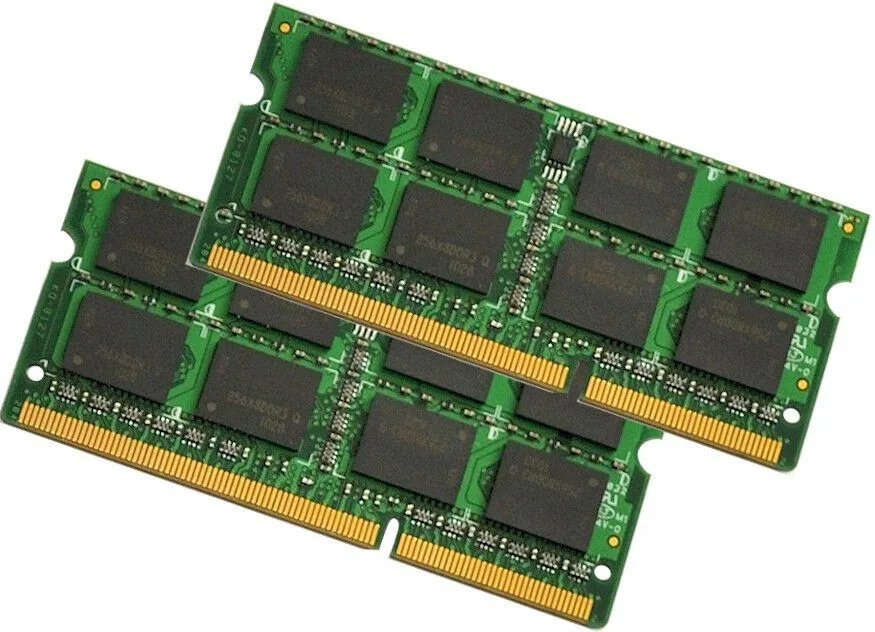
Dual-channel kit of two 8 GB DDR4 modules running at 3200 MHz with 1.2 V operation and 260-pin SO-DIMM form factor
- 16 GB total capacity across two 8 GB modules
- Dual-channel kit runs at 3200 MHz DDR4 speed
- Low 1.2 V voltage reduces laptop power draw
- 260-pin SO-DIMM form factor fits standard DDR4 slots
- Non-ECC unbuffered design for broad notebook compatibility
Kit contents and target system
This 16 GB DDR4 kit contains two 8 GB SO-DIMM modules rated for 3200 MHz operation. It is intended for laptop owners who need a matched pair to populate both memory slots for dual-channel performance.
Build and connector implications
Each module uses the standard 260-pin SO-DIMM layout and runs at 1.2 V, so installation follows the usual laptop memory procedure without extra cabling or adapters. The unbuffered, non-ECC design means it works in mainstream consumer notebooks that accept DDR4 SODIMM memory.
Packaging and readiness
The sticks are shipped in anti-static bags to protect the contacts during transit and storage. No additional software, drivers or mounting hardware are included, so the kit is ready to install as soon as the laptop is opened.
Highlights
- 16 GB total capacity across two 8 GB modules
- Dual-channel kit runs at 3200 MHz DDR4 speed
- Low 1.2 V voltage reduces laptop power draw
- 260-pin SO-DIMM form factor fits standard DDR4 slots
- Non-ECC unbuffered design for broad notebook compatibility
Specifications
No published specifications for this item yet.
Questions about this item
What speed does the DDR4 SO-DIMM kit run at, and what bandwidth does PC4-25600 provide?
The kit operates at 3200 MHz, and the PC4-25600 rating corresponds to a peak transfer rate of 25 600 MB/s.
What physical slot and pin count does this 260-pin SO-DIMM kit require?
It fits standard laptop DDR4 SO-DIMM slots with 260 pins; each module is an 8 GB stick, so two free slots are needed for the full 16 GB kit.
How do I install the two modules, and what common mistake should I avoid?
Power off the laptop, open the memory bay, align the notch on each 260-pin module with the slot key, press firmly until the side clips click, then verify 16 GB in BIOS; the frequent error is seating only one side so the module appears in but is not fully locked.
Also in this aisle
People compared these
Same shelf, same checkout — eight coins and a 30-minute rate lock.


Kensington
Kensington Desk Mount Cable Anchor K64613WW accessory
- Black
- Provides a secure a…
$19.99
0.00023945BTC
In stock
Panasonic
Panasonic CF-VDR291U laptop cooling pad
- Optical Drive
- Buffer Size: 2 MB B…
$213.99
0.00256328BTC
In stock
eReplacements
eReplacements PB992A-ER laptop battery 14.4V
- Battery
- Lithium-Ion
$65.99
0.00079046BTC
In stock