


Blackmagic Design Pty. Ltd.
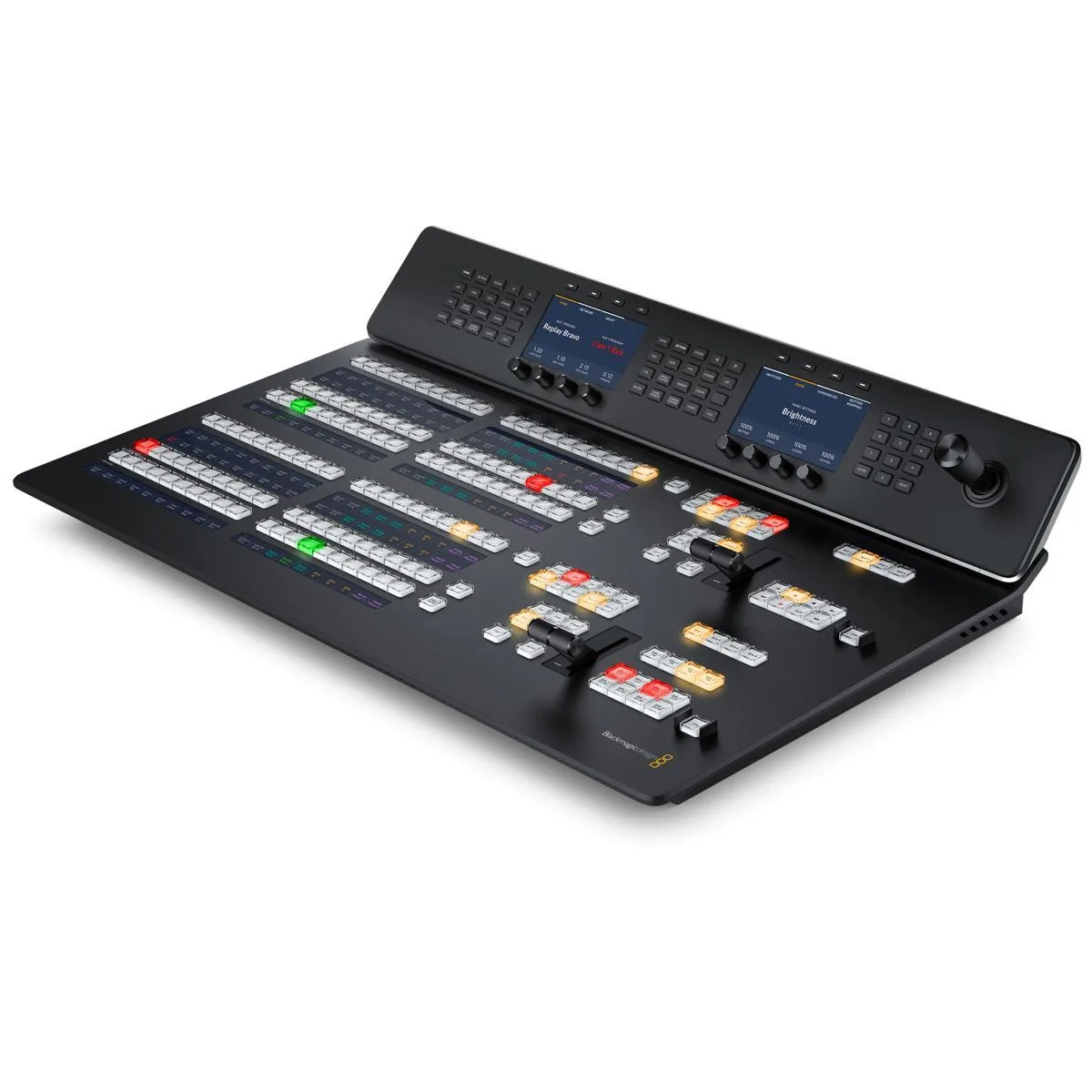
Blackmagic Design ATEM 2 M/E Advanced Panel 20 inputs
A professional live-production control surface with two M/E rows, 20 input buttons per row and independent system-control LCDs for fast, tactile switching
- Two M/E rows with 20 input buttons each for expanded switcher control
- Dedicated hardware buttons per transition type enable fast, tactile live production
- Custom LCD labels on every row and button simplify source identification
- Independent select bus per row adds flexible routing during broadcasts
- Works with ATEM Constellation software while unlocking full hardware potential
ATEM 2 M/E Advanced Panel for Live Production
The Blackmagic Design ATEM 2 M/E Advanced Panel is a hardware control surface built for professional live production switching. It provides two M/E rows with 20 input buttons each and two independent system control LCDs. This layout suits operators who need direct, tactile command over complex multi-camera broadcasts or streaming events.
Dual Row Build with Custom LCD Labelling
Each of the two rows includes 20 backlit buttons with integrated LCDs for custom source names, plus an independent select bus and a system control LCD. The dedicated hardware buttons for transition types such as mix, dip, wipe and DVE allow instant selection without menu diving. The panel connects to compatible ATEM switchers to deliver a fast, reliable physical interface that replaces software-only control.
Upgrades Software-Only Switching Workflows
Moving from a software control panel to this hardware panel removes the latency of mouse-driven operation and adds muscle-memory speed for live cuts, transitions and effects. It is not suited for productions that require more than two M/E rows or operators who rely solely on touchscreen or tablet control. The jump is worth it when live shows demand simultaneous multi-M/E management and instant transition customisation.
Highlights
- Two M/E rows with 20 input buttons each for expanded switcher control
- Dedicated hardware buttons per transition type enable fast, tactile live production
- Custom LCD labels on every row and button simplify source identification
- Independent select bus per row adds flexible routing during broadcasts
- Works with ATEM Constellation software while unlocking full hardware potential
Specifications
No published specifications for this item yet.
Questions about this item
How many input buttons are on each M/E row of the ATEM 2 M/E Advanced Panel?
Each M/E row on the ATEM 2 M/E Advanced Panel provides 20 input buttons with LCDs for custom labeling.
What physical space does the ATEM 2 M/E Advanced Panel require for mounting?
The ATEM 2 M/E Advanced Panel is a desktop control surface; it needs a flat, stable surface wide enough for two M/E rows with 20 input buttons each and two system control LCDs.
How is the ATEM 2 M/E Advanced Panel connected and configured for use with a switcher?
Connect the panel to the same network as your ATEM Constellation switcher, then pair it in the switcher's settings; the step often missed is confirming both devices share the same subnet so the panel discovers the switcher.
Also in this aisle
People compared these
Same shelf, same checkout — eight coins and a 30-minute rate lock.


WRIARICH
WRIARICH HDMI to USB/Type-C Video Capture Device 4K 1080P 60FPS Black
- HDMI
- 4K
$35.99
0.00041558BTC
In stock

Blackmagic Design Pty. Ltd.
Blackmagic Design ATEM SDI Live Production Switcher
$278.99
0.00322156BTC
In stock