


BFKK
BFKK USB C Docking Station Dual HDMI DP VGA 100W PD
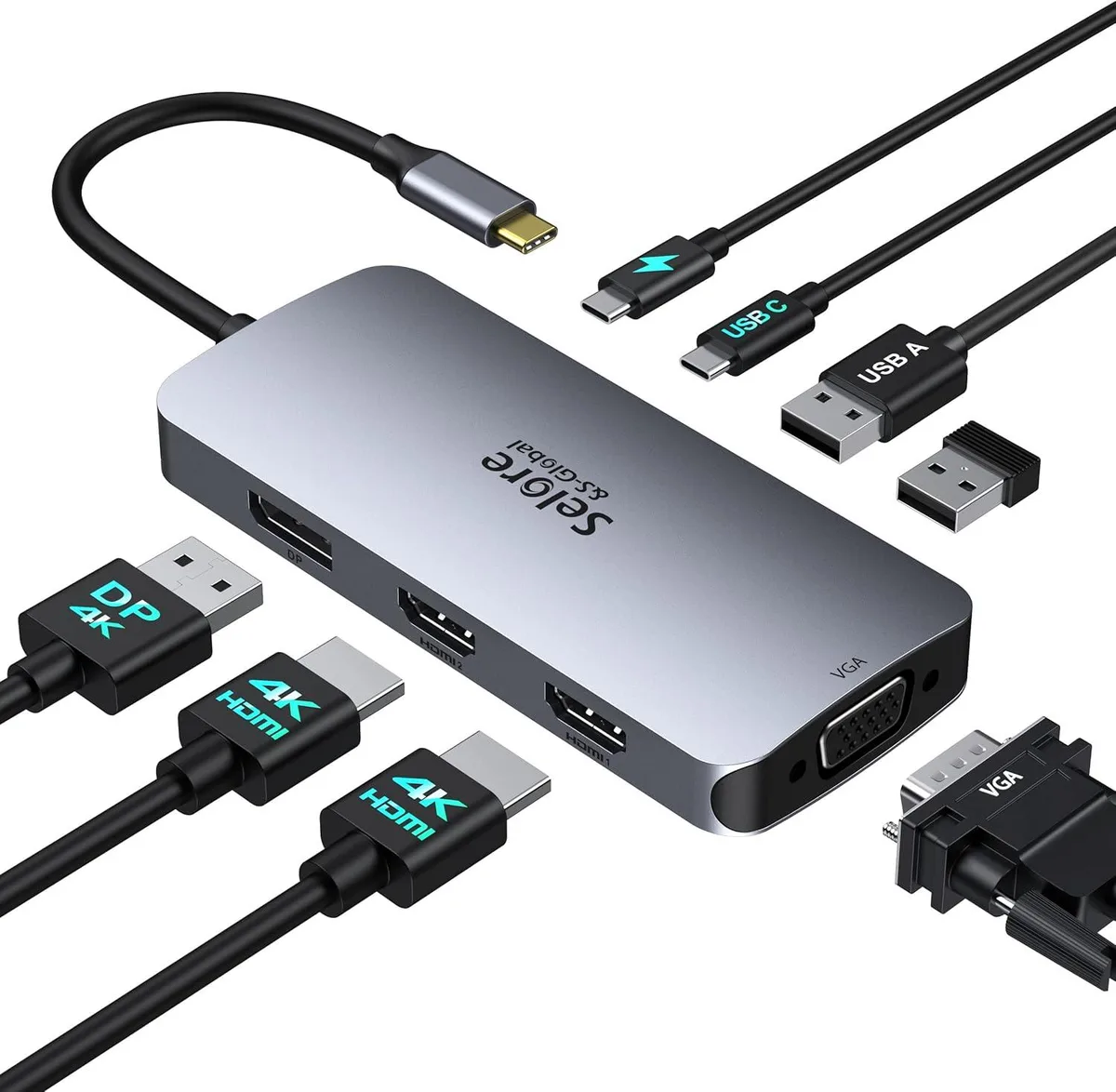
Connects a laptop via USB-C or Thunderbolt to three external displays — two HDMI and one DisplayPort at 4K plus VGA at 1080P — with 100W pass-through charging and two USB 2.0 ports
- Charge up to 100 W while you work
- Triple 4 K display output at 60 Hz and 30 Hz
- Connect keyboards, mice and drives at 480 Mbps
- Works with Thunderbolt 3 or 4 and full-featured USB-C laptops
- VGA fallback keeps older monitors usable at 1080p
Triple Display Docking Station
The BFKK USB C Docking Station connects a laptop with a full-featured USB-C or Thunderbolt 3/4 port to three external monitors. It provides dual HDMI, DisplayPort and VGA outputs supporting up to 4K resolution. The hub also includes two USB 2.0 Type-A ports, one USB 2.0 Type-C port and 100W Power Delivery charging. MacBook users are limited to mirror mode across connected displays.
Build and Daily Connectivity
A single upstream cable carries video, data and up to 100W of charging power to the host laptop. The four video ports allow flexible monitor configurations while the USB 2.0 ports handle keyboards, mice or flash drives at 480Mbps. Connecting the VGA port reduces all outputs to 1080P resolution. The compact adapter requires no external power brick beyond the laptop's own charger.
Compatibility Checklist
Verify that the laptop USB-C port supports DisplayPort Alt Mode, Power Delivery and data transfer simultaneously. Ports labelled USB-C only or USB 2.0 will not drive the video outputs. The host must supply sufficient charging wattage; a lower-power adapter may trigger system warnings. Windows laptops with Thunderbolt 3/4 or USB4 ports enable full multi-display MST functionality.
Highlights
- Charge up to 100 W while you work
- Triple 4 K display output at 60 Hz and 30 Hz
- Connect keyboards, mice and drives at 480 Mbps
- Works with Thunderbolt 3 or 4 and full-featured USB-C laptops
- VGA fallback keeps older monitors usable at 1080p
Specifications
No published specifications for this item yet.
Questions about this item
Does the 100W PD port charge my laptop at 100W?
The PD port supports up to 100W charging if your laptop USB-C port supports power delivery and you use a charger rated for the same power as the original adapter.
What ports must my laptop have to use triple display?
A full-featured USB-C, Thunderbolt 3 or Thunderbolt 4 port that supports video output is required for the dual HDMI and DisplayPort outputs.
How do I enable the USB-C data port on the dock?
Connect the dock to a Thunderbolt or full-featured USB-C port; the USB-C 2.0 port then provides up to 480Mbps for keyboards, mice or flash drives.
Also in this aisle
People compared these
Same shelf, same checkout — eight coins and a 30-minute rate lock.


Kensington
Kensington Desk Mount Cable Anchor K64613WW accessory
- Black
- Provides a secure a…
$19.99
0.00023827BTC
In stock
Panasonic
Panasonic CF-VDR291U laptop cooling pad
- Optical Drive
- Buffer Size: 2 MB B…
$213.99
0.0025506BTC
In stock
eReplacements
eReplacements PB992A-ER laptop battery 14.4V
- Battery
- Lithium-Ion
$65.99
0.00078655BTC
In stock