


BFKK
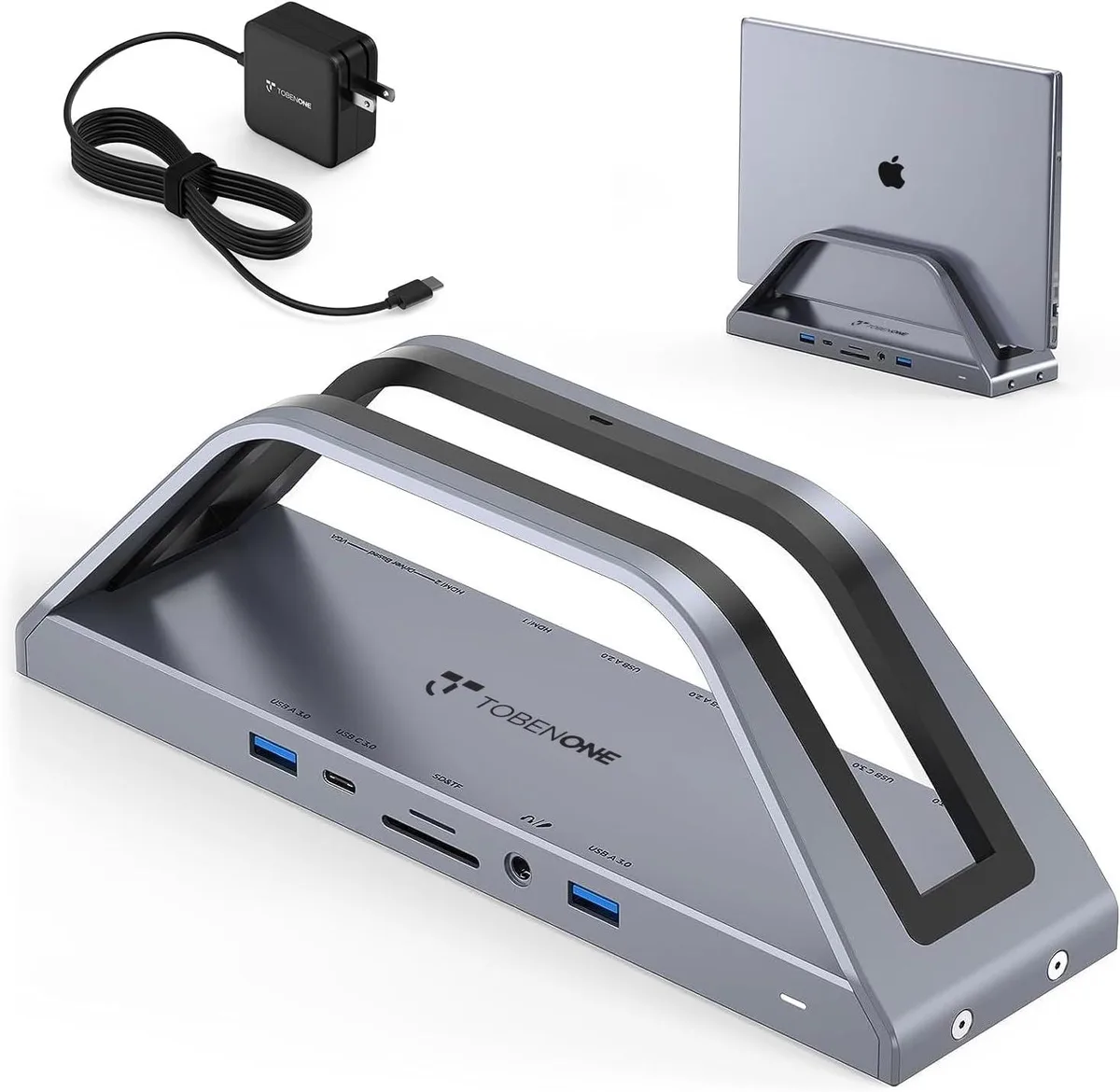
BFKK USB-C Docking Station Dual 4K HDMI 65W Power Adapter 6 USB RJ45
Connects two 4K HDMI displays, VGA, six USB ports and Gigabit Ethernet while delivering 65 W charging via the included adapter
- Dual 4K HDMI at 30 Hz extends two monitors
- M1 M2 M3 Macs reach three displays with InstantView driver
- 65 W power adapter charges laptop and dock together
- Six USB ports including four at 5 Gbps for fast transfers
- Gigabit Ethernet plus SD TF card slot and audio jack
Dual 4K HDMI Docking Station
This BFKK docking station adds two 4K HDMI outputs and one VGA port to a USB-C or Thunderbolt laptop. It supports Windows, macOS M1 through M3, and ChromeOS, extending the desktop across up to three external monitors. The USB-C port on the dock itself does not carry video signals.
Build and Connectivity
A 65 W USB-C power adapter is included and the dock accepts up to 100 W PD 3.0 input for pass-through charging up to 87 W. Six USB ports provide 5 Gbps on two USB-A 3.0 and two USB-C 3.0 sockets, plus two USB 2.0 ports for peripherals. Gigabit Ethernet, SD/TF card slots, and a 3.5 mm audio jack complete the wired layout.
M1/M2/M3 Multi-Display Requirement
On Apple Silicon MacBooks the dock relies on the Silicon Motion InstantView driver to enable dual or triple extended displays. Without that driver installed, macOS will mirror rather than extend the additional screens. Buyers who cannot install custom drivers on managed devices should note this limitation.
Highlights
- Dual 4K HDMI at 30 Hz extends two monitors
- M1 M2 M3 Macs reach three displays with InstantView driver
- 65 W power adapter charges laptop and dock together
- Six USB ports including four at 5 Gbps for fast transfers
- Gigabit Ethernet plus SD TF card slot and audio jack
Specifications
No published specifications for this item yet.
Questions about this item
What resolution and refresh rate does the HDMI output cap at in practice?
Each HDMI port delivers up to 4K at 30 Hz; the VGA port reaches 1080p at 60 Hz.
What physical space and ports does the dock need on my laptop?
It connects through a single USB-C port that must support DisplayPort Alt Mode for video.
How do I install the dock, and which step do people often miss?
On M1/M2/M3 MacBooks, install the Silicon Motion InstantView driver before connecting monitors; without it only two external displays work.
Also in this aisle
People compared these
Same shelf, same checkout — eight coins and a 30-minute rate lock.


Case Logic
Case Logic 3203990 briefcase for 15.6 in laptop with 10.1 in tablet pocket
$30.99
0.00037321BTC
In stock