


BFKK
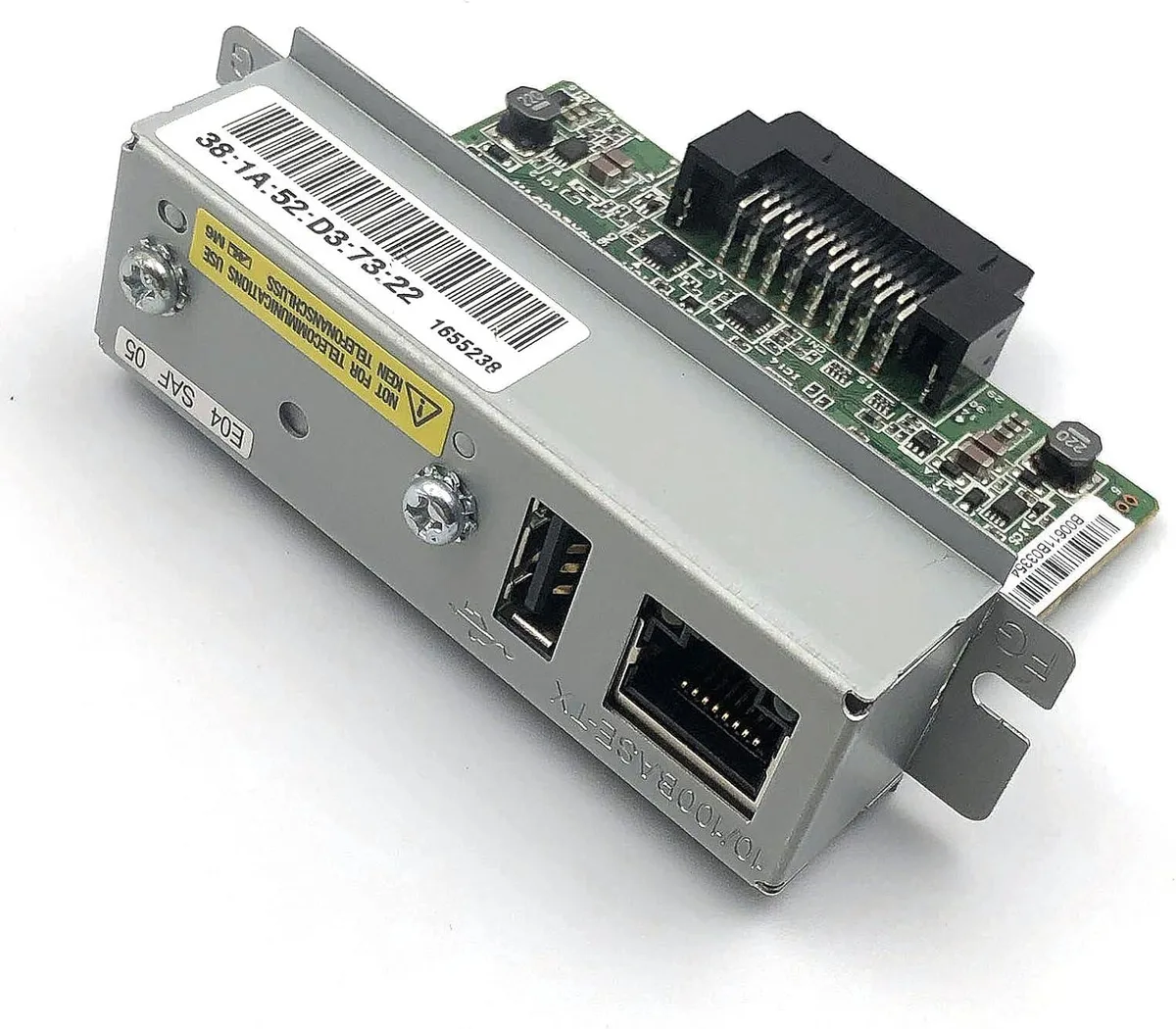
BFKK UB-E03 Ethernet Print Server C32C824541
Ethernet print server module adds 10/100 Mbps RJ-45 networking to compatible receipt printers
- Connects printers to networks via 100 Mbps Ethernet
- Plug-in module installs directly into compatible printer expansion slots
- Supports TM-U220B, TM-U220PB, TM-U220PD and TM-U220PA models
- Works with TM-T81, TM-T82II, TM-T88III, TM-T88IV, TM-T88V, TM-T70, TM-T90 and TM-T86L
- Replaces UB-E02 with Fast Ethernet 10Base-T/100Base-TX interface
What it is
The BFKK UB-E03 is a plug-in print server module that adds a 100 Mbps Ethernet port to compatible receipt printers. It installs directly into the printer’s expansion slot and replaces the older UB-E02 interface.
Who it suits
Businesses running TM-U220, TM-T81, TM-T82II, TM-T88 or TM-T90 series printers that need wired network printing. It will not help setups that require Wi-Fi, Bluetooth or speeds above 100 Mbps, nor printers lacking the matching expansion slot.
Under sustained load
The Fast Ethernet link maintains a steady 100 Mbps data rate during continuous receipt printing, so queue backlogs stay short. Because the module draws power from the host printer, there is no separate adapter to overheat during long shifts.
Highlights
- Connects printers to networks via 100 Mbps Ethernet
- Plug-in module installs directly into compatible printer expansion slots
- Supports TM-U220B, TM-U220PB, TM-U220PD and TM-U220PA models
- Works with TM-T81, TM-T82II, TM-T88III, TM-T88IV, TM-T88V, TM-T70, TM-T90 and TM-T86L
- Replaces UB-E02 with Fast Ethernet 10Base-T/100Base-TX interface
Specifications
No published specifications for this item yet.
Questions about this item
Which printer models must I already own to install the UB-E03 C32C824541?
The UB-E03 C32C824541 fits TM-U220B, TM-U220PB, TM-U220PD, TM-U220PA, TM-T81, TM-T82II, TM-T88III, TM-T88IV, TM-T88V, TM-T70, TM-T90 and TM-T86L printers.
Will the UB-E03 C32C824541 work on a network that still uses 10Base-T cabling?
Yes, the UB-E03 C32C824541 supports both Ethernet 10Base-T and Fast Ethernet 100Base-TX over its RJ-45 port, so it operates on older 10 Mbps wiring as well as 100 Mbps links.
How can I verify the UB-E03 C32C824541 is functioning after I plug it into the printer?
Connect the RJ-45 cable, power on the printer, then check the printer's network status page or your router's client list for a new device at 100 Mbps; a successful print test confirms the interface is active.
Also in this aisle
People compared these
Same shelf, same checkout — eight coins and a 30-minute rate lock.


myVolts
myVolts Internal IPv4 Print Server for Zebra ZT610 ZT620 ZT600 Series
$238.99
0.00276535BTC
In stock
