


BFKK
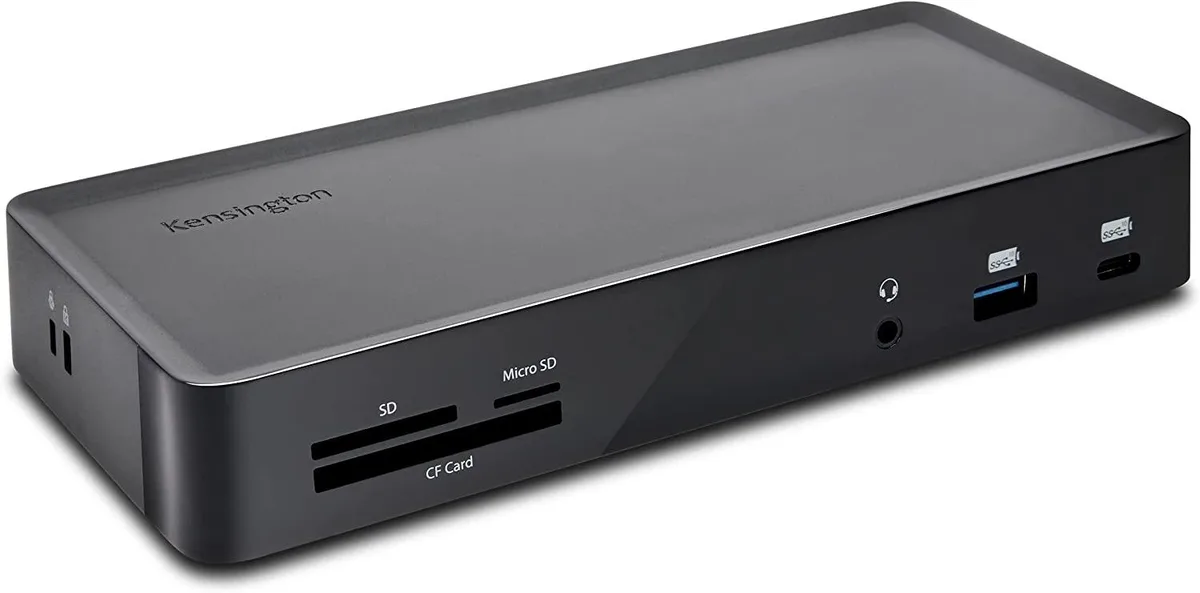
BFKK SD4900P Triple 4K Docking Station 60W PD
Triple 4K docking station with six video ports, 3-in-1 card reader, 60 W laptop charging and 1 m cable included
- Triple 4K video via six HDMI and DP++ ports
- 60 W laptop charging from 135 W supply
- 3-in-1 card reader for SD, microSD and CF cards
- 10 Gbps USB-C and USB-A ports for fast data
- 1 m USB-C cable with USB-A adapter included
Triple 4K Docking Station for USB-C
The BFKK SD4900P expands a single laptop connection into three 4K displays, a card reader and multiple USB ports. It supports USB-C Alt Mode, Thunderbolt and non-Alt Mode USB-A hosts, making it suitable for mixed Windows, Mac and Chromebook fleets. Graphic designers and hot-desk offices gain a single-cable setup that charges the laptop while driving external monitors.
Driver-based installation with included 1 m cable
The dock uses DisplayLink technology, so a driver download is required before the first connection. Windows, macOS and Chrome OS installers are available from the DisplayLink site. The 1 m USB-C-to-USB-C cable with a USB-A adapter reaches most desk layouts, but longer runs need an active extension. Forgetting the driver is the most common reason monitors stay dark.
Verify host video mode
Check whether your laptop supports USB-C Alt Mode video; non-Alt Mode USB-C or USB-A hosts are limited to two 4K 60 Hz displays instead of three. The 135 W supply delivers 60 W Power Delivery, so confirm the laptop accepts PD charging over USB-C. MacBooks with M1 or M2 base chips drive only one external display natively; this dock adds two more via DisplayLink. The card reader handles SD 4.0 UHS-II, microSD UHS-I and CF UDMA 7 cards.
Highlights
- Triple 4K video via six HDMI and DP++ ports
- 60 W laptop charging from 135 W supply
- 3-in-1 card reader for SD, microSD and CF cards
- 10 Gbps USB-C and USB-A ports for fast data
- 1 m USB-C cable with USB-A adapter included
Specifications
No published specifications for this item yet.
Questions about this item
How can I verify the dock is delivering triple 4K output at the stated refresh rates after connecting my monitors?
With a USB-C Alt Mode laptop you should see two displays at 3840x2160@60Hz and one at 3840x2160@30Hz; USB-A laptops give two displays at 3840x2160@60Hz.
What cables and adapters are included, and what must I supply for three monitors?
A 1 m USB-C to USB-C cable with USB-A adapter is included; you provide three monitor cables for the three HDMI and three DP++ ports.
Which video-port combination should I use for triple 4K on a MacBook Pro with Thunderbolt 3?
Use any three of the six ports — three HDMI and three DP++ — the dock supports triple 4K on Thunderbolt 3 MacBooks.
Also in this aisle
People compared these
Same shelf, same checkout — eight coins and a 30-minute rate lock.


E-buy
E-buy RF03XL laptop battery for HP ProBook 455 G7 11.4V 45Wh
- Lithium-Ion
$38.99
0.00045631BTC
In stock
E-buy
E-buy T4500E Battery for Samsung Galaxy Tab 3 10.1 GT-P5200 GT-P5210 6800 mAh 3.8 V
- Battery
- Lithium-Ion
$16.99
0.00019884BTC
In stock