

BFKK
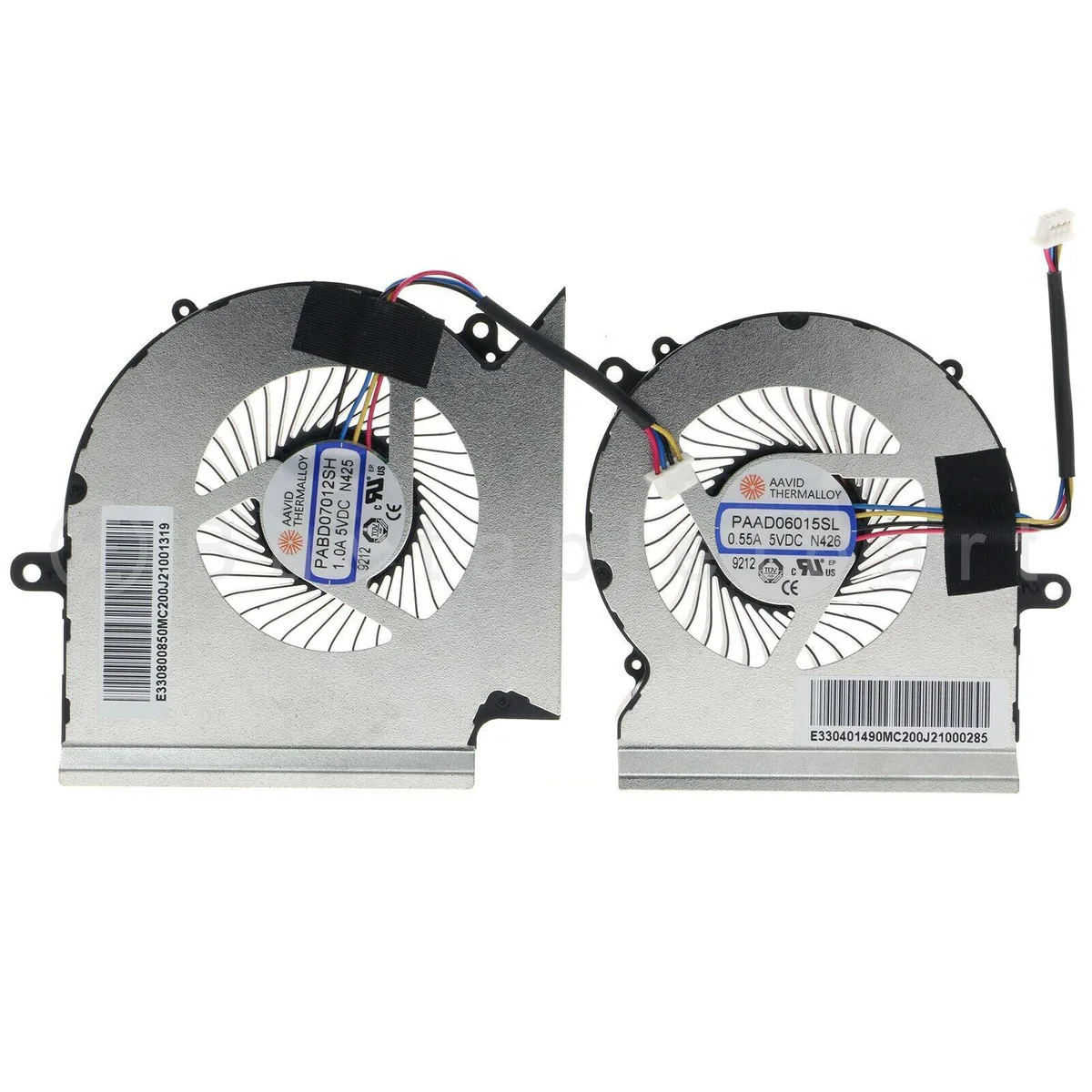
BFKK CPU GPU Cooling Fan MSI GE65 GL65 GP65 WE65 9TI 9TJ Leopard MS-16U1 laptop cooling pad
Replacement CPU and GPU cooling fans for compatible MSI laptops, supplied as a matched pair with 4-pin power connectors
- Accessory TypeFan
- CPU and GPU fans included for complete thermal coverage
- 5 V operation matches laptop power rails
- 4-pin connector enables PWM speed control
- Fits MSI GE65 GL65 GP65 WE65 9TI 9TJ Leopard MS-16U1
- New replacement parts restore original cooling performance
Replacement Fans for MSI GE65 GL65 GP65 WE65 9TI
This set includes one CPU cooling fan and one GPU cooling fan designed for specific MSI laptop models. It serves owners of the GE65 Raider GL65 GP65 and WE65 9TI 9TJ Leopard MS-16U1 series who need to replace worn or noisy original components. The package provides both fans required for a complete thermal refresh. Buyers with different laptop models cannot use this kit.
5 V 4-Pin Power Connection
Each fan operates at 5 V and connects via a standard 4-pin header compatible with the target motherboards. The design matches the original voltage and connector layout so the system can regulate speed and monitor rotation normally. No adapter or soldering is required during installation. Thermal behaviour and acoustic output will reflect the original factory specification.
Direct Fit for Listed MSI Chassis Only
The fans are shaped and mounted exclusively for the MSI GE65 Raider GL65 GP65 WE65 9TI 9TJ Leopard MS-16U1 platform. They will not align with screw holes or ducting in any other chassis including other MSI series. Buyers who need cooling for a different laptop model must source a kit matched to that specific hardware.
Highlights
- CPU and GPU fans included for complete thermal coverage
- 5 V operation matches laptop power rails
- 4-pin connector enables PWM speed control
- Fits MSI GE65 GL65 GP65 WE65 9TI 9TJ Leopard MS-16U1
- New replacement parts restore original cooling performance
Specifications
| Accessory Type | Fan |
|---|
Questions about this item
How do I install the CPU and GPU cooling fans in my MSI GE65 Raider, and which step do people often get wrong?
Remove the bottom cover, disconnect the old 4-pin connectors, then fit the new CPU and GPU fans; the step most people miss is reconnecting both 4-pin plugs securely before reassembling.
What maintenance will these 5 V fans need later?
Blow dust from the heatsink fins and fan blades every few months with compressed air; if bearing noise or vibration appears, replace the affected fan unit.
What limit shows up first under sustained load with these fans?
The 5 V 4-pin power delivery caps maximum RPM, so thermal headroom hits its ceiling before the fans can spin faster.
Also in this aisle
People compared these
Same shelf, same checkout — eight coins and a 30-minute rate lock.


Kensington
Kensington Desk Mount Cable Anchor K64613WW accessory
- Black
- Provides a secure a…
$19.99
0.00023668BTC
In stock
Panasonic
Panasonic CF-VDR291U laptop cooling pad
- Optical Drive
- Buffer Size: 2 MB B…
$213.99
0.00253363BTC
In stock
eReplacements
eReplacements PB992A-ER laptop battery 14.4V
- Battery
- Lithium-Ion
$65.99
0.00078132BTC
In stock