


BFKK
BFKK 14-Port USB Hub with 60W PD Charging
A 14-port powered hub with 6 USB 3.0 ports, 4 fast-charging ports, 1 USB-C 3.0 port and 60 W PD charging, each port individually switched
- 14 ports expand connectivity for laptops and desktops
- 6 USB 3.0 ports at 5Gbps move large files fast
- 60W PD charging powers a laptop while hubs run
- Individual LED switches cut power to unused ports
- 12-24V DC supply with overcurrent and short-circuit protection
14-Port Hub with 60W PD
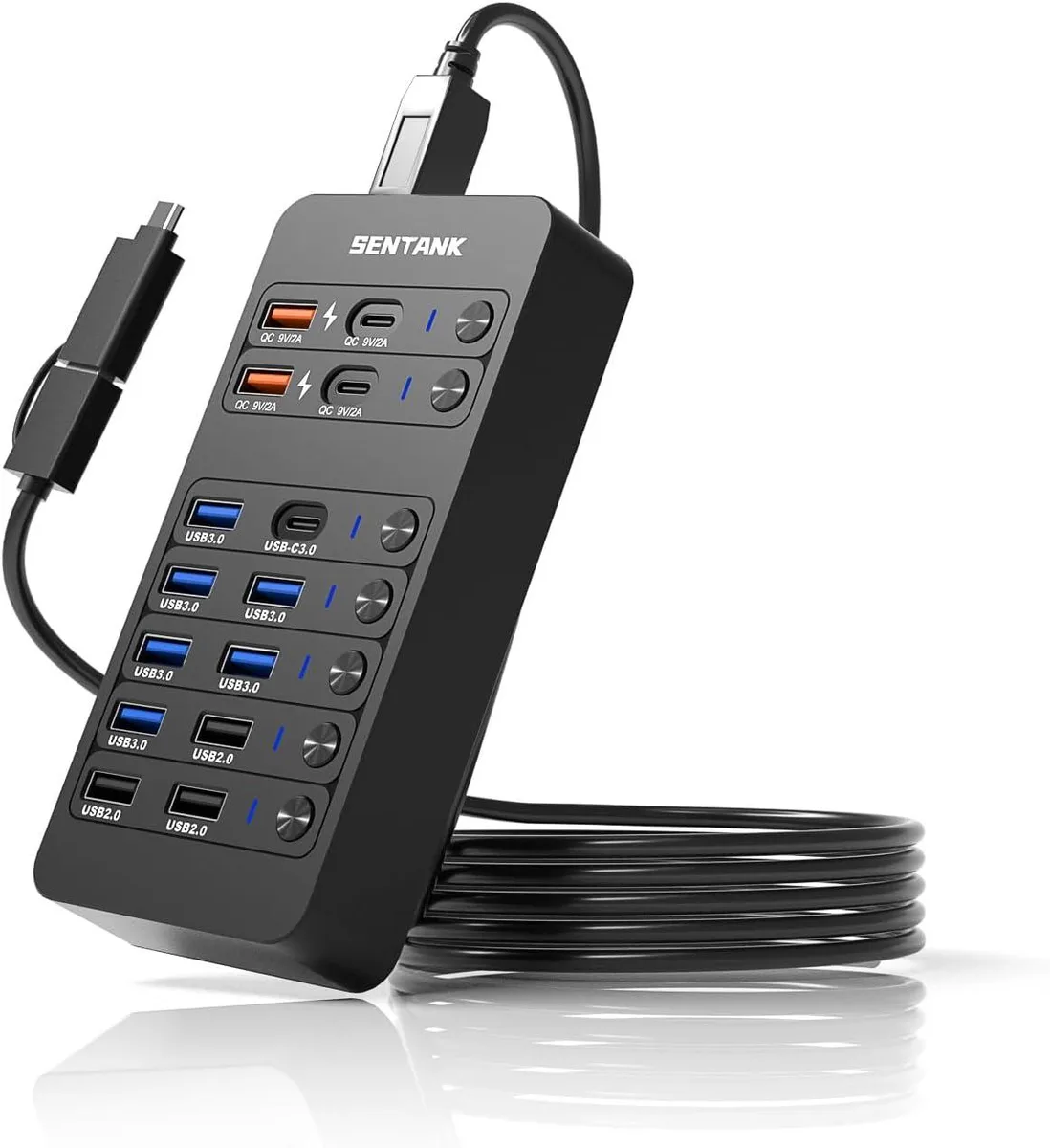
The BFKK hub adds fourteen USB connections to a single host port. It combines six USB-A 3.0 ports at 5Gbps, three USB-A 2.0 ports at 480Mbps, one USB-C 3.0 port at 5Gbps, one USB 3.0 Type-B upstream port, and four dedicated charging ports. A 60W DC supply powers the unit and connected peripherals.
Replaces smaller unpowered hubs
Move up when a laptop or desktop runs out of native ports and bus power can no longer drive every device. The external 12-24V supply delivers stable current for hard drives, cameras and multiple phones at once. Individual LED switches let you disable unused ports without unplugging cables.
Check host port and power needs
Verify the computer offers a USB 3.0 Type-B or compatible upstream connection for full 5Gbps bandwidth. Confirm the 60W PD charging port matches the laptop's charging profile before relying on it as the sole power source. Ensure desk space accommodates the external power brick and cable routing.
Highlights
- 14 ports expand connectivity for laptops and desktops
- 6 USB 3.0 ports at 5Gbps move large files fast
- 60W PD charging powers a laptop while hubs run
- Individual LED switches cut power to unused ports
- 12-24V DC supply with overcurrent and short-circuit protection
Specifications
No published specifications for this item yet.
Questions about this item
What power input does the hub require to run all 14 ports?
The hub uses a DC power supply that accepts 12 to 24 volts and delivers up to 60 watts for connected devices.
How do I connect the hub to my computer and avoid the common mistake?
Plug the included USB 3.0 Type-B cable into the hub's upstream port and your computer; the error is forgetting to connect the DC adapter before attaching power-hungry peripherals.
Which ports may need attention if a device stops charging at 9V/2A?
The two USB-A and two USB-C charging ports are rated at 9V/2A; check their individual LED switches and the hub's overcurrent protection if charging fails.
Also in this aisle
People compared these
Same shelf, same checkout — eight coins and a 30-minute rate lock.



Parsec Technologies, Inc.
Parsec Technologies, Inc. PRO4A4L15W TV Antenna
$271.99
0.00323232BTC
In stock
SIERRA WIRELESS DATA INC
SIERRA WIRELESS DATA INC 6001363 6-in-1 Dome TV Antenna
$202.99
0.00241233BTC
In stock
NEC Display Solutions
NEC Display Solutions 10 Point Infrared Touch Overlay for C431 OLR431R
$326.99
0.00388594BTC
In stock